
AN758: Implementing USB Communication Device Class …
The USB communications device class (CDC) is a composite USB device class, and the class may include more than one interface. The CDC is used primarily for modems, but also for ISDN, fax machines, and telephony
Download AN758: Implementing USB Communication Device Class …

Information
Domain:
Source:
Link to this page:
Documents from same domain
Frequency Modulation FM Tutorial - Silicon Labs
www.silabs.comFrequency Modulation (FM) Tutorial Lawrence Der, Ph.D. Silicon Laboratories Inc. Introduction Edwin H. Armstrong, known as one of the founding fathers of radio technology, invented the
AN986: BLUETOOTH® A2DP AND AVRCP PROFILES
www.silabs.comSilicon Labs TABLE OF CONTENTS 1 Introduction 4 1.1 Advanced Audio Distribution Profile 4 1.2 Audio/video Remote Control Profile 5 2 iWRAP firmware overview 6
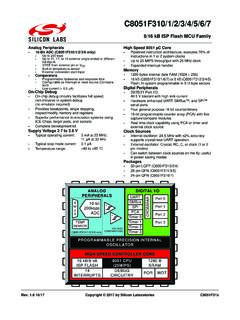
C8051F310/1/2/3/4/5/6/7 - Silicon Labs
www.silabs.comC8051F310/1/2/3/4/5/6/7 Rev. 1.8 3 Table Of Contents 1. System Overview..... 17

Isolated RS232 and RS485 Expansion Board User Guide
www.silabs.comIsolated RS232 and RS485 Expansion Board User Guide The Silicon Labs Isolated RS232 and RS485 Evaluation Board is a hardware plugin card for EFM8 and EFM32 Starter Kits (STKs).
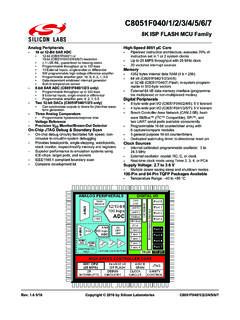
C8051F040/1/2/3/4/5/6/7 - Silicon Labs
www.silabs.comC8051F040/1/2/3/4/5/6/7 Rev. 1.6 3 Table of Contents 1. System Overview..... 19

A Stroke of Genius for Smart TVs: Add Voice to Your Remote ...
www.silabs.comA Stroke of Genius for Smart TVs: Add Voice to Your Remote Control Introduction In this age of the Internet of Things (IoT), connected devices are getting smarter and smarter. We have smart phones, smart homes, smart cars, smart appliances, and even ... digitize our voice and send it over the Internet where it is processed for a response. The
DESIGN OF PRINTED TRACE DIFFERENTIAL OOP NTENNAS 1 ...
www.silabs.comalso provides a general tutorial on how to design a differential loop antenna, using a combination of design ... 2.1. Design Characteristics of Loop Antennas The following represents a brief list of some of the characteristics of loop antennas; each of these items is
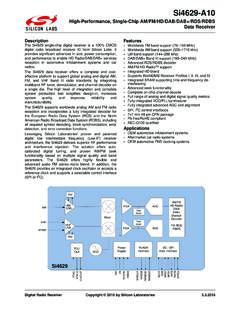
High-Performance, Single-Chip …
www.silabs.comThe Si4629 supports worldwide analog AM and FM radio reception and incorporates a fully integrated decoder for the European Radio Data System (RDS) and the North
AN1107: Si5332 Power Supply Noise Rejection - Silicon Labs
www.silabs.comAN1107: Si5332 Power Supply Noise Rejection This application note showcases the power supply noise rejection (PSNR) performance of Si5332. Power supply noise are a significant problem in high performance clocking. A clock cir-cuit that is dependent on a voltage source will be affected by the noise of that source in the following ways:
Enhancing Power Supply Rejection Ratio for Low-Jitter Clocks
www.silabs.comEnhancing Power Supply Rejection Ratio for Low-Jitter Clocks . Today's electronic systems require advanced design from top to bottom. Cost and ... especially in high-power systems. Ripple as high as 100 mVp-p is common in some networking and computing applications.
Related documents

NMEA 2000
www.nmea.orgField # Field Description This network management message is used to claim network address, reply to devices requesting the claimed address, and to respond with device information (NAME) requested by the ISO Request or Complex Request Group Function. This PGN contains several fields that are requestable, either independently or in any combination.

DX80 Performance Configuration Software Instruction Manual
info.bannerengineering.comparameter contents are read from the Node and then the user changes one field, the tool only writes one field back to the Node. Default is ON—the configuration tool minimizes the data traffic. Use Legacy Commands for Device Communications—Older DX80 devices do not support access to device-level system parameters.

475 Field Communicator - Emerson Electric
www.emerson.comDevice interoperability is achieved through the Electronic Device Description Lang uage (EDDL) technology supported by the HART Communication Foundation and Fieldbus Foundation. Basic testing is performed on all device descriptions. Each device manufacturer is asked to certify that they thoroughly tested their devices with the 475 Field ...

Network Device Onboarding for Cisco DNA Center …
www.cisco.comThis includes entering device information and setting up a bootstrap configuration, full configuration, and Cisco device image for each device to be installed. The bootstrap configuration enables the PnP Agent, specifies the device interface to be ... Enter the building address in the text field under Address. Step 6. Click the Add button to ...
HP Array Configuration Utility User Guide
h10032.www1.hp.com3. Select Device Queries. 4. Under Device by Type, select All Servers. 5. Connect to the server that is running ACU. 6. Under Device Links, select the System Management Home Page. 7. Click Array Configuration Utility on the left-hand side of the screen. ACU opens, and identifies the controllers that are connected to the system. This

MMDVM Hotspot Configuration - ttci radio solutions
www.ttciradio.com192.168.50.1) into the URL field • Once the Pi Star Dashboard is showing on the web browser, go to Configuration (username: pi-star and password: raspberry) • Scroll down to the Wireless Configuration section and click on Configure WiFi

Hierarchal Testbench Configuration Using uvm config db
www.synopsys.comHierarchal Testbench Configuration Using uvm_config_db 2 Figure 1: set() and get() function syntax “cntxt” and “inst_name” are used to specify the storage location or address of the object handle. When used properly these parameters define the hierarchical path to the object data. “field_name” is the name for the object.

Catalyst 3560-C and 2960-C Getting Started Guide (English)
www.cisco.comFor additional installation and configuration information for the switch, see the ... In the Switch Password field, enter your password. The password can be from 1 to 25 ... Use the device manager to perform basic switch configuration and monitoring. See the device manager online help for more information. 4.

AN127: Flash Programming via the C2 Interface - Silicon Labs
www.silabs.comThe length of the WAIT field is controlled by the target device. During the WAIT field, the target device transmits 0’s on the C2D pin until it has finished writing to the target Data register. To indicate the write complete status, the target device transmits a 1 to terminate the WAIT field. AN127: Flash Programming via the C2 Interface C2 ...