
Archer C60 User Guide - TP-Link
Note: Ignoring this type of note might result in a malfunction or damage to the device. Tips: Indicates important information that helps you make better use of your device. symbols on the web page • click to edit the corresponding entry. • click to delete the corresponding entry. • click to enable or disable the corresponding entry.
Download Archer C60 User Guide - TP-Link

Information
Domain:
Source:
Link to this page:
Documents from same domain
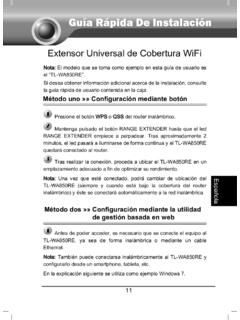
Guía Rápida De Instalación - static.tp-link.com
static.tp-link.com11 E s p a ñ o l a M Extensor Universal de Cobertura WiFi Nota: El modelo que se toma como ejemplo en esta guía de usuario es el “TL-WA850RE”. Si desea obtener información adicional acerca de la instalación, consulte

TL-WR841N TL-WR841ND 300Mbps Wireless N Router - TP …
static.tp-link.comThe 300Mbps Wireless N Router delivers exceptional range and speed, which can fully meet the need of Small Office/Home Office (SOHO) networks and the users demanding higher networking performance.
TL-WR841N TL-WR841ND 300Mbps Wireless N Router
static.tp-link.comPowered by 2x2 MIMO technology, the 300Mbps Wireless N Router delivers exceptional range and speed, which can fully meet the need of Small Office/Home Office (SOHO) networks and the users demanding higher networking performance.
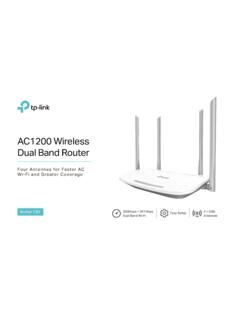
AC1200 Wireless Dual Band Router - TP-Link
static.tp-link.comAC1200 Wireless Dual Band Router Archer C50 300Mbps + 867Mbps Easy Setup Dual Band Wi-Fi 4 × 5dBi Antennas ... AC1200 (300Mbps on 2.4GHz + 867Mbps on 5GHz) Wi-Fi for reliable connections. 5GHz 867Mbps ... Cable or DSL Modem Subscription with an …
Quick Installation Guide - static.tp-link.com
static.tp-link.comEnglish 1 1 Power on Plug the extender into an electrical outlet near your router and press the power button if it has one. 2 Connect your computer to the extender
Installation Guide - TP-Link
static.tp-link.comThis guide is applicable to products including CPE210, CPE220, CPE510 and CPE520. • Package Contents Installation Guide Outdoor CPE CPE210 / CPE220 / CPE510 / C PE520 Pharos CPE Passive PoE Adapter Pole Mounting Straps Mounting Bracket Plastic Wall …
TL-WA901ND 300Mbps Wireless N Access Point - TP-Link
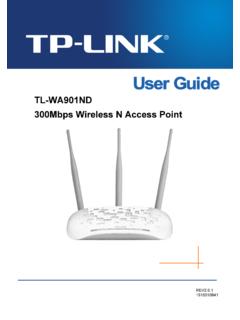
static.tp-link.comTL-WA901ND 300Mbps Wireless N Access Point User Guide 1 Package Contents The following items should be found in your package: One TL-WA901ND 300Mbps Wireless N Access Point

Quick Installation Guide - TP-Link
static.tp-link.comQuick Installation Guide AC1750 Wireless Dual Band Gigabit Router Connect the Hardware 7106505288 REV3.0.0 Verify that the following LEDs are

How to configure VPN function on TP-LINK Routers
static.tp-link.com3 2. How to configure LAN-to-LAN IPsec VPN on TP-LINK Router Suitable for: TL-ER6120, TL-ER6020, TL-ER604W, TL-R600VPN To setup an IPsec VPN tunnel …

How to configure VPN function on TP-LINK Routers
static.tp-link.com3 2. How to configure LAN-to-LAN IPsec VPN on TP-LINK Router Suitable for: TL-ER6120, TL-ER6020, TL-ER604W, TL-R600VPN To setup an IPsec VPN tunnel …
Related documents
Magnetic Stripe Card Reader/Writer - Triades
www.triades.netD .When the test program is first opened, a password dialog box will ask whether you wish a first time password. D The test program will auto-detect communication port. If there is any errors occurred, it’ll appear in the information dialog box after opening the program. User can close the AP by pressing OK button. E .
One Talk T41S IP ser guide desk phone user guide - VZW
ss7.vzw.comhub device. Startup After your phone is powered on, the system boots up and performs the following steps: Dynamic Host Configuration Protocol (DHCP) The phone attempts to contact a DHCP server in your network to obtain valid IPv4 network settings by default. Automatic phone initialization When your One Talk phone is connected to the network and

Poly Studio USB Video Bar User Guide 1.2
support.polycom.comneed to set Poly Studio as the default audio and video device of your application. The following is a general procedure that you can refer to. Your application may use different terms or categories. Procedure 1. Go to your software client Settings. 2. Find Audio Device and Video Device . 3. Select Poly Studio as the device and click Save .
Assigning the Switch IP Address and Default Gateway - Cisco
www.cisco.com† Performs low-level CPU initialization. It initializes the CPU registers, which control where physical memory is mapped, its quantity, its speed, and so forth. † Performs power-on self-test (POST) for the CPU su bsystem. It tests the CPU DRAM and the portion of the flash device that makes up the flash file system.

Device Initialization and Password Reset for Networking ...
www.dahuasecurity.comNov 09, 2017 · Device Initialization and Password Reset 1 Introduction In order to strengthen device security and ensure the safety of user information, new firmware on Dahua devices will feature initialization and password reset functions. When using networking cameras for the first time, users will need to initialize the device with a strong password.