
Camera User Guide
2 Before Use Basic Guide Advanced Guide 1 Camera Basics 2 Auto Mode 3 Other Shooting Modes 5 Playback Mode 6 Wi-Fi Functions 7 Setting Menu 8 Accessories 4 P Mode 9 Appendix Index Initial Information Package Contents Before use, …
Download Camera User Guide

Information
Domain:
Source:
Link to this page:
Documents from same domain
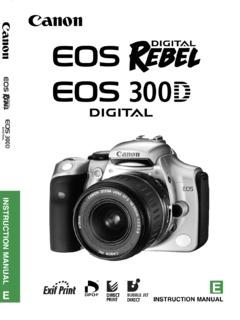
INSTRUCTION MANUAL E INSTRUCTION MANUAL - …
gdlp01.c-wss.com2 Thank you for purchasing a Canon product. The EOS DIGITAL REBEL/EOS 300D DIGITAL is a high-performance, digital AF SLR camera with an ultra-fine CMOS sensor with 6.30 million
CANON INC. 30-2, Shimomaruko 3-chome, Ohta …
gdlp01.c-wss.comE E INSTRUCTION MANUAL CANON INC. 30-2, Shimomaruko 3-chome, Ohta-ku, Tokyo 146-8501, Japan U.S.A. CANON U.S.A. INC. For all inquiries …
はじめに やりたいこと 目次 EOS Utility
gdlp01.c-wss.com2 画像取り込み1 索 引 はじめに カメラ設定2 環境設定4 資 料 リモート撮影3 やりたいこと 目次 はじめに eos イオス
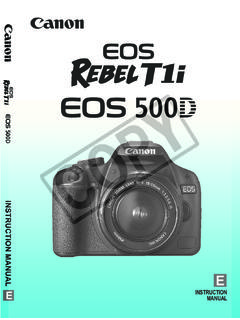
INSTRUCTION MANUAL INSTRUCTION MANUAL - …
gdlp01.c-wss.com11 Make a large size print of the pictureÎ p.70 (73, 83, 1) Take many pictures Î p.70 (76, 86) Focusing Change the point of focus Î p.66 (S AF point selection) ÎShoot a moving subject p.50, 65 (AI Servo AF)
MG3000 series Online Manual - gdlp01.c-wss.com
gdlp01.c-wss.comMG3000 series Online Manual Overview Printing Scanning Frequently Asked Questions English

PIXMA MG3200 series - gdlp01.c-wss.com
gdlp01.c-wss.comNetwork Connection Wireless Connection a Preparation for Connection Before Starting Wireless Connection Setup 1. Make sure that the printer is turned on.

PIXUS MG3200 series - gdlp01.c-wss.com
gdlp01.c-wss.comネットワーク接続 無線lan接続 a 接続の準備 無線lanの設定を始める前に 1. プリンターの電源が入っていることを確認します。

Handbuch Erste Schritte DEUTSCH - gdlp01.c-wss.com
gdlp01.c-wss.com2 Lieferumfang Überprüfen Sie, ob die folgenden Teile im Lieferumfang enthalten sind. Wenden Sie sich an den Kamera-Händler, falls etwas fehlen sollte.
Camera User Guide - gdlp01.c-wss.com
gdlp01.c-wss.com5 Before Use Basic Guide Advanced Guide Camera Basics Auto Mode Other Shooting Modes P Mode Playback Mode Setting Menu Wi-Fi Functions Accessories Appendix
Camera User Guide - gdlp01.c-wss.com
gdlp01.c-wss.comCamera User Guide ENGLISH • Before use, be sure to read this guide, including the safety precautions. • This guide will familiarize you with how to use the camera
Related documents

Manual - Fanatec
fanatec.comservo motor, smooth belt drive and 900° rotation angle built into a high quality metal construction and including the quick release. Select the Steering Wheel of your choice compatible to your ClubSport Wheel Base V2.5 such as the BMW M3 GT2, the Formula Black and Formula Carbon, the Porsche 918 RSR and the Universal Hub.

A3 SUPER - HobbyEagle
hobbyeagle.comSERVO TRIMMING AND TRAVEL LIMITING Go to the Servo tab of the software, click the “Servo Trimming” and “Travel Limiting” buttons to adjust the center position and travel limits of the servos using your transmitter. See Page 24 “11.8.1.Servo Trimming” and Page 25 “11.8.2.Travel Limiting”. 9. ATTITUDE CALIBRATION

AC Servo Motor and Driver˜ MINAS A4 Series˜
industrial.panasonic.com•Thank you for buying and using Panasonic AC Servo Motor and Driver, MINAS A4 Series. •Read through this Instruction Manual for proper use, especially read "Precautions for Safety" ( P.8 to 11) without fail for safety purpose. •Keep this Manual at an easily accessible place so as to be referred anytime as necessary.

2021-2022 FIRST Tech Challenge Blocks Programming Guide
www.firstinspires.orgManual rule <RS01. Users with Two Android Devices Teams who have two Android devices and are not using a Control Hub will need to configure one smartphone for use as a Robot Controller and a second device for use as a Driver Station. The process is as follows, • Rename one smartphone to "<TEAM NUMBER>-RC" (replace <TEAM NUMBER> with your team
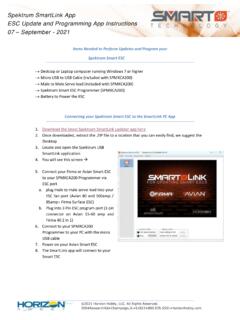
Spektrum SmartLink App ESC Update and Programming App ...
www.horizonhobby.coma. plug male to male servo lead into your ESC fan port (Avian 80 and 100amp / 85amp+ Firma Surface ESC) b. Plug into 3 Pin ESC program port (3 pin connector on Avian 15-60 amp and Firma 40 2 in 1) 6. Connect to your SPMXCA200 Programmer to your PC with the micro USB cable 7. Power on your Avian Smart ESC 8. The SmartLink app will connect to your

X-Plane
www.x-plane.comAileron Servo Test If the self-test is satisfied, the RDY illumination will be present. The pilot should now perform a manual test of the aileron servo, by selecting HDG (Heading) mode, and then adjusting the directional gyro heading bug to the left, and right, of the current heading. If