
Catch Game Scratch Cards
scratch.mit.edu/catch Type a negative number to fall down. Fall Down GET READY TRY IT ADD THIS CODE TIP Check if near the bottom of the Stage. Click the green flag to start. Click the stop sign to stop. Click to select the Apple. Use to move up or down. Use to set the sprite’s vertical position. Go back to the top of the Stage.
Download Catch Game Scratch Cards

Information
Domain:
Source:
Link to this page:
Documents from same domain

Hide and Seek - Massachusetts Institute of Technology
resources.scratch.mit.eduSCRATCH EDUCATOR GUIDE HIDE AND SEEK / EDUCATOR GUIDE scratch.mit.edu/go SCRATCH EDUCATOR GUIDE scratch.mit.edu/go HIDE AND SEEK / EDUCATOR GUIDE With this guide, you can plan and lead a one-hour workshop using Scratch.
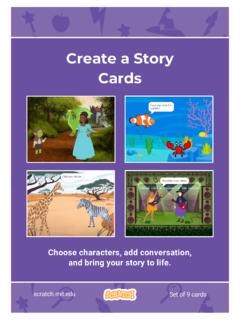
Create a Story Cards - Scratch Resources browser
resources.scratch.mit.eduCreate a Story ADD THIS CODE Click the thumbnail for each character, and then add its code. GET READY Choose two characters. Choose a Mountain backdrop. Goblin TIP You can click the menu to add a new message. Respond to a Character scratch.mit.edu Princess Broadcast a message. Princess Goblin Tell this character what to do when it receives the ...
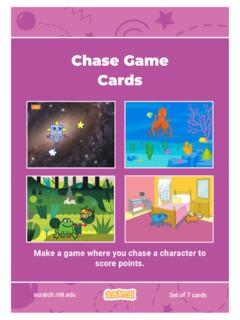
Chase Game Cards - Scratch Resources browser
resources.scratch.mit.eduMake a game where you chase a character to score points. Chase Game Cards scratch.mit.edu Set of 7 cards. Chase Game Cards Use these cards in this order: 1. Move Left and Right 2. Move Up and Down 3. Chase a Star 4. Play a Sound 5. Add a Score 6. Level Up! 7. Victory Message scratch.mit.edu Set of 7 cards. 1 Move Left and Right Press arrow keys ...
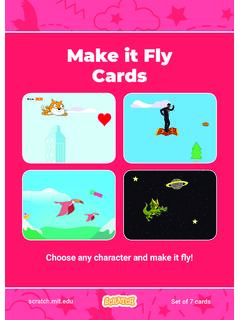
Make it Fly Make It Fly Cards - Scratch Resources browser
resources.scratch.mit.eduMake t ly Move the scenery so your character looks like it’s flying. Start Flying 2. scratchitedu ADD THIS CODE Type a negative number to move left. Start Flying GET READY Choose a sprite to fly by, such as Buildings. Start from the right end of the stage. TIP x is the position on the Stage from left to right. y = 180
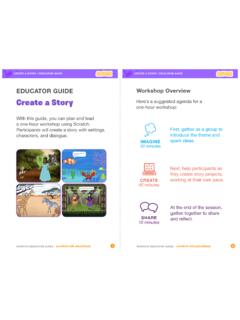
Create a Story
resources.scratch.mit.edu• Choose a character. • Make a character say something • Make a character hide and show. Click the green flag to start. Add code to the new character. Choose any character (in Scratch called a sprite). Type what you want your character to say. Add another character. Witch Wizard Use this block to have the second character wait before
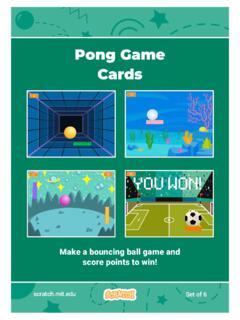
Pong Game Cards - Scratch Resources browser
resources.scratch.mit.eduGET READY Move your mouse pointer to move the paddle. Move the Paddle scratch.mit.edu Click the green flag to start. You can see the x position of the paddle change as you move the mouse pointer across the Stage. Choose a sprite for hitting the ball, like Paddle. Then, drag your paddle to the bottom of the Stage.

Teacher Accounts - Massachusetts Institute of Technology
resources.scratch.mit.eduT o s av e y o ur o w n co p y o f t hi s d o c, cl i ck F i l e a t t he t o p l ef t , t hen s el ect M a k e a c o p y . T o s av e a co p y t o y o ur co mp ut er , s el ect D o w n l o a d .
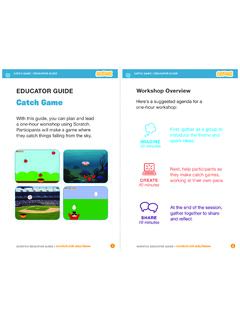
Catch Game - Massachusetts Institute of Technology
resources.scratch.mit.edua one-hour workshop using Scratch. Participants will make a game where they catch things falling from the sky. EDUCATOR GUIDE. Workshop Overview. First, gather as a group to introduce the theme and . spark ideas. SHARE . 10 minutes. Next, help participants as . they make catch games, working at their own pace. At the end of the session, gather ...
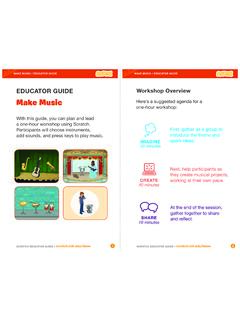
Make Music - Scratch Resources browser
resources.scratch.mit.eduCheck sound on computers or laptops 3 4 Check to make sure that the sound output is working on the computers or laptops. You may want to make headphones available (including headphone splitters to allow participants to listen together). Warm-up Activity: Repeat a Rhythm Gather the group in a circle and get ready to make music. Take
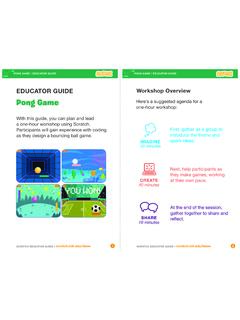
EDUCATOR GUIDE Workshop Overview
resources.scratch.mit.eduParticipants will gain experience with coding as they design a bouncing ball game. EDUCATOR GUIDE Workshop Overview First, gather as a group to ... Show the introductory video for the . Pong Game tutorial. The video shows pong games with a variety of themes, including ... For a more advanced project, try making a two-player game. To
Related documents
Chase Game Cards - Scratch Resources browser
resources.scratch.mit.eduscratch.mit.edu Move Up and Down GET READY Robot Choose down arrow. Type a minus sign to move down. y is the position on the Stage from top to bottom. Type a positive number to move up. TRY IT TIP Press the arrow keys. Choose up arrow. Click your character to select it. Use the change y by block to move up. ADD THIS CODE Type a negative number ...

Getting Started With - Massachusetts Institute of Technology
cdn.scratch.mit.eduScratch is a programming language that makes it easy to create your own interactive stories, games, and animations – and share your creations with others on the web.

SCRATCH 入門 - Coocan
fry.no.coocan.jpScratch は無料で公開され、誰でも以下の専用サイトからダウンロードすることができます。 www.scratch.mit.edu 目次 1. ダウンロードとインストール・・・2 2. SCRATCH の画面・・・3 3. 習うより慣れよ・・・5 4. 命令ブロックの実行規則・・・12 5.

Colorado Lottery Scratch Validation Codes
static.coloradolottery.comscratch validation codes $1 - one - $2 - two $3 - thr $4 - for $5 - fiv $6 - six $7 - svn $8 - egt $9 - nin $10 - ten $11 - lvn $12 - tlv $13 - ttn $14 - ftn $15 - ffn $16 - sxt $17 - stn $18 - ett $19 - ntn $20 - twy $21 - ton $22 - twt $23 - twr $24 - twf $25 - twv $26 - twx $27 - tws $28 - twe $29 - twi $30 - try $31 - tro $32 - trt $33 ...

OBi200 Polycom - OBiTALK
www.obitalk.comMake a Test Call Using Polycom OBiTalk Set-Up VoIP Services Setup a Polycom OBiTalk Account At any time, you may place a test call to the OBi Number below: