Transcription of Catch Game Scratch Cards
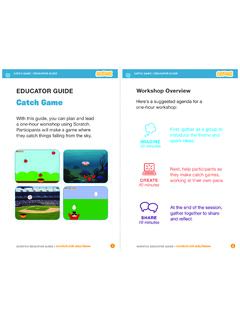
1 Catch GameCatch Game CardsMake a game where you Catch things falling from the sky. Game Go to the Top Fall Down Move the Catcher Catch It! Keep Score Bonus Points You Win!12 34567 Catch Game CardsUse these Cards in this Game1 Start from a random spot at the top of the to the to the Topy is the position on the Stage from top to = 180y = 180x = 240x = 240 GET READYTRY ITADD THIS CODETIPC lick the green flag to a 180 to go to the top of the a sprite, like random position from the Game2 Make your sprite fall a negative number to fall DownGET READYTRY ITADD THIS CODETIPC heck if near the bottom of the the green flag to the stop sign to to select the to move up or to set the sprite s vertical back to the top of the Game3 Press the arrow keys so that the catcher moves left and the the Bowl to the bottom of the the CatcherGET READYTRY ITADD THIS CODEP ress the arrow keys to move the the green flag to a catcher, like Game4 Catch the falling It!
2 To select the Bowl from the It!GET READYADD THIS CODETIPThen choose a sound from the Sound you want to add a different sound, click the a Game5 Add a point each time you Catch the falling apples to score points!Add this block to reset the this block to increase the ScoreGET READYTRY ITChoose the Make a Variable this variable score and then click THESE BLOCKSAdd two new blocks to the script you made: Catch Game6 Get extra points when you Catch a golden your bonus sprite to increase your score!Choose the Duplicate can use the paint tools to make your bonus sprite look your sprite to duplicate how many points for the bonus PointsGET READYTRY ITADD THIS CODEC lick the tab.
3 Click the Game7 When you score enough points, display a winning message!You Win! Win!GET READYTRY ITADD THIS CODEPlay until you score enough points to win!Click the green flag to the Tex t tool to write a message, like You won! You can change the font color, size, and the the score the paintbrush to draw a new the Convert to vector button.