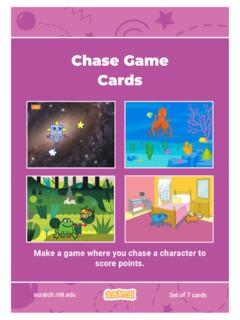
Chase Game Cards - Scratch Resources browser
Play a Sound 5. Add a Score 6. Level Up! 7. Victory Message scratch.mit.edu Set of 7 cards. 1 Move Left and Right Press arrow keys to move left and right. Chase Game. Type a negative number to move to the left. Type a positive number to move to the right. ADD THIS CODE Move Left and Right scratch.mit.edu GET READY
Download Chase Game Cards - Scratch Resources browser

Information
Domain:
Source:
Link to this page:
Documents from same domain

Hide and Seek - Massachusetts Institute of Technology
resources.scratch.mit.eduSCRATCH EDUCATOR GUIDE HIDE AND SEEK / EDUCATOR GUIDE scratch.mit.edu/go SCRATCH EDUCATOR GUIDE scratch.mit.edu/go HIDE AND SEEK / EDUCATOR GUIDE With this guide, you can plan and lead a one-hour workshop using Scratch.
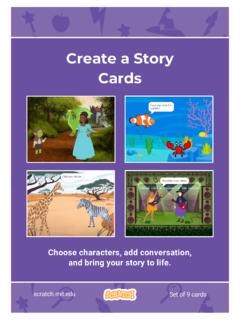
Create a Story Cards - Scratch Resources browser
resources.scratch.mit.eduCreate a Story ADD THIS CODE Click the thumbnail for each character, and then add its code. GET READY Choose two characters. Choose a Mountain backdrop. Goblin TIP You can click the menu to add a new message. Respond to a Character scratch.mit.edu Princess Broadcast a message. Princess Goblin Tell this character what to do when it receives the ...
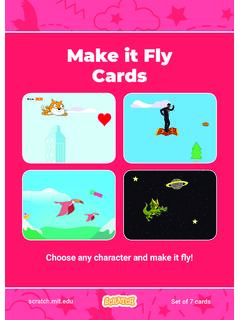
Make it Fly Make It Fly Cards - Scratch Resources browser
resources.scratch.mit.eduMake t ly Move the scenery so your character looks like it’s flying. Start Flying 2. scratchitedu ADD THIS CODE Type a negative number to move left. Start Flying GET READY Choose a sprite to fly by, such as Buildings. Start from the right end of the stage. TIP x is the position on the Stage from left to right. y = 180
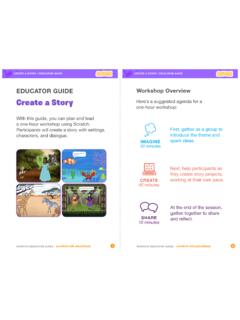
Create a Story
resources.scratch.mit.edu• Choose a character. • Make a character say something • Make a character hide and show. Click the green flag to start. Add code to the new character. Choose any character (in Scratch called a sprite). Type what you want your character to say. Add another character. Witch Wizard Use this block to have the second character wait before
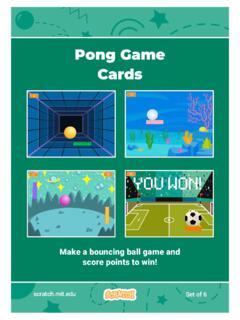
Pong Game Cards - Scratch Resources browser
resources.scratch.mit.eduGET READY Move your mouse pointer to move the paddle. Move the Paddle scratch.mit.edu Click the green flag to start. You can see the x position of the paddle change as you move the mouse pointer across the Stage. Choose a sprite for hitting the ball, like Paddle. Then, drag your paddle to the bottom of the Stage.

Teacher Accounts - Massachusetts Institute of Technology
resources.scratch.mit.eduT o s av e y o ur o w n co p y o f t hi s d o c, cl i ck F i l e a t t he t o p l ef t , t hen s el ect M a k e a c o p y . T o s av e a co p y t o y o ur co mp ut er , s el ect D o w n l o a d .
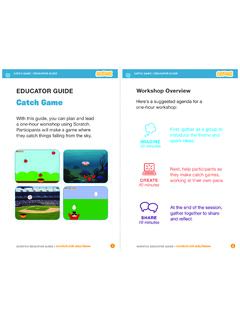
Catch Game - Massachusetts Institute of Technology
resources.scratch.mit.edua one-hour workshop using Scratch. Participants will make a game where they catch things falling from the sky. EDUCATOR GUIDE. Workshop Overview. First, gather as a group to introduce the theme and . spark ideas. SHARE . 10 minutes. Next, help participants as . they make catch games, working at their own pace. At the end of the session, gather ...
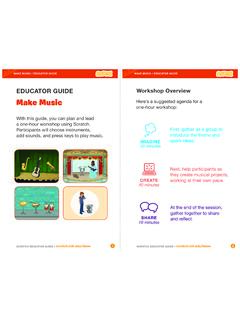
Make Music - Scratch Resources browser
resources.scratch.mit.eduCheck sound on computers or laptops 3 4 Check to make sure that the sound output is working on the computers or laptops. You may want to make headphones available (including headphone splitters to allow participants to listen together). Warm-up Activity: Repeat a Rhythm Gather the group in a circle and get ready to make music. Take
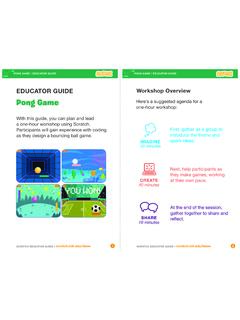
EDUCATOR GUIDE Workshop Overview
resources.scratch.mit.eduParticipants will gain experience with coding as they design a bouncing ball game. EDUCATOR GUIDE Workshop Overview First, gather as a group to ... Show the introductory video for the . Pong Game tutorial. The video shows pong games with a variety of themes, including ... For a more advanced project, try making a two-player game. To

Catch Game Scratch Cards
resources.scratch.mit.eduscratch.mit.edu/catch Type a negative number to fall down. Fall Down GET READY TRY IT ADD THIS CODE TIP Check if near the bottom of the Stage. Click the green flag to start. Click the stop sign to stop. Click to select the Apple. Use to move up or down. Use to set the sprite’s vertical position. Go back to the top of the Stage.
Related documents

COMPUTER NETWORKS AND DATA COMMUNICATION
niilmuniversity.incomputer and transforms that stream of bits into an analog signals which can be handled by the telephone network. Now that you know that at the sending end the data is ... The sound waves are converted by the telephone into electrical signals of …

PRO MEDIA 2.1 THX CERTIFIED
d2um2qdswy1tb0.cloudfront.netlegendary sound of Klipsch audio with the revolutionary THX experience. THX engineers conduct more than 2,000 tests on every system to ensure it’s of the highest quality and sound performance. Couple that with Klipsch’s proprietary technology and you can fill the room with incredible sound for gaming, movies, or music..

Mathematics for Computer Science - MIT OpenCourseWare
ocw.mit.eduDepartment of Electrical Engineering and Computer Science and the Computer Science and AI Laboratory, Massachussetts Institute of Technology. 2015, Eric Lehman, F Tom Leighton, Albert R Meyer. This work is available under the terms of the Creative Commons ... Being true or false doesn’t sound like much of a limitation, but it does exclude

Computer Basics Absolute Beginner's Guide, Windows® 10 …
ptgmedia.pearsoncmg.comComputer Basics Windows ® 10 Edition Michael Miller 800 East 96th Street, Indianapolis, Indiana 46240

BASIC COMPUTER SKILLS - bcpls.org
www.bcpls.orgSep 10, 2010 · The computer system is as good as being unplugged from the wall. The monitor is black (nothing on it), there is no “whirring” sound from the CPU, and the system is unresponsive to mouse movements. It is time to locate the POWER switch on the front of the CPU and press it.
Style in Music - Carnegie Mellon School of Computer Science
www.cs.cmu.edudo with expectations, sound quality, performance nuance, and musical texture. Essentially every aspect of the melody that communicates something to the listener is an aspect of style. In that sense, style is everything in music. So music is a wonderful domain to think about style, but

Logitech Surround Sound Speakers Z906 User’s Guide
www.logitech.comLogitech® Surround Sound Speakers Z906 Thank you Thank you for purchasing Logitech® Surround Sound Speakers Z906—designed to let you hear every detail, all around you, with theater-quality 5.1 sound for your movies, games and music. Dolby® Digital Dolby Digital is the universal standard for 5.1 digital sound. Onboard 5.1 digital decoding