CLI Manual - D-Link
VLAN COMMANDS .....119 ISM VLAN COMMANDS ... (Basic Settings) window on the Configuration menu. The IP address for the Switch must be set before it can be managed with the Web–based manager. The Switch IP address can be
Download CLI Manual - D-Link

Information
Domain:
Source:
Link to this page:
Documents from same domain

QUICK INSTALLATION GUIDE - eu.dlink.com
eu.dlink.comconnect additional wireless devices in the future. You can use the included Wi-Fi ... den Namen des Netzwerks (SSID) und das WLAN-Kennwort auf der Wi-Fi Konfigurationskarte verwenden. - Haben Sie den Netzwerknamen (SSID) oder das WLAN Kennwort geändert und Sie haben

DIR-615 Wireless N300 Router - eu.dlink.com
eu.dlink.comWireless N300 Router DIR-615 Easily set up a fast, reliable, and secure wireless home network with the DIR-615 Wireless N300 Router. The setup wizard gets you up and running in no time, and with the

Wireless N300 ADSL2+ Modem Router - eu.dlink.com
eu.dlink.comThe Wireless N300 ADSL2+ Modem Router offers Quality of Service (QoS), which allows priority queues to enable a group of home or office users to experience the benefit of a smooth network connection without worrying about traffic congestion.

Wireless AC1200 Dual-Band Gigabit ADSL2+/VDSL2 Modem …
eu.dlink.comDSL-3785 Home is where the SMART is Wireless AC1200 Dual-Band Gigabit ADSL2+/VDSL2 Modem Router File Sharing Right at Your Fingertips The DSL-3785 lets you connect a …
Wireless AC1200 Dual Band Gigabit Router - eu.dlink.com
eu.dlink.comThe Wireless AC1200 Dual Band Gigabit Router upgrades your network to the latest high-speed wireless technology to bring you lightning-fast Wi-Fi speeds of up to 1200 Mbps 1 ... • Cable/DSL modem or other Internet Service Provider equipment with Ethernet port Functionality Security • WPA & WPA2 (Wi-Fi Protected Access) • WPS (Wi-Fi ...
Wireless N Open Source Access Point - eu.dlink.com
eu.dlink.comThe DAP-1360 is Wi-Fi IEEE 802.11n compliant, meaning that it can connect and interoperate with other 802.11n compatible wireless client devices. The DAP-1360 is also backwards compatible with 802.11b/g.

DAP-1360 Wireless N Range Extender - eu.dlink.com
eu.dlink.comDAP-1360 Hoe is where the SMART is The D-Link DAP-1360 Wireless N Range Extender can provide your wired network with wireless connectivity, or upgrade your existing wireless network and extend its coverage. Enjoy surfing the web, checking e-mail, and chatting with family and friends online, at faster speeds and from
User Manual - eu.dlink.com
eu.dlink.comD-Link DAP-1320 User Manual 4 Section 1 - Product vervie • Faster Wireess Networking - The DAP-1320 provides a ireless connection o up to 300 Mbps ith other 0211n ireless clients This capabilit allows users to participate in real-time activities online such as video
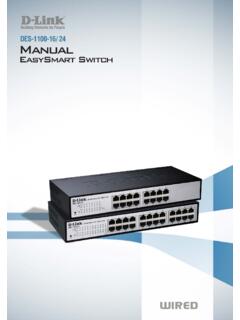
D-Link Web Smart Switch User Manual
eu.dlink.comD-Link Web Smart Switch User Manual 3 Getting Started . This chapter introduces the management interface of D-Link EasySmart Switch. Management Options . The D-Link EasySmart Switch can be managed through any port on the device by using the Web-based Management or through any PC using the SmartConsole Utility.

DGS-1248T A1 Manual v1.01
eu.dlink.comCongratulations on your purchase of the DGS-1248T Web Smart 48-Port 10/100/1000Mbps Gigabit Switch. This device integrates 1000Mbps Gigabit Ethernet, 100Mbps Fast Ethernet, and 10Mbps Ethernet network capabilities in a highly flexible package. Purpose This manual discusses how to install your 48-Port 10/100/1000Mbps Gigabit Web Smart Switch.
Related documents

Lab 3.5.1: Basic VLAN Configuration - ut
courses.cs.ut.eeNote: The show vlan id vlan-name displays the same output. You can also view VLAN assignment information using the show interfaces interface switchport command. Step 5: Assign the management VLAN. A management VLAN is any VLAN that you configure to access the management capabilities of a switch.
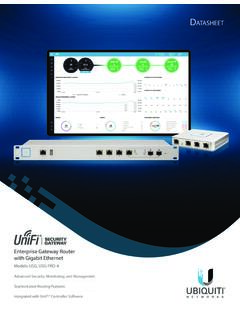
UniFi Security Gateway Datasheet - Ubiquiti
dl.ubnt.comVLAN 10 Accounting VLAN 20 Marketing VLAN 30 Training UniFi Security Gateway Pro UniFi Switch Network Segmentation with VLAN D atasheet 2. ... and delivers basic information about each network segment. Maps Upload a map of your location(s) or use Google Maps to represent
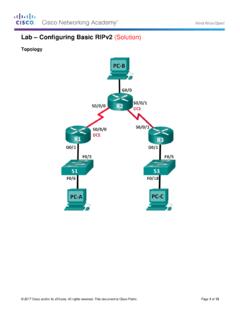
Lab – Configuring Basic RIPv2 (Solution)
sites.radford.eduIn Part 1, you will set up the network topology and configure basic settings. Step 1: Cable the network as shown in the topology. Step 2: Initialize and reload the router and switch.

DGS-1100 Series EasySmart Switch User Manual B1 v1 - D-Link
support.dlink.comAbout This Guide This guide provides by-stepstep -instructions on how install theD-Link DGS-1100 -05/05PD/08/08P Smart Managed Switches, how to use the Web Utility, and how to perform web-based management functions.

Virtual LANs (VLANs) - Allied Telesis
www.alliedtelesis.comVLAN Introduction This guide describes Virtual LANs (VLANs), VLAN features and configuration on the switch. It begins with a description of what a VLAN is, its evolution and purpose, and also provides the meaning of some common VLAN terminology. This is followed with a detailed look at VLAN implementation. Port-based VLAN

Using the Command-Line Interface - Cisco
www.cisco.comVLAN database. Enter the vlan vlan-id global configuration command to access config-vlan mode: Switch(config)# vlan 2000 Switch(config-vlan)# The supported keywords can vary but are similar to the commands available in VLAN configuration mode. To display a comprehensive list of commands, enter a question mark (?) at the prompt. Switch(config ...

Basic Router Configuration - Cisco
www.cisco.comChapter 1 Basic Router Configuration Configuring Basic Parameters Configure Fast Ethernet LAN Interfaces The Fast Ethernet LAN interfaces on your router are automatically configured as part of the default VLAN and as such, they are not configured with individual addresses. Access is afforded through the VLAN.
GS716Tv3, GS724Tv4, and GS748Tv5 Smart Switches - …
www.downloads.netgear.com350 East Plumeria Drive San Jose, CA 95134 USA September 2013 202-11263-01 GS716Tv3, GS724Tv4, and GS748Tv5 Smart Switches Software Administration Manual