
Control Setup Remote - Bell
4. Press POWER on the remote controls to turn on/off receiver. ADJUSTING THE REMOTE ANTENNA Be sure to set the remote control antenna (back of the receiver) straight up so you can use the remote control from as far away as possible. Don't let the antenna touch anything. If your UHF Pro Remote Control isn't working very well from far away,
Download Control Setup Remote - Bell

Information
Domain:
Source:
Link to this page:
Documents from same domain

Installation and Setup -- A 5 Step Process
support.bell.ca7. Ground the satellite antenna, and wire it to the ExpressVu™ receiver (see pages 4-38). 8. Aim the satellite antenna for the strongest possible signal (see pages 4-29 through 4-33). 9. Connect the receiver to an active telephone connection (see page 4-39). With the receiver wired to the TV and the antenna properly installed, you will be ...
Remote Codes - Device codes for programming the Bell …
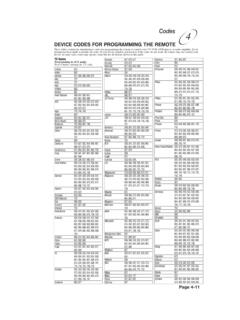
support.bell.caDEVICE CODES FOR PROGRAMMING THE REMOTE These tables contain the manufacturer codes for programming the remote to control your TV, VCR, DVD player, or audio amplifier. Every attempt has been made to include all codes. If your device brand is not listed or if the codes do not work, the remote may not control your device.
User’s Guide PlugLink 9650 Ethernet Adapter
support.bell.caand other Powerline devices on your network. The screen displays the Device Name, MAC Address, and Type (local or remote; 14mbps or 85mbps) of connection for each device on your network. To refresh the list of Powerline devices, Click on the ‘Rescan’ icon. (Note: Devices set up with a different network password will NOT show up on this list.)
Bell Customer Support Centre
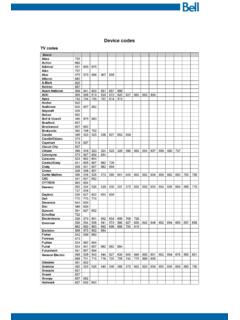
support.bell.caTV codes Brand Abex Action Admiral Aiko Akai Alleron A-Mark Amtron Anam National AOC Apex Archer Audiovox Ba craft Belcor Bell & Howell Bradford Brockwood Broksonic Candle Candle/Citizen Capehart Circuit Cit Citizen Colortyme Concerto Contec/Con Craig Crown Curtis Mathes cxc CYTRON Daewoo Da ron Dell Dimensia

Slim Remote Programming | Bell TV
support.bell.caFibe™ TV remote instructions Programming the remote to your TV 1. Turn on your TV and Fibe receiver. 2.Press and hold the options key for 3 seconds, until the green light flashes twice. Within 10 seconds, enter the Ll-digit code for the brand of your TV (see table below), or use 0001 to search through all brands.
User Guide - Bell
support.bell.ca3 Disclaimer ZTE Corporation expressly disclaims any liability for faults and damages caused by unauthorized modifications of the software. Images and …
Related documents

OWNER’S MANUAL Magic Remote - LG Electronics
www.lg.comTo use the Magic Remote, first pair it with your TV. 1 Put batteries into the Magic Remote and turn the TV on. 2 Point the Magic Remote at your TV and press the Wheel (OK) on the remote control. * If the TV fails to register the Magic Remote, try again after turning the TV off and back on. How to deregister the Magic Remote Press the (BACK) and ...
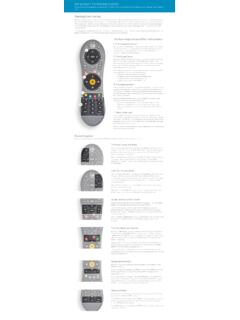
Using Your TiVo Remote Control
www.tivo.comThe four major areas of the TiVo remote: Everything else Now that you know the four main areas of the TiVo remote, let’s talk about some of the other buttons. Begin by making sure you’re holding the TiVo remote control the right way up. When you hold the remote in your hand, you’ll notice it has a peanut shape and grooves on the back.
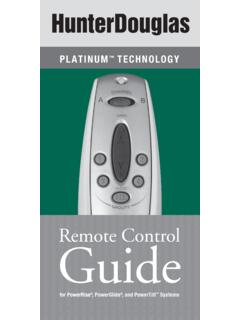
Remote Control Guide - Hunter Douglas
cdn2.hunterdouglas.comremote for approximately 10 seconds. The Indicator Light on the front of the remote starts flashing red. 4. Place the marked original remote or wireless wall switch within 18" of the backup remote and press the OPEN button on the marked original. The Indicator Light on the backup remote stops flashing. 5.
Climate change and infectious diseases
www.who.intway, is anticipated to have a wide range of impacts upon the occurrence of infec-tious disease in human populations. Disease classification Broadly, infectious diseases may be classified into two categories based on the mode of transmission: …

SETUP GUIDE TeamViewer Tensor™ Remote Work Solution …
dl.teamviewer.comPrevent removing account assignment: Account assignment of the remote machine cannot be changed. The only way to remove the account assignment is to disable the policy. With this option, all members of “Your Company” will be whitelisted. Note: All connection attempts from others will be blocked, even if they know

Distributed Systems
pages.cs.wisc.eduto a remote site, having some assurance that the remote party is who they say they are becomes a central problem. Further, ensuring that third parties cannot monitor or alter an on-going communication between two others is also a challenge. In this introduction, we’ll cover the most basic aspect that is new in a distributed system ...
2022 Statutes and Regulations Book
www.bbs.ca.govThis publication is a condensed version of the statutes and regulations of the professions regulated by the Board of Behavioral Sciences. However, it does not incorporate all sections
Remote Control Quadcopter Instruction Manual
www.bhphotovideo.comRemote Control Quadcopter Instruction Manual ©Xtreem™ RC Fun 2014 MATOMQC090514E . 2 • Keep hands, hair and loose clothing away from the rotors when the power switch is ... are the best way to fly well. Be careful when easing off the throttle – if the Atom stalls, it