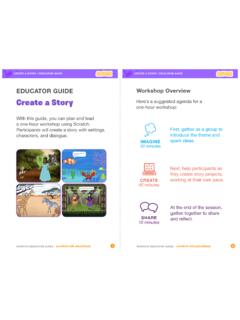
Create a Story
• Choose a character. • Make a character say something • Make a character hide and show. Click the green flag to start. Add code to the new character. Choose any character (in Scratch called a sprite). Type what you want your character to say. Add another character. Witch Wizard Use this block to have the second character wait before
Download Create a Story

Information
Domain:
Source:
Link to this page:
Documents from same domain

Hide and Seek - Massachusetts Institute of Technology
resources.scratch.mit.eduSCRATCH EDUCATOR GUIDE HIDE AND SEEK / EDUCATOR GUIDE scratch.mit.edu/go SCRATCH EDUCATOR GUIDE scratch.mit.edu/go HIDE AND SEEK / EDUCATOR GUIDE With this guide, you can plan and lead a one-hour workshop using Scratch.
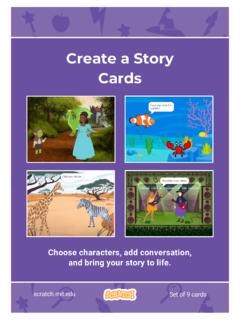
Create a Story Cards - Scratch Resources browser
resources.scratch.mit.eduCreate a Story ADD THIS CODE Click the thumbnail for each character, and then add its code. GET READY Choose two characters. Choose a Mountain backdrop. Goblin TIP You can click the menu to add a new message. Respond to a Character scratch.mit.edu Princess Broadcast a message. Princess Goblin Tell this character what to do when it receives the ...
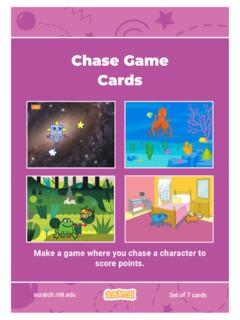
Chase Game Cards - Scratch Resources browser
resources.scratch.mit.eduMake a game where you chase a character to score points. Chase Game Cards scratch.mit.edu Set of 7 cards. Chase Game Cards Use these cards in this order: 1. Move Left and Right 2. Move Up and Down 3. Chase a Star 4. Play a Sound 5. Add a Score 6. Level Up! 7. Victory Message scratch.mit.edu Set of 7 cards. 1 Move Left and Right Press arrow keys ...
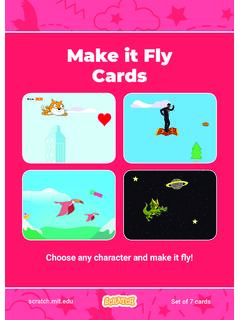
Make it Fly Make It Fly Cards - Scratch Resources browser
resources.scratch.mit.eduMake t ly Move the scenery so your character looks like it’s flying. Start Flying 2. scratchitedu ADD THIS CODE Type a negative number to move left. Start Flying GET READY Choose a sprite to fly by, such as Buildings. Start from the right end of the stage. TIP x is the position on the Stage from left to right. y = 180
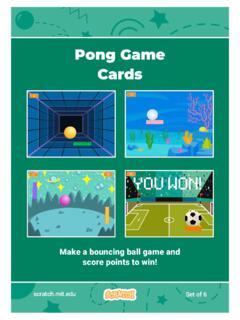
Pong Game Cards - Scratch Resources browser
resources.scratch.mit.eduGET READY Move your mouse pointer to move the paddle. Move the Paddle scratch.mit.edu Click the green flag to start. You can see the x position of the paddle change as you move the mouse pointer across the Stage. Choose a sprite for hitting the ball, like Paddle. Then, drag your paddle to the bottom of the Stage.

Teacher Accounts - Massachusetts Institute of Technology
resources.scratch.mit.eduT o s av e y o ur o w n co p y o f t hi s d o c, cl i ck F i l e a t t he t o p l ef t , t hen s el ect M a k e a c o p y . T o s av e a co p y t o y o ur co mp ut er , s el ect D o w n l o a d .
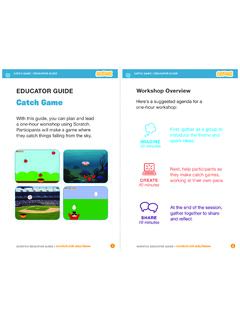
Catch Game - Massachusetts Institute of Technology
resources.scratch.mit.edua one-hour workshop using Scratch. Participants will make a game where they catch things falling from the sky. EDUCATOR GUIDE. Workshop Overview. First, gather as a group to introduce the theme and . spark ideas. SHARE . 10 minutes. Next, help participants as . they make catch games, working at their own pace. At the end of the session, gather ...
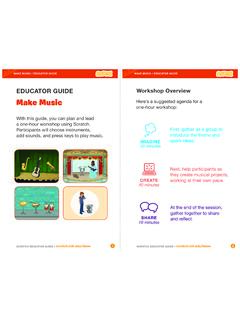
Make Music - Scratch Resources browser
resources.scratch.mit.eduCheck sound on computers or laptops 3 4 Check to make sure that the sound output is working on the computers or laptops. You may want to make headphones available (including headphone splitters to allow participants to listen together). Warm-up Activity: Repeat a Rhythm Gather the group in a circle and get ready to make music. Take
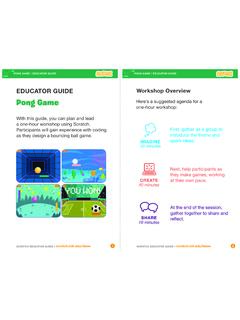
EDUCATOR GUIDE Workshop Overview
resources.scratch.mit.eduParticipants will gain experience with coding as they design a bouncing ball game. EDUCATOR GUIDE Workshop Overview First, gather as a group to ... Show the introductory video for the . Pong Game tutorial. The video shows pong games with a variety of themes, including ... For a more advanced project, try making a two-player game. To

Catch Game Scratch Cards
resources.scratch.mit.eduscratch.mit.edu/catch Type a negative number to fall down. Fall Down GET READY TRY IT ADD THIS CODE TIP Check if near the bottom of the Stage. Click the green flag to start. Click the stop sign to stop. Click to select the Apple. Use to move up or down. Use to set the sprite’s vertical position. Go back to the top of the Stage.
Related documents
Sets and Probability - Texas A&M University
www.math.tamu.edu14 Chapter 1 Sets and Probability Empty Set The empty set, written as /0or{}, is the set with no elements. The empty set can be used to conveniently indicate that an equation has no solution. For example {x|xis real and x2 =−1}= 0/ By the definition of subset, given any set A, we must have 0/ ⊆A. EXAMPLE 1 Finding Subsets Find all the subsets of {a,b,c}. ...

Moral Character Determination Application Instructions
www.calbar.ca.govcharacter application is submitted online, or received by the Los Angeles Office of Admissions for applications submitted in hard copy form. A CGS from each domestic and foreign jurisdiction must be submitted with the initial moral character application and with each subsequent Application for Determination of Moral Character

GSMP: General Specifications Change Notification (GSCN)
www.gs1.orgCode uses a Function 1 mode character in its first position to indicate that the s ymbol is a GS1 QR Code, but this is not the same as a Function 1 symbol character.) FNC1 is still the better option as a data separator for GS1 -128 (it appears in all three characters sets) but using <GS> instead causes no scanning problems.