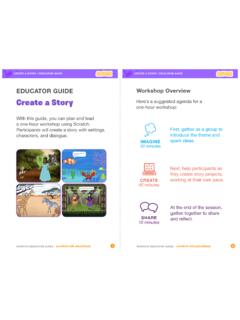
Create a Story
• Choose a character. • Make a character say something • Make a character hide and show. Click the green flag to start. Add code to the new character. Choose any character (in Scratch called a sprite). Type what you want your character to say. Add another character. Witch Wizard Use this block to have the second character wait before
Download Create a Story

Information
Domain:
Source:
Link to this page:
Documents from same domain

Hide and Seek - Massachusetts Institute of Technology
resources.scratch.mit.eduSCRATCH EDUCATOR GUIDE HIDE AND SEEK / EDUCATOR GUIDE scratch.mit.edu/go SCRATCH EDUCATOR GUIDE scratch.mit.edu/go HIDE AND SEEK / EDUCATOR GUIDE With this guide, you can plan and lead a one-hour workshop using Scratch.
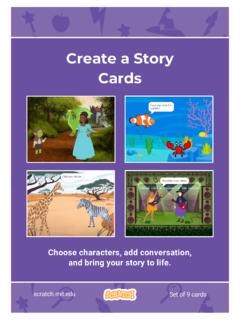
Create a Story Cards - Scratch Resources browser
resources.scratch.mit.eduCreate a Story ADD THIS CODE Click the thumbnail for each character, and then add its code. GET READY Choose two characters. Choose a Mountain backdrop. Goblin TIP You can click the menu to add a new message. Respond to a Character scratch.mit.edu Princess Broadcast a message. Princess Goblin Tell this character what to do when it receives the ...
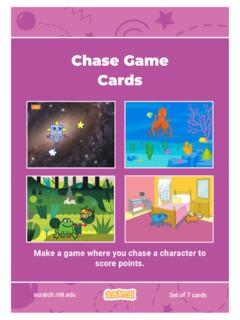
Chase Game Cards - Scratch Resources browser
resources.scratch.mit.eduMake a game where you chase a character to score points. Chase Game Cards scratch.mit.edu Set of 7 cards. Chase Game Cards Use these cards in this order: 1. Move Left and Right 2. Move Up and Down 3. Chase a Star 4. Play a Sound 5. Add a Score 6. Level Up! 7. Victory Message scratch.mit.edu Set of 7 cards. 1 Move Left and Right Press arrow keys ...
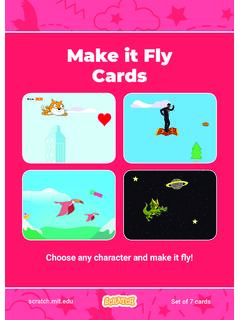
Make it Fly Make It Fly Cards - Scratch Resources browser
resources.scratch.mit.eduMake t ly Move the scenery so your character looks like it’s flying. Start Flying 2. scratchitedu ADD THIS CODE Type a negative number to move left. Start Flying GET READY Choose a sprite to fly by, such as Buildings. Start from the right end of the stage. TIP x is the position on the Stage from left to right. y = 180
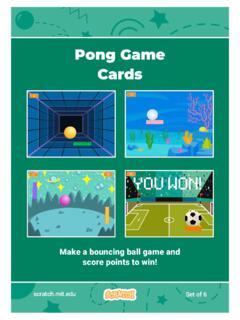
Pong Game Cards - Scratch Resources browser
resources.scratch.mit.eduGET READY Move your mouse pointer to move the paddle. Move the Paddle scratch.mit.edu Click the green flag to start. You can see the x position of the paddle change as you move the mouse pointer across the Stage. Choose a sprite for hitting the ball, like Paddle. Then, drag your paddle to the bottom of the Stage.

Teacher Accounts - Massachusetts Institute of Technology
resources.scratch.mit.eduT o s av e y o ur o w n co p y o f t hi s d o c, cl i ck F i l e a t t he t o p l ef t , t hen s el ect M a k e a c o p y . T o s av e a co p y t o y o ur co mp ut er , s el ect D o w n l o a d .
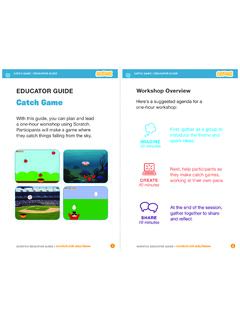
Catch Game - Massachusetts Institute of Technology
resources.scratch.mit.edua one-hour workshop using Scratch. Participants will make a game where they catch things falling from the sky. EDUCATOR GUIDE. Workshop Overview. First, gather as a group to introduce the theme and . spark ideas. SHARE . 10 minutes. Next, help participants as . they make catch games, working at their own pace. At the end of the session, gather ...
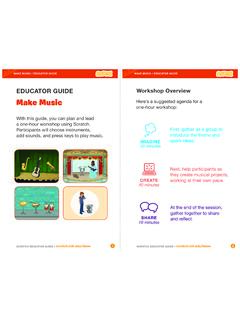
Make Music - Scratch Resources browser
resources.scratch.mit.eduCheck sound on computers or laptops 3 4 Check to make sure that the sound output is working on the computers or laptops. You may want to make headphones available (including headphone splitters to allow participants to listen together). Warm-up Activity: Repeat a Rhythm Gather the group in a circle and get ready to make music. Take
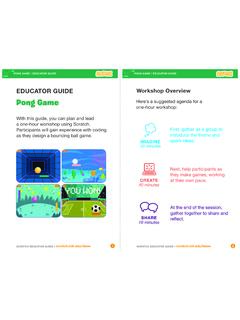
EDUCATOR GUIDE Workshop Overview
resources.scratch.mit.eduParticipants will gain experience with coding as they design a bouncing ball game. EDUCATOR GUIDE Workshop Overview First, gather as a group to ... Show the introductory video for the . Pong Game tutorial. The video shows pong games with a variety of themes, including ... For a more advanced project, try making a two-player game. To

Catch Game Scratch Cards
resources.scratch.mit.eduscratch.mit.edu/catch Type a negative number to fall down. Fall Down GET READY TRY IT ADD THIS CODE TIP Check if near the bottom of the Stage. Click the green flag to start. Click the stop sign to stop. Click to select the Apple. Use to move up or down. Use to set the sprite’s vertical position. Go back to the top of the Stage.
Related documents
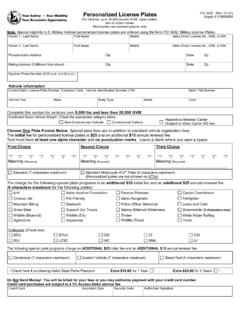
Personalized License Plates ITD
itd.idaho.govat least one alpha character. and . no punctuation marks. Leave a blank where you want a space. Standard (7 characters maximum) Standard Motorcycle 4”x7” Plate (6 characters maximum) (Personalized plates are not allowed on ATVs) The charge for the following special plate programs is an :
PLAYER’S COMPANION
media.dnd.wizards.comoptions are available when you make a character, provided that your DM allows them in your campaign. Aarakocra Sequestered in high mountains atop tall trees, the aarakocra, sometimes called birdfolk, evoke fear and wonder. Many aarakocra aren’t even native to the Material Plane. They hail from a world beyond—from

055-31: The Invisible Character ALT+255 – Hidden Dragon ...
support.sas.comThe SAS system has three options to justify the character field: 1) center 2) left and 3) right justification. None of these options preserves the original layout when reading records from an original text file and writing them into ODS output file. The text misalignment during this process results in a “collapsed file” as

From - MIT
web.mit.eduFrom Understanding Media: The Extensions of Man by Marshall McLuhan ©1964 CHAPTER 1 The Medium is the Message MARSHALL McCLUHAN In a culture like ours, long accustomed to splitting and dividing all things as a
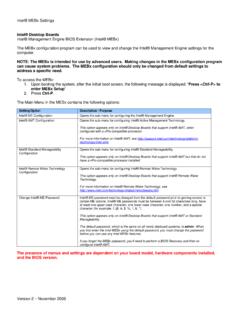
Intel® MEBx Settings
www.intel.comcertain ME options. Intel® ME passwords must be between 8 and 32 characters long, have at least one upper case character, one lower case character, one number, and a special character (for example: !, @, #, $, %, ^, &, *). This option appears only on Intel® Desktop Boards that support Intel® AMT or Standard Manageability.
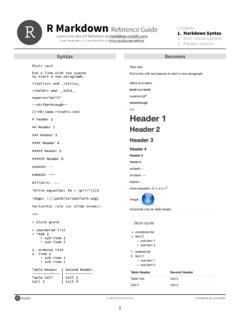
Syntax Becomes - RStudio
www.rstudio.comOct 30, 2014 · option default value description Chunks opts.label NULL The label of options set in knitr:: opts_template() to use with the chunk. R.options NULL Local R options to use with the chunk. Options are set with options() at start of chunk. Defaults are restored at end. ref.label NULL A character vector of labels of the chunks from which the code of the current chunk is …

New License Application Step-by-Step Guide
www1.nyc.govDOB NOW: BIS Options – NEW LICENSE APPLICATION STEP-BY-STEP GUIDE DOB NOW: BIS Options New License Application August 2021 3 SYSTEM GUIDELINES 1. Fields with a red asterisk (*) are required and must be completed.