Create a Story - Scratch Resources browser
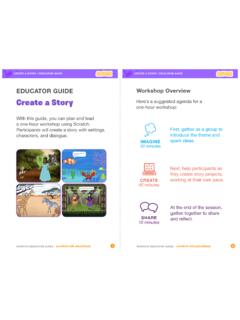
CREATE A STOR / EDUCATOR GUIDE scratch.mit.edu/ideas:*9( DO D • scratch.mit.edu/ideas CREATE A STOR / EDUCATOR GUIDE With this guide, you can plan and lead a one-hour workshop using Scratch. Participants will create a story with settings, characters, and dialogue. EDUCATOR GUIDE Workshop Overview First, gather as a group to introduce the ...
Download Create a Story - Scratch Resources browser

Information
Domain:
Source:
Link to this page:
Documents from same domain

Hide and Seek - Massachusetts Institute of Technology
resources.scratch.mit.eduSCRATCH EDUCATOR GUIDE HIDE AND SEEK / EDUCATOR GUIDE scratch.mit.edu/go SCRATCH EDUCATOR GUIDE scratch.mit.edu/go HIDE AND SEEK / EDUCATOR GUIDE With this guide, you can plan and lead a one-hour workshop using Scratch.
Create a Story Cards - Scratch Resources browser
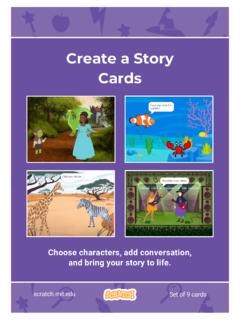
resources.scratch.mit.eduCreate a Story ADD THIS CODE Click the thumbnail for each character, and then add its code. GET READY Choose two characters. Choose a Mountain backdrop. Goblin TIP You can click the menu to add a new message. Respond to a Character scratch.mit.edu Princess Broadcast a message. Princess Goblin Tell this character what to do when it receives the ...
Chase Game Cards - Scratch Resources browser
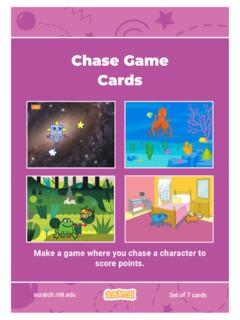
resources.scratch.mit.eduMake a game where you chase a character to score points. Chase Game Cards scratch.mit.edu Set of 7 cards. Chase Game Cards Use these cards in this order: 1. Move Left and Right 2. Move Up and Down 3. Chase a Star 4. Play a Sound 5. Add a Score 6. Level Up! 7. Victory Message scratch.mit.edu Set of 7 cards. 1 Move Left and Right Press arrow keys ...
Make it Fly Make It Fly Cards - Scratch Resources browser
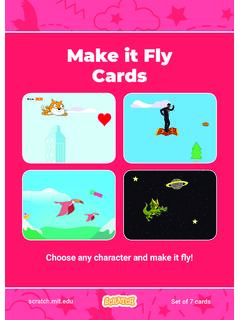
resources.scratch.mit.eduMake t ly Move the scenery so your character looks like it’s flying. Start Flying 2. scratchitedu ADD THIS CODE Type a negative number to move left. Start Flying GET READY Choose a sprite to fly by, such as Buildings. Start from the right end of the stage. TIP x is the position on the Stage from left to right. y = 180
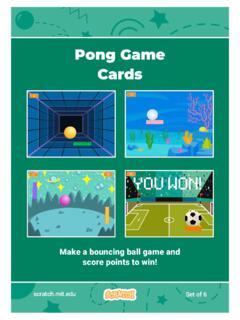
Pong Game Cards - Scratch Resources browser
resources.scratch.mit.eduGET READY Move your mouse pointer to move the paddle. Move the Paddle scratch.mit.edu Click the green flag to start. You can see the x position of the paddle change as you move the mouse pointer across the Stage. Choose a sprite for hitting the ball, like Paddle. Then, drag your paddle to the bottom of the Stage.

Teacher Accounts - Massachusetts Institute of Technology
resources.scratch.mit.eduT o s av e y o ur o w n co p y o f t hi s d o c, cl i ck F i l e a t t he t o p l ef t , t hen s el ect M a k e a c o p y . T o s av e a co p y t o y o ur co mp ut er , s el ect D o w n l o a d .
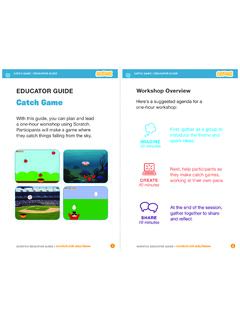
Catch Game - Massachusetts Institute of Technology
resources.scratch.mit.edua one-hour workshop using Scratch. Participants will make a game where they catch things falling from the sky. EDUCATOR GUIDE. Workshop Overview. First, gather as a group to introduce the theme and . spark ideas. SHARE . 10 minutes. Next, help participants as . they make catch games, working at their own pace. At the end of the session, gather ...
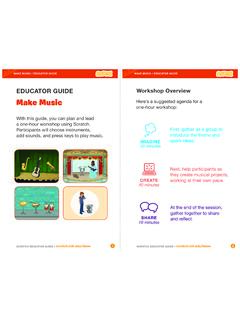
Make Music - Scratch Resources browser
resources.scratch.mit.eduCheck sound on computers or laptops 3 4 Check to make sure that the sound output is working on the computers or laptops. You may want to make headphones available (including headphone splitters to allow participants to listen together). Warm-up Activity: Repeat a Rhythm Gather the group in a circle and get ready to make music. Take
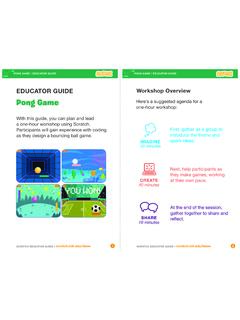
EDUCATOR GUIDE Workshop Overview
resources.scratch.mit.eduParticipants will gain experience with coding as they design a bouncing ball game. EDUCATOR GUIDE Workshop Overview First, gather as a group to ... Show the introductory video for the . Pong Game tutorial. The video shows pong games with a variety of themes, including ... For a more advanced project, try making a two-player game. To

Catch Game Scratch Cards
resources.scratch.mit.eduscratch.mit.edu/catch Type a negative number to fall down. Fall Down GET READY TRY IT ADD THIS CODE TIP Check if near the bottom of the Stage. Click the green flag to start. Click the stop sign to stop. Click to select the Apple. Use to move up or down. Use to set the sprite’s vertical position. Go back to the top of the Stage.
Related documents

Implementation Guide: Creating Drawings with SolidWorks
www.javelin-tech.comCreating Drawings Drafting in SolidWorks To draft a drawing in SolidWorks without creating a model: 1. Open a New drawing document. Choose a template. 2. Draw lines, rectangles, circles, and other entities with the tools on the Sketch toolbar. 3. Dimension the entities with the Smart Dimension tool on the Dimensions/Relations toolbar. 4.

Beamer User Guide - The CTAN archive
tug.ctan.orgThe second part of this user’s guide goes into the details of all the commands defined inbeamer, but it also addresses other technical issues having to do with creating …

ABC 123 Afterschool Program
afterschoolalliance.orgThis guide is made possible through support of the Utah Department of Workforce Services Office of Child Care Caroline Kueneman School-age Programs Specialist (801) 526-4343 ckueneman@utah.gov and Utah State University Extension 4-H (888) 4H-YOUTH www.Utah4-H.org Additional copies are available by contacting Utah Afterschool Network

Creating an APA Style Reference List Guide, APA Style 7th ...
apastyle.apa.orgCreating an APA Style Reference List Guide The reference list contains all the works you cited in the text of your paper. • In general, there should be a one-to-one correspondence between the works cited in the text and the works listed in the reference list. • An exception is personal communications , which are
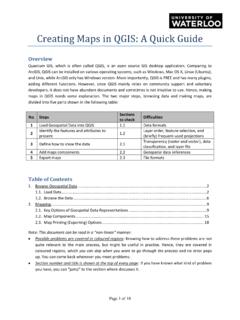
Creating Maps in QGIS: A Quick Guide - University of …
lib.uwaterloo.caCreating Maps in QGIS: A Quick Guide Overview Quantum GIS, which is often called QGIS, is an open source GIS desktop application. Comparing to ArcGIS, QGIS can be installed on various operating systems, such as Windows, Mac OS X, Linux (Ubuntu), and Unix, while ArcGIS only has Windows version.

Ontology Development 101: A Guide to Creating Your First ...
protege.stanford.eduOntology Development 101: A Guide to Creating Your First Ontology Natalya F. Noy and Deborah L. McGuinness Stanford University, Stanford, CA, 94305 noy@smi.stanford.edu and dlm@ksl.stanford.edu 1 Why develop an ontology? In recent years the development of ontologies—explicit formal specifications of the terms in

A Self-Directed Guide to Designing Courses for Significant ...
www.deefinkandassociates.comA Self-Directed Guide to Designing Courses for Significant Learning L. Dee Fink, PhD Director, Instructional Development Program University of Oklahoma Author of: Creating Significant Learning Experiences: An Integrated Approach to Designing College Courses (San Francisco: Jossey-Bass, 2003)

Creating the Design Step 3 - Designing for movement
www.kent.gov.ukKent Design ‘creating the design’ 116 2.3 DESIGNING FOR MOVEMENT Activity is the life blood of a successful community. The ease with which people can move within and between neighbourhoods fundamentally aff ects activity. Once the fundamental elements of the layout are fi xed, a strategy for movement can be designed.

Creating an ePortfolio Using Google Sites
www.montclair.eduCreating an ePortfolio Using Google Sites . What is an ePortfolio? • A collection of digital files (artifacts) that are shared electronically for the purpose of reflection, comment and evaluation. • It’s quite simply a website that enables users to collate digital evidence of their learning.

The complete guide to Adobe
www.pgsd.orgshape vectors. We are going to be creating a range of vector shapes then later look at how to manage multiple vectors in groups and then look at how to compound vectors. Online video tutorial - Beginners guide to Adobe Illustrator Episode 8: Creating shape vectors Watch video Overview Topics covered • Rectangle shape tool 00:02:55
Related search queries
Guide, Creating, Beamer, Afterschool Program, Reference List Guide, Reference list, Creating Maps in QGIS: A Quick Guide, Ontology, Guide to Creating, Designing Courses for Significant Learning, Creating Significant Learning, Creating the Design Step 3 - Designing for movement, Creating an ePortfolio Using Google Sites, Adobe Illustrator