
Dell Wireless Mouse and Keyboard
mouse. 7 Confirm the pairing process on both mouse and device. The second-Bluetooth connection light turns solid white for a few seconds to confirm the pairing and then the light turns off. After the mouse and a device are paired, they connect automatically when Bluetooth is enabled and they are within the Bluetooth range.
Download Dell Wireless Mouse and Keyboard

Information
Domain:
Source:
Link to this page:
Documents from same domain

Dell™ S2240M/S2340M Monitor
downloads.dell.comThe Dell™ S2240M/S2340M flat panel display has an active matrix, Thin-Film Transistor, Liquid Crystal Display. The monitor's features include: S2240M: 54.61 cm (21.5 inches) viewable area display. 1,920 x 1,080 resolution, plus full-screen support for lower resolutions.

Dell S3220DGF Monitor User's Guide
downloads.dell.comThe Dell S3220DGF monitor has an active matrix, Thin-Film Transistor (TFT), Liquid Crystal Display (LCD), anti-static, and LED backlight. The monitor features include: ∞ 80.01 cm (31.5 in.) viewable area display (measured diagonally). 2560 x 1440 resolution, with full-screen support for lower resolutions.

Configuring iSCSI connectivity with VMware vSphere 6 and ...
downloads.dell.comiSCSI SAN Configuration Guide (available on the VMware website), this document provides a summary of the steps specific to connecting to a PS Series SAN. It covers the steps for utilizing the software iSCSI initiator inside the ESXi host. Users connecting their vSphere environment using iSCSI HBAs, both

Dell EMC Networking S4148-ON and S4128-ON
downloads.dell.comNote: The configuration steps in this section are only recommended when the switch is used as a dedicated SAN for iSCSI traffic. 2.1 Hardware configuration 1. Power on the two switches. 2. Connect a serial cable to the serial port of the first switch. 3. Using PuTTY or another terminal utility, open a serial connection session to the switch. 4.

Dell EMC PowerVault ME4 Series and VMware vSphere
downloads.dell.combest practices presented in this paper, the vSphere ESXi® hypervisor provides an optimized experience with ME4 Series storage. These recommendations include guidelines for SAN fabric design, HBA settings, and multipath configuration. There are often various methods for accomplishing the described tasks, and this

Dell Universal Dock
downloads.dell.comDell Universal Dock D6000 Quick Setup Guide Author: Dell Inc. Subject: Setup Guide Keywords: Electronics & Accessories#Docking Stations#dell universal dock d6000#dell-universal-dock-d6000#Setup Guide#Dell Universal Dock D6000 Quick …

Dell ControlVault Installation Instructions for the ...
downloads.dell.com• Dell Data Protection | Encryption (v8.0.1 and older) • BitLocker Drive Encryption – Available in certain flavors of Windows® operating systems Specific combinations of one or more of the above mentioned products already installed in your system may prevent a smooth migration to the latest Dell Da ta Protection security offering . ...

Inspiron 15-7559 Laptop Reference Guide - Dell
downloads.dell.comNOTE: The weight of your laptop varies depending on the configuration ordered and the manufacturing variability. Views Specifications System information Memory Ports and connectors Dimensions and weight Computer environment Storage Camera Touch pad Power adapter Communications Battery Video Audio Display Media‑card

Laptop Reference Guide - Dell
downloads.dell.comall-products#esuprt_laptop#esuprt_xps_laptop#xps 13 9350 laptop#xps-13-9350-laptop#Reference Guide Created Date: 9/30/2015 12:04:09 PM ...

Dell EMC Storage Compatibility Matrix for SC, PS, and FS ...
downloads.dell.comOverview 7 Dell EMC Storage Compatibility Matrix for SC, PS, and FS Series Arrays | DSCM 1.3 Conventions used in this document Blue Text is used for all section titles. When visible in body text or tables, blue text indicates a change or addition from the previous version of the Dell Storage Compatibility Matrix (DSCM).
Related documents

Mouse Haplotype Table - Thermo Fisher Scientific
tools.thermofisher.comMouse Haplotype Table MHC Class I MHC Class II MHC Class Ib Mouse Strains MHC Haplotype H-2K H-2D H-2L I-A I-E Qa-2 Qa-1 CD45 (Ly-5) Thy-1 (CD90) NK1.1 101/- k k k null k k 129/- b b b null b null a b 2 2 - A/J a k d d k k a a 2 2 - A/2G a k d d k k AKR/J k k k null k k b b 2 1 - AL/N a k d d k k a AU/SsJ q q q q q null - BaLB/cAnN d d d d d d ...

Alienware 610M Wired/Wireless Gaming Mouse
downloads.dell.com6 | Setting up your gaming mouse You can change the default DPI settings and customize the DPI stages and LED colors with the Alienware Command Center (AWCC) application. Scrolling count Push the scroll wheel adjustment switch up, to set the number of steps to 12 or down to set the number of steps to 24. Setting up your gaming mouse Connecting ...
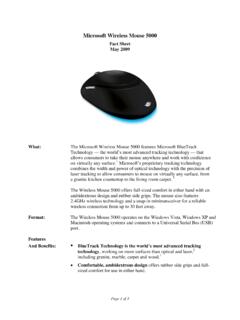
Microsoft Wireless Mouse 5000
news.microsoft.comThe Wireless Mouse 5000 offers full-sized comfort in either hand with an ambidextrous design and rubber side grips. The mouse also features 2.4GHz wireless technology and a snap-in minitransceiver for a reliable wireless connection from up to 30 feet away. Format: The Wireless Mouse 5000 operates on the Windows Vista, Windows XP and

INSTRUCTION MANUAL WIRELESS MOUSE JBBTMSLIM
s3-ap-southeast-2.amazonaws.comHigh precision wireless mouse. 1. Open the battery cover and insert x2 AAA batteries. 2. Turn Bluetooth settings to “ON”on your PC/ Mac. 3. Turn the mouse on, the blue light on the right of scroll wheel will flash slowly. Press and hold the “Connect”button until the blue light flashes quickly. The mouse is now in pairing mode.

M310 Quick Start Guide - Logitech: Wireless Mouse ...
www.logitech.com® Wireless Mouse M310 English 1. Install the AA mouse battery. 2. The ON/Off slider should be in the ON position. Español 1. Coloca la pila AA del mouse. 2. El conmutador deslizante de encendido/apagado debería estar en la posición ON. Français 1. Insérez la pile AA dans la souris. 2. Le curseur de marche/arrêt doit être sur la position ON.

G604 - Logitech: Wireless Mouse, Keyboards, Headsets ...
www.logitech.comGaming Mouse” The color of the LED indicator will turn solid blue for 5 seconds when your mouse and computer are successfully paired To toggle between a Bluetooth and LIGHTSPEED mode, press the connectivity button for 0 2 sec, but less than 5 sec Tips: • To pair your mouse to another Bluetooth-enable computer, repeat steps 1 to 3

Wireless Desktop Mouse User Manual Product Features
www.verbatim.comThe mouse can use the supplied USB cable to charge the batteries through the computer USB port. It can charge while the mouse is being used. The batteries will charge within about 3-4 hours. Then unplug the USB cable to stop charging. Please note that the time of charge may vary depending on the amount of charging required.