
DIR-853 - D-Link
DIR-853 AC1300 MU-MIMO Wi-Fi Gigabit Router with 3G/LTE Support and USB Port 3.0 User Manual Overview CHAPTER 2. OVERVIEW General Information The DIR-853 device is a wireless dual band gigabit router with 3G/LTE support.
Download DIR-853 - D-Link

Information
Domain:
Source:
Link to this page:
Documents from same domain

QUICK INSTALLATION GUIDE - eu.dlink.com
eu.dlink.comconnect additional wireless devices in the future. You can use the included Wi-Fi ... den Namen des Netzwerks (SSID) und das WLAN-Kennwort auf der Wi-Fi Konfigurationskarte verwenden. - Haben Sie den Netzwerknamen (SSID) oder das WLAN Kennwort geändert und Sie haben

DIR-615 Wireless N300 Router - eu.dlink.com
eu.dlink.comWireless N300 Router DIR-615 Easily set up a fast, reliable, and secure wireless home network with the DIR-615 Wireless N300 Router. The setup wizard gets you up and running in no time, and with the

Wireless N300 ADSL2+ Modem Router - eu.dlink.com
eu.dlink.comThe Wireless N300 ADSL2+ Modem Router offers Quality of Service (QoS), which allows priority queues to enable a group of home or office users to experience the benefit of a smooth network connection without worrying about traffic congestion.

Wireless AC1200 Dual-Band Gigabit ADSL2+/VDSL2 Modem …
eu.dlink.comDSL-3785 Home is where the SMART is Wireless AC1200 Dual-Band Gigabit ADSL2+/VDSL2 Modem Router File Sharing Right at Your Fingertips The DSL-3785 lets you connect a …
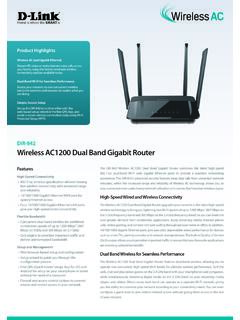
Wireless AC1200 Dual Band Gigabit Router - eu.dlink.com
eu.dlink.comThe Wireless AC1200 Dual Band Gigabit Router upgrades your network to the latest high-speed wireless technology to bring you lightning-fast Wi-Fi speeds of up to 1200 Mbps 1 ... • Cable/DSL modem or other Internet Service Provider equipment with Ethernet port Functionality Security • WPA & WPA2 (Wi-Fi Protected Access) • WPS (Wi-Fi ...
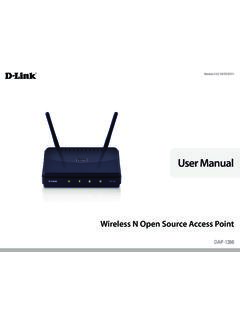
Wireless N Open Source Access Point - eu.dlink.com
eu.dlink.comThe DAP-1360 is Wi-Fi IEEE 802.11n compliant, meaning that it can connect and interoperate with other 802.11n compatible wireless client devices. The DAP-1360 is also backwards compatible with 802.11b/g.

DAP-1360 Wireless N Range Extender - eu.dlink.com
eu.dlink.comDAP-1360 Hoe is where the SMART is The D-Link DAP-1360 Wireless N Range Extender can provide your wired network with wireless connectivity, or upgrade your existing wireless network and extend its coverage. Enjoy surfing the web, checking e-mail, and chatting with family and friends online, at faster speeds and from
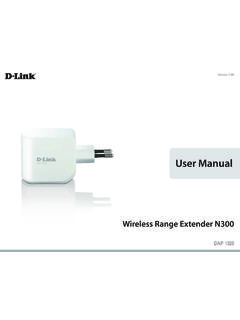
User Manual - eu.dlink.com
eu.dlink.comD-Link DAP-1320 User Manual 4 Section 1 - Product vervie • Faster Wireess Networking - The DAP-1320 provides a ireless connection o up to 300 Mbps ith other 0211n ireless clients This capabilit allows users to participate in real-time activities online such as video
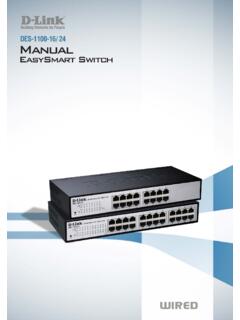
D-Link Web Smart Switch User Manual
eu.dlink.comD-Link Web Smart Switch User Manual 3 Getting Started . This chapter introduces the management interface of D-Link EasySmart Switch. Management Options . The D-Link EasySmart Switch can be managed through any port on the device by using the Web-based Management or through any PC using the SmartConsole Utility.

DGS-1248T A1 Manual v1.01
eu.dlink.comCongratulations on your purchase of the DGS-1248T Web Smart 48-Port 10/100/1000Mbps Gigabit Switch. This device integrates 1000Mbps Gigabit Ethernet, 100Mbps Fast Ethernet, and 10Mbps Ethernet network capabilities in a highly flexible package. Purpose This manual discusses how to install your 48-Port 10/100/1000Mbps Gigabit Web Smart Switch.
Related documents

Synology Router RT2600ac
global.download.synology.com10 2.4G Wi-Fi Indicator Displays the status of 2.4G Wi-Fi connection. 11 5G Wi-Fi Indicator Displays the status of 5G Wi-Fi connection. 12 WAN Indicator Displays the status of WAN connection. 13 LAN Indicator Displays the status of LAN connection. 14 USB 3.0 Port Left Panel Connect an external drive, USB printer, or other types of USB devices here.

Quick Install Guide - D-Link
support.dlink.comDAP-1325 N300 Wi-Fi Range Extender Wi-Fi Configuration Card Quick Install Guide If any of the above items are missing, please contact your reseller. • Make sure the area that you want to plug the extender into has a strong connection to your router. Use a wireless laptop, tablet, or mobile phone in that area to test the connection to verify.

ATSC 3 - nexstar.tv
www.nexstar.tvsignals in areas where they are weaker, akin to a Wi-Fi repeater in a home with a Wi-Fi router. Signals are networked via MFNs Utilizing Multiple Frequency Networks (MFNs) on overlapping 3.0 signals creates a mesh network among TV broadcasters. Handoff technology integrated in MFNs enables IP-based content to be

Wireless-N Wi-Fi Repeater/ Extender Quick Installation …
www.siig.comStart Using the Wireless-N Wi-Fi Repeater/Extender 1. Plug the Repeater/Extender to a reliable AC power outlet. 2. Connect your Repeater/Extender to your computer using an RJ-45 Ethernet cable. 3. Configure your system's IP address to be in the same network domain with the Repeater/ Extender. • IP address: 192.168.10.x (x = any number from 2-254)

Speedport W 100 Repeater - Telekom
www.telekom.deWi-Fi Protected Setup, abge kürzt WPS, ist ein Standard, der für die Vereinfachung der Sicherheitseinstellungen eines drahtlosen Netzwerks verwendet wird. Über die WPS Funktion können Sie Ihr drahtloses Endgerät sicher mit einem WLAN Netzwerk verbinden, ohne den Namen und das Passwor t für das Netzwerk eingeben zu müssen.

WIFI BOOSTER MANUAL - Top Rated Gadgets and Reviews …
www.zoopy.comWi-Fi Repeater is accessible under the SSID and the Wireless key. Use the Repeater as a Network Adapter The Repeater can be used as a wireless adapter to connect an Ethernet Enabled device, such as a Blu-ray player, game console, DVR, or smart TV, to …