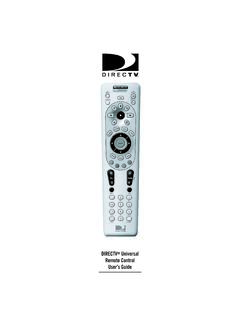
DIRECTV Universal Remote Control User’s Guide
6. Aim the remote at your component and press the power key once. The component should turn off. If it does not turn off, repeat steps 3 and 4 trying each code for your brand until you find the correct code. 7. Repeat steps 1 through 6 to program a new component under AV2 (or AV1). 8. For future reference write down the working code for
Download DIRECTV Universal Remote Control User’s Guide

Information
Domain:
Source:
Link to this page:
Documents from same domain
Note to System Installer Cisco Wireless Access …
www.att.comCisco Wireless Access Point Quick Reference Guide ... For use with your AT&T U-verse TV service. 1 Power Green = Power is on Off = Power is disconnected from its ...
FAMILY GUIDE TO Mobile Safety - AT&T® Official
www.att.comFAMILY GUIDE TO . Mobile Safety. SPONSORED BY: 2 | ... to mobile phone safety. Educating your child is the most important thing you can do. You can

User Guide - AT&T® Official - Entertainment, TV, …
www.att.comUser Guide AT&T Wireless Home Phone. i Wireless Home Phone (“WHP”) ... Quick Start User Guide Specifications ...
PadFone X - AT&T® Official
www.att.comPadFone X. 2 May 2014 First Edition ... Quick Settings ... ASUS is not responsible for any loss or damage incurred to your micro-SIM card.
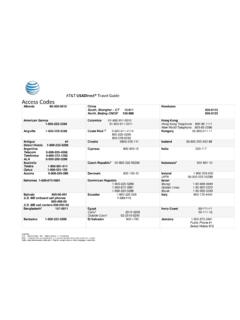
AT&T USADirect® Travel Guide Access Codes
www.att.comCalls using these access codes are in English, ... Cypress 800-900-10 India 000-117 Australia Telstra ... Axtel 01-800-112-2020

AT&T Compensation in a Competitive Marketplace
www.att.comAT&T Compensation in a Competitive Marketplace ... Continuing to lose access lines to cable and non- ... (Short & Long-Term Disability,
USER GUIDE LG-B471 - AT&T® Official
www.att.comMFL69393501 (1.0) www.lg.com ENGLISH USER GUIDE LG-B471. ... purchaser/end user. (3) ... numbers from anywhere in the continental United States:
USEr GUIdE - AT&T® Official
www.att.comWelcome! Thank you for choosing LG. Please carefully read this user guide before using the device for the first time to ensure safe and proper use.
Nokia Lumia 635 User Guide - AT&T® Official
www.att.comThere's a user guide in your phone – it's always with you, available when needed. ... These instructions may not apply to all phone models and manufacturers.
4G LTE SMARTPHONE User Manual - AT&T
www.att.comPlease read this manual before operating your phone, ... Choice of an e-mail, master data management, and virtual private network solution is at the sole
Related documents

Remote Engine Start System User’s Information Manual
owners.honda.comBattery Power Use the transmitter only when necessary. Every time a button is pressed, the remote engine starter is consuming battery power. If the battery is low on power, the transmitting range of the remote engine starter will be affected. Check the battery periodically, and replace it when necessary. For battery replacement refer to page 32.
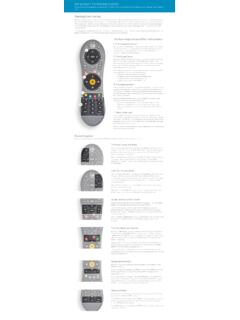
Using Your TiVo Remote Control
www.tivo.comremote to control the power, mute, and volume of your TV, you can use TV POWER to turn your TV on and off. Below TV POWER is the INPUT button. Press INPUT to select the input that your TV displays. Inputs can include a DVR, a DVD player, or a game system.
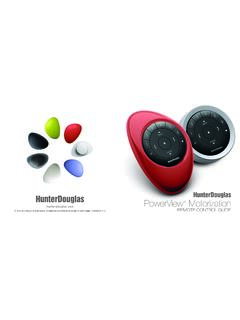
PowerView Remote Control Guide - Hunter Douglas
cdn.hunterdouglas.comFirst, activate the remote by pulling both plastic tabs from the back battery compartment. Inserting the remote module into the PowerView Pebble™ (hand-held): 1. 3Center the Hunter Douglas logo on the remote module above the indentation on the bottom rim of the Pebble. 2. Align the ribs on the remote module with the grooves on the Pebble. 3.
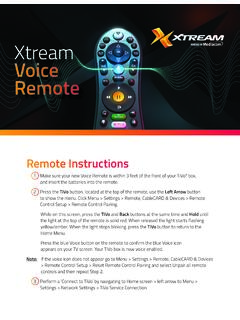
Xtream Voice Remote
mediacomcc.custhelp.com2 Go to Menu > Settings > Remote, CableCARD & Devices > Remote Control Setup. 3 Select ‘Set TV Power, Volume and Mute,’ ‘Set TV Input’ or ‘Set A/V Volume and Mute’ and follow the instructions. Note: Programming codes will start with a ‘1’. If your device lists codes that begin
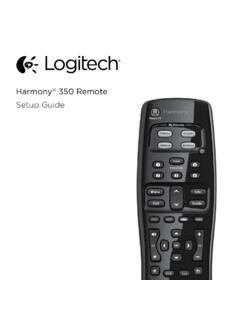
Setup Guide - Logitech
www.logitech.comHow the remote works Harmony 350 is an infrared (IR) remote that controls other IR devices such as TVs, audio/video receivers, and cable/satellite receivers. Visit setup.myharmony.com to create an account and set up your new Harmony remote. Watch TV button Set up a Watch TV Activity to automatically power on/off devices
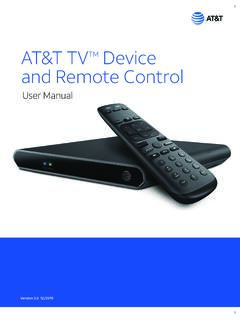
AT&T TVTM Device and Remote Control
www.att.com2. Power Supply The AT&T TV (C71KW) uses the DIRECTV® EPS10 power supply. 3. Remote Control The AT&T TV (C71KW) works with the RC82V Remote Control. (The box and remote control are not compatible with any older DIRECTV or AT&T U-verse® equipment.) Like other AT&T remote controls, the RC82V can be programmed to operate some features

IFT-RC400
downloads.hearthnhome.comyour remote are low, a notification will display on the screen asking you to ‘replace remote batteries’. Refer to Replace Remote Batteries Section. Backup Battery The battery life indicator is for a backup power source located inside your appliance. It is intended to operate the appliance in the event of a power failure. Consult

PowerView Remote Control Guide - Hunter Douglas
cdn2.hunterdouglas.comInserting the remote module into the PowerView ® Pebble (hand-held): 1. Center the Hunter Douglas logo on the remote module above the indentation on the bottom rim of the Pebble. 2. Align the ribs on the remote module with the grooves on the Pebble. 3. Gently push the remote module into the Pebble until it is snug. Ribs on remote to be aligned ...