EFI Instructions - Intel
Basic Instructions for Using the Extensible Firmware Interface (EFI) Using EFI Revision 2.0 3 1.4 Running the EFI script under the EFI Shell Change from the EFI shell to the USB device folder: The first USB device found shows up in the mapping as fs0 (File system 0); the next device shows up as fs1, etc.
Download EFI Instructions - Intel

Information
Domain:
Source:
Link to this page:
Documents from same domain

Intel® AMT Configuration Utility User Guide
www.intel.comIntel® AMT Configuration Utility . User Guide . Version 11.0 . Document Release Date: December 17, 2015

Land Grid Array (LGA) Socket and Package …
www.intel.com3. Introduction. In this document, Intel has integrated customer feedback and developed a reference process to serve as a manufacturing enabling solution.

Microcode Revision Guide - intel.com
www.intel.comMicrocode Update Guidance Code Name Product Collection Product Names Vertical Segment CPUID Platform ID OS Update for Q2 Production Status Pre-Mitigation

U.S. Intern Relocation Guide (Including Canada)
www.intel.comFINDING HOUSING You are responsible for arranging your own housing needs, up to and including signing the lease, ordering rental furniture, paying deposits and setting up utilities.

DrMOS Specifications - Intel
www.intel.comTechnical Specifications R 7 3 Technical Specifications The feature set for the DrMOS can be divided into two major areas. They address the electrical

Intel Stratix 10
www.intel.comIntel® Stratix® 10 Intel ® StratIx® 10 Mx (DraM SySteM-In-Package) ProDuct table Notes: 1. LE counts valid in comparing across Intel FPGA devices, and …

Intel® Intel® Command Line InterfaceCommand …
www.intel.comIntel® Intel® Command Line InterfaceCommand Line InterfaceCommand Line Interface ... Intel® Command Line Interface Features and ... • Linux* command shell .

Data Sheet: MAX 3000A Programmable Logic …
www.intel.comAltera Corporation 3 MAX 3000A Programmable Logic Device Family Data Sheet The MAX 3000A architecture supports 100 % transistor-to-transistor logic

256 10 GX, MX, TX, and SX Device Family Pin …
www.intel.comIntel® Stratix® 10 GX Pin Connection Guidelines Clock and PLL Pins Note: Intel recommends that you create an Intel ® Quartus Prime design, enter your device I/O assignments, and compile the

256 10 L- and H-Tile Transceiver PHY User Guide - …
www.intel.comIntel® Stratix® 10 L- and H-Tile Transceiver PHY User Guide Subscribe Send Feedback UG-20055 | 2018.07.06 Latest document on the web: PDF | HTML
Related documents
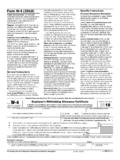
2022 Form W-4 - IRS tax forms
www.irs.gov1392, Supplemental Form W-4 Instructions for Nonresident Aliens, before completing this form. Specific Instructions Step 1(c). Check your anticipated filing status. This will determine the standard deduction and tax rates used to compute your withholding. Step 2. Use this step if you (1) have more than one job at the

Wastewater Emergency Response Plan Template Instructions
www.epa.govIntroduction This template assists wastewater utilities with developing an Emergency Response Plan (ERP). An ERP describes your utility’s strategies, resources, plans, and procedures to prepare for and respond to an incident, natural or man-made, that

General procedure for updating RCC firmware - Citroen
media.citroen.co.uk5) Updating mapping in-car using a USB stick: The update of your system takes several tens of minutes. Conditions to be respected for a successful update: -The engine must absolutely be running throughout the entire update. -Park your car in the open air rather than a confined space (i.e. a garage).-/ !\

Updating your Infotainment system - Vauxhall
my.vauxhall.co.uk2 UPDATING THE MAPPING SOFTWARE The installation process will begin STEP 6 Once the installation is complete, tap ^Yes on the screen to restart your system. You can now remove your USB drive. According to vehicle technical configuration, it may occur that the update stops during the process indicating the error

Updating Maps on Your Garmin Device
www8.garmin.comFollow the instructions included with the disc when you receive it. 6. Write down your product key, and click Continue. 7. If “Updating device software” appears, read the license agreement, and click Accept Agreement to update your device software to the newest version. Follow the on-screen instructions to complete the software update. 8.
The Bw-Tree: A B-tree for New Hardware Platforms
www.microsoft.comThe mapping table severs the connection between physical location and inter-node links. This enables the physical loca-tion of a Bw-tree node to change on every update and every time a page is written to stable storage, without requiring that the location change be propagated to the root of the tree (i.e., updating inter-node links).
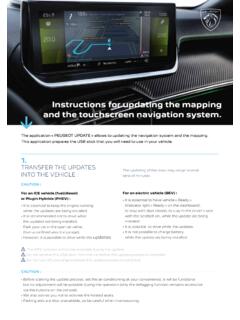
Instructions for updating the mapping and the touchscreen ...
media-ct-ndp.peugeot.comInstructions for updating the mapping and the touchscreen navigation system. Insert the key into the USB port of the vehicle. Follow the dialogue on the touch screen. This message can appear on the screen « any content on the USB Stick ». Ignore this message and don’t remove the USB stick. This message will disappear in 10 seconds.

INSTRUCTIONS FOR UPDATING THE MAPPING AND THE …
media.citroen.frINSTRUCTIONS FOR UPDATING THE MAPPING AND THE TOUCHSCREEN NAVIGATION SYSTEM The application allows to updating the navigation system and the mapping. This application prepares the USB stick that you will need to use in your vehicle. 1) Transfer the updates into the vehicle : The updating of the map may range several tens of minutes. ...