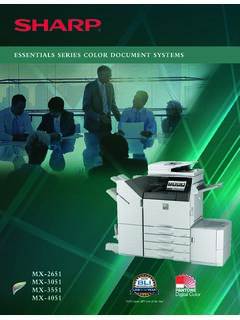
ESSENTIALS SERIES COLOR DOCUMENT SYSTEMS
A feature-rich multifunction document system that is also cost-effective. • Standard 100-sheet reversing single-pass document feeder scans documents at speeds up to 80 images per minute (ipm). • Flexible paper handling supports media up to 110 lb. cover (300 gsm) and feeds up to 12" x 18" through the paper trays, allowing users to print on a wide variety of media, including
Download ESSENTIALS SERIES COLOR DOCUMENT SYSTEMS

Information
Domain:
Source:
Link to this page:
Documents from same domain

MX-B376W MX-B476W ADVANCED SERIES DESKTOP …
business.sharpusa.comMX-B376W/B476W SPECIFICATIONS 1 Some features require optional equipment. See your local dealer. 2 May vary depending on product configuration, machine settings and operating and/or environmental conditions. 3 Go to www.sharpusa.com for a list of supported devices and operating systems. Design and specifications subject to change without notice.

MODEL: MX-2651 MX-3051 DIGITAL FULL COLOR …
business.sharpusa.comDOWNLOADING THE OPERATION GUIDE The Operation Guide, which is a more detailed manual, can be downloaded from the machine's Web pages. 1 Click [Operation Manual Download] in the menu of the Web page. 2 Select the desired language. 3 Select the manual you want to download, and click the [Download] button. (1) English (2) (3)

MX-2600N | MX-3100N Quick Start Guide - SharpUSA
business.sharpusa.comDownloading the Operation Guide. (1) Click [Operation Manual Download] in the menu of the Web page. (2) Select the desired language. (3) Click the [Download] button. The Operation Guide is downloaded. (1) (2) (3) 00-1_Quick(Manual).fm 3 ページ 2008年5月29日 木曜日 午 …

MX-5071 MX-6071 ADVANCED SERIES COLOR DOCUMENT …
business.sharpusa.comscanning, auto duplexing, 1 x 550-sheet paper drawer, 100-sheet bypass tray. Black and color developer is included. Type Color multi-function digital document system Display 10.1" (diagonally-measured) color dot matrix high-resolution touch panel tilting display. 1,024 x …

MX-3070N MX-3570N MX-4070N ADVANCED SERIES …
business.sharpusa.comand Environments 2008, Windows Server 2008 R2, Windows Server 2012, Windows Server 2012 R2, Mac OS X 10.6-10.13, UNIX, Linux, Citrix® (XenApp 5.0-7.6), Windows Remote Desktop Services, SAP device types1 Printing Protocols LPR, IPP, IPPS, PAP, Raw TCP (port 9100), FTP, POP3, HTTP, and Novell Pserver/Rprinter Network Scanning System

Microwave Drawer : SMD2470AS, SMD3070AS InstallatIon …
business.sharpusa.com8 1. Place the drawer adjacent to the wall or cabinet opening. Plug the power supply cord into the electrical outlet. 2. PCarefully guide the drawer into the prepared opening.
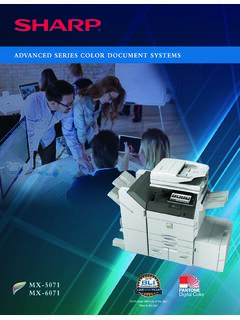
ADVANCED SERIES COLOR DOCUMENT SYSTEMS
business.sharpusa.comThe New Sharp Color Advanced Series document systems deliver cutting-edge integration and powerful productivity. advanced The Sharp MX-5071 and MX-6071 Advanced Series color document systems are built using the latest technology available to deliver the performance, features and reliability needed in today’s busy workplace environments.
Cloud Connect Guide - SharpUSA
business.sharpusa.comUsing this function means that sending of mail is possible simply by connecting to the network, instead of using an SMTP server. By using addresses stored in the address book, this eliminates the step of entering e-mail and of storing information in the machine address book. The search function lets users search for destinations in the address book

MX-M365N | MX-M465N | MX-M565N Brochure - SharpUSA
business.sharpusa.comAn advanced design plus multi-functional capability allow you to meet tomorrow’s document needs today. • 500 + 2,000-sheet tandem paper drawer option expands maximum online paper capacity to 6,600 sheets • Flexible paper handling system feeds up to 80 lb. cover through the paper trays and up to 110 lb. cover through the bypass tray • Scan both sides of a document in …

sharp operation manual
business.sharpusa.comsharp operation manual file:///Y|/11_IM%20GROUP/Oversea%20Group/SHARP%20JAPAN/JC180020_PN-UH601_PN-UH701_HTML/HTML/eng/0-3.html[2/28/2018 7:08:41 PM]
Related documents

Multifunction B&W RICOH MP 501SPF/ MP 601SPF - Copier …
brochure.copiercatalog.comTake charge of security controls With user authentication, youÕre always in control of your most sensitive information. Users can log into the device via passcode or billing code Ñ or by passing an identity card by the optional NFC card reader. You can track each user and all output remotely. You can set print quotas.

HPLaserJetMFP M232e-M237e series UG EN
h10032.www1.hp.comPrinter back view. Feature Description 1 Rear USB port NOTE: A label might be covering the USB port. After setup, you can remove the label and print using a USB
Network Design Proposal - Statement of Work
normcoleman.norkris.comData Types The types of data served by the network will be reports, bulletins, accounting information, personnel profiles, industry specific daycare software and web pages. There will be some still graphics and possibly a small amount of voice and video. Data Sources Data will be created and used at all work stations on the network.
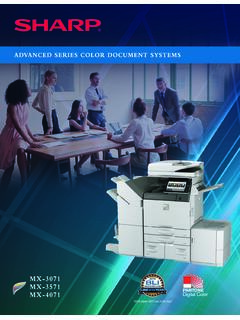
ADVANCED SERIES COLOR DOCUMENT SYSTEMS
business.sharpusa.com“2019 Copier MFP Line of the Year” ... The new Color Advanced Series also offers leading-edge security features to help businesses protect their data and personal information. Key Features • Ease of Use – Award-winning touchscreen display offers a …
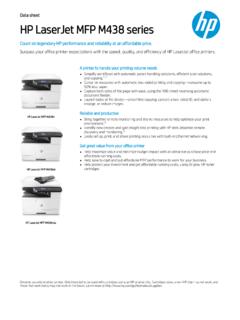
HP LaserJet MFP M438 series
h20195.www2.hp.comData sheet HP LaserJet MFP M438 series Count on legendar y HP per formance and reliabilit y at an af fordable price. Sur pass your of fice printer expectations with the speed, qualit y, and ef ficienc y of HP LaserJet of fice printers. HP LaserJet MFP M438n HP LaserJet MFP M438dn HP LaserJet MFP M438nda Dynamic securit y enabled printer.
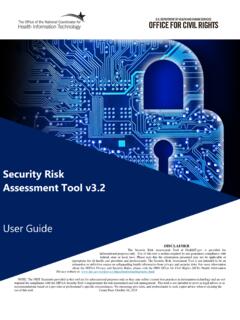
SRA Tool User Guide
www.healthit.govPrinter, Copier, Fax machine Asset List SRA Home Practice Info Vendors Documents Assessment Summary [9 Save Logout Practice Assets practice ... on Security & Data. Below is a summary highlighting where your practice is meeting the standard and potential areas of improvement. < Jump to section start Areas of Success
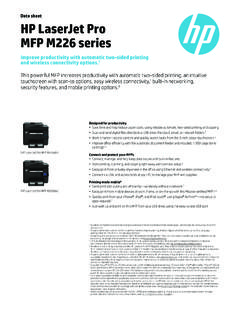
Data sheet HP LaserJet Pro MFP M226 series
www.hp.comBuilt-in networking, security features, and management tools help protect data and streamline workflows. Meet pressing business demands—even when you’re out of the office. Mobile printing options help you save time, and work at the speed of business.2 HP Services Downtime can have serious consequences, so HP provides support beyond the standard
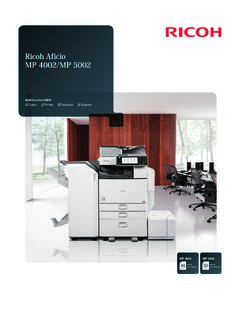
Ricoh Aficio MP 4002/MP 5002
www.ricoh-usa.comDocument Security and Integrity The Ricoh Aficio MP 4002/MP 5002 incorporates a host of state-of-the-art security features to help protect critical information at every stage of the document lifecycle. • verwrite all stored data on the hard disk drive and encrypt the address O book, authentication information and stored documents using standard
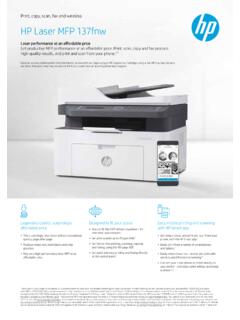
Print, copy, scan, fax and wireless HP Laser MFP 137fnw
www8.hp.comShort data sheet | HP Laser MFP 137fnw Technical specifications Number of user 1-5 Users Functions Print, copy, scan, fax and wireless Print Technology Laser Duplex print options Manual (driver support provided) Speed1 Black (normal, A4): Up to 20 ppm First page out2 Black (A4, ready): As fast as 8.3 seconds; Black (A4, sleep): As fast as 18 ...