
Fetch Remote 3
Welcome to the Fetch remote setup guide. Follow the Simple Remote Set Up steps to program your Fetch remote to control your TV. If the Simple Remote Set Up doesn’t work, try the Direct Remote Set Up. 1 Simple Remote Set Up Hold down for 3 seconds. The remote will flash twice. Find your TV brand below and hold down the number key, until TV ...
Download Fetch Remote 3

Information
Domain:
Source:
Link to this page:
Documents from same domain
Wi-Fi User Guide - Fetch TV
www.fetchtv.com.au4 1 Connect Fetch to your home Wi-Fi To set up your Fetch with Wi-Fi You’ll need your Wi-Fi network name and password to connect. Before you start, check you can browse

Quick Start Guide - Fetch TV
www.fetchtv.com.au5 Connection Option 3 – PLC Adaptors You can use this option if you cannot connect using Ethernet Cable and you ordered PLC Adaptors with your Fetch
Mighty Quick Start Guide - Fetch TV
www.fetchtv.com.au• The remote control works up to 6m away from the Fetch box in Infrared mode. The voice remote control works up to 10m away in Bluetooth mode. • Unplug the Fetch box from the power source before cleaning. • Clean using a dry cloth only - don’t use water or chemicals. • Don’t try to open the Fetch box - it’s dangerous and will void ...

My Media Hub Quick Start Guide for USB Devices
www.fetchtv.com.au(see the “Fetch My Media Hub Quick Start Guide for Media Servers”) • See your folders, album artwork, playlists in My Media Hub • Play a slideshow of photos • Play your music or videos with full playback controls About this document This guide will help play your media off a USB device from your Fetch Box to your connected TV. Related ...
Multiroom User Guide - Fetch TV
www.fetchtv.com.auFetch through Optus, iiNet, Internode, Westnet, Aussie Broadband or iPrimus. Before you can use your Fetch box, you’ll need to create an account directly with us. Go to fetch.com.au/activate. Once you have entered in your personal details and credit card details, you will be given an Activation Code (also called your Fetch ID).

New Software Update - Fetch
www.fetchtv.com.auThis update to Fetch introduces the ability to watch sport via the Paramount + app. Menu > Apps > All > Paramount + > All Shows > Sports • From October 14, there will be sport highlights, mini matches and full match replays from AFC Road to Qatar Qualifier as well as Socceroo and Matildas friendly matches available to watch.

Mini Quick Start Guide - Fetch TV
www.fetchtv.com.auConnect the Fetch Mini to your broadband modem Connect the Fetch Mini to your TV Antenna Connect the Fetch Mini to your TV Power up your Fetch Mini Start up Fetch This guide tells you all you need to know about setting up and turning on Fetch. It also has important safety and usage information. It’s Fetch and it’s ready when you are. 1 2 3 ...
Fetch Voice Remote
www.fetchtv.com.aufront of your box to pair the remote. • You can pair one Fetch Mighty or Fetch Mini at a time to use voice control through the remote. • Fetch will prompt you to pair the remote using Bluetooth the first time you use it with your Fetch Mighty or Fetch Mini. • Bluetooth pairing is not supported on Gen 2 Fetch boxes.

Mini User Guide - Fetch TV
www.fetchtv.com.au3. 12 You can go back a day in the TV Guide and watch programs you missed. You can set a reminder to alert you when your favourite programs are about to start. TV Guide – Reverse EPG Set Reminders In the TV Guide or Live TV Info Bar press to browse backwards into the ... Fetch Mighty or Gen 2 box.
Related documents
Get to know your Optional Advanced Auto-Program remote ...
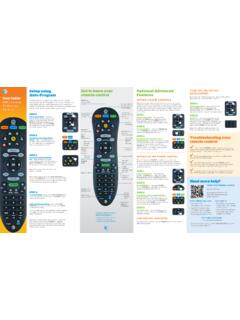
www.att.comthe remote PoWer key will flash red once every three seconds when it sends a code, to give the device time to respond and for you to release the key. STEP 4: TV programming: Let go of the FASt ForWArD key as soon as the TV turns off. Press the PoWer button to turn the TV back on.
User Manual - Logitech
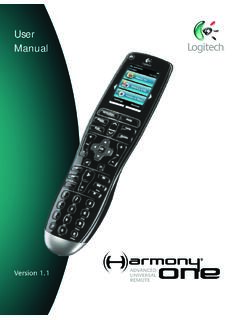
www.logitech.comGetting to know your remote Activities are the basis for how the Harmony One works. Things like watching a DVD, listening to radio, playing a game are all examples of Activities you can set up for your remote using the Harmony Remote Software. When you select an Activity, your Harmony One sends a series of commands to your
UNIVERSAL REMOTE SETUP - Vizio
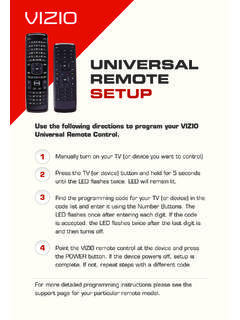
cdn.vizio.comUniversal remote control. Manually turn on your TV (or device you want to control) Press the TV (or device) button and hold for 5 seconds until the LED flashes twice. LED will remain lit. Find the programming code for your TV (or device) in the code list and enter it using the Number Buttons. The
ROOM AIR CONDITIONER WALL MOUNTED TYPE
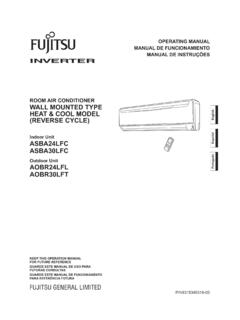
www.fujitsu-general.comTo Use the Remote Controller The Remote Controller must be pointed at signal receiver (Fig. 1 4) to operate cor-rectly. Operating Range: About 7 meters. When a signal is properly received by the air conditioner, a beeping sound will be heard. If no beep is heard, press the Remote Controller button again. Remote Controller Holder

Remote Control - DISH
www.dish.comyour remote control, simply pick it up, move it, or shake it gently in a dark room. It’s that easy! To conserve your remote control’s battery life, a light sensor detects the amount of light in the room. If the room is su˜ciently dark, backlighting will turn on, allowing you to see the remote’s buttons.

CLICKER - Lowe's
pdf.lowes.coma 3-button remote, DIP switch #1 must be set to “-” if the large button is to open the door. It may be necessary to reprogram original remote controls. ON STOP CHART B # of times to press button Brand Description Year 11 Chamberlain®* 9 Position '90-'92 12 Chamberlain®* 9 Position Canada '83-'89 13 Genie® 12 Position '85
UNIVERSAL REMOTE CONTROL GUIDE - FTC
www.farmerstel.com5 2. Point the remote at the device. 3. Press and while holding a selected mode key (TV or DVD), press the OK key.For example, to search for a TV code, press and hold TV and OK at the same time. 4. Release both keys and all the mode keys will blink twice.
Mighty Quick Start Guide - Fetch TV
www.fetchtv.com.au• The remote control works up to 6m away from the Fetch box in Infrared mode. The voice remote control works up to 10m away in Bluetooth mode. • Unplug the Fetch box from the power source before cleaning. • Clean using a dry cloth only - don’t use water or chemicals. • Don’t try to open the Fetch box - it’s dangerous and will void ...
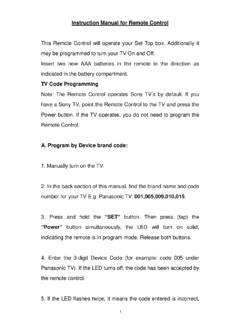
Instruction Manual for Remote Control TV Code …
www.wowforbusiness.comRe-enter the correct code number again. The Remote control will exit the program mode if the code is not entered within 8~10 seconds, at this point the LED will turn off. 6. Point the Remote Control to the TV and press the “Power” button. If the TV turns off, the remote is now programmed to operate the TV. 7.