
Forcepoint Appliances Command Line Interface (CLI) Guide
Jun 08, 2020 · SSH access is enabled (default), connect to the CLI using a terminal emulator and SSH. On a Windows system, use PuTTY or similar. On a Mac system use Terminal. Connect to the appliance management interface IP address (interface C) on port 22. On V Series or X Series appliances you can also access the CLI in these ways:
Download Forcepoint Appliances Command Line Interface (CLI) Guide

Information
Domain:
Source:
Link to this page:
Documents from same domain

TRITON Appliances Getting Started Guide - …
www.websense.comTRITON Appliances 2 TRITON Appliances: Getting Started Supported software TRITON appliances support: TRITON AP-EMAIL with integrated data loss prevention TRITON AP-WEB with integrated data loss prevention Web Filter & Security — V5000 and VMware virtual appliance TRITON AP-DATA Protector Mobile Agent Email Gateway for …
Websense: PAC File Best Practices
www.websense.comProxy Auto-Configuration Best Practices 2 component) and is required to support the hybrid web filtering feature of Web Security Gateway Anywhere. A PAC file is a JavaScript function definition for FindProxyForURL(url, host).
PAC File Best Practices for TRITON AP-WEB
www.websense.comPAC File Best Practices 3 TRITON AP-WEB PAC File Best Practices Why use a PAC file? In explicit proxy and Web Hybrid module deployments of TRITON AP-WEB, using a

Endpoint Solutions Installation and Deployment …
www.websense.comInstallation and Deployment Guide 3 a hotspot, but the user has not finished registration, it removes its proxy settings until the gateway has successfully opened.

Creating Custom Block Pages - Forcepoint
www.websense.comCreating Custom Block Pages 3 The block page is created from a multiple files that are stored with each instance of Filtering Service in your network.
Installation and Deployment Guide - Forcepoint
www.websense.comInstallation and Deployment Guide 3 For supported browsers, TRITON AP-ENDPOINT Web manipulates proxy settings in real time. For example, if TRITON AP-ENDPOINT Web detects it is at a hotspot, but the user has not finished registration, it …
Introduction to machine learning - Forcepoint
www.websense.comMachine learning is a branch of artificial intelligence, comprising algorithms and techniques that allow computers to learn from examples instead of pre-defined rules. As a user of Websense ® Data Security, you can provide examples that train the

Introduction to Forcepoint DLP Machine Learning
www.websense.comIntroduction to Machine Learning for Forcepoint DLP 3 ensemble of documents as counterexamples. (See Negative examples consisting of “All documents”, page 4, and Positive examples, page 3.) For text-based data, some of the algorithms automatically create an optimal “weighted
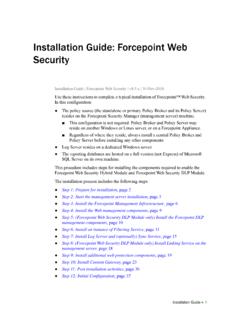
Installation Instructions: Forcepoint Web Security
www.websense.comGuide and gather information as instructed under “Gather data for firstboot”. Step 2: Start the management server installation Before installing management server components on a supported Windows server,
Stonesoft VPN Client 2.0 for Mac User Guide - websense.com
www.websense.comIntroduction | 3 Introduction This guide provides end-user instructions for installing and using Stonesoft® VPN Client for Mac OS X. The Stonesoft VPN Client is a software application that runs on your Mac.
Related documents

Quagga
quagga.netstatic routes and so on. If you have a small network, or a stub network, or xDSL connection, configuring the Quagga routing software is very easy. The only thing you have to do is to set up the interfaces and put a few commands about static routes and/or default routes. If the network

configuring static routes - Router Alley
routeralley.com- Configuring Static Routes - Configuring Static Routes The basic syntax for a static route is as follows: Router(config)# ip route [destination_network] [subnet_mask] [next-hop] Consider the following example: RouterA will have the 172.16.0.0/16 and 172.17.0.0/16 networks in its routing table as directly-connected routes. To add a static route ...

SonicWall SonicOS 6.5.4
software.sonicwall.comJun 16, 2021 · Static routes over VPN or SD-WAN are getting disabled after cold boot. GEN6-2383 SM 9600 HA pair rebooting frequently due to DP core hang. GEN6-2295 Link Aggregation issues with X24 and X25 as the 10 Gig port does not show as …

Archer C60 User Guide - TP-Link
static.tp-link.comdefault settings. Internet Port For connecting to a DSL/Cable modem, or Ethernet port. Ethernet Ports (1/2/3/4) For connecting your PCs or other wired network devices to the router Antennas Used for wireless operation and data transmitting. Upright them for the best Wi-Fi performance.

Basic Router Configuration - Cisco
www.cisco.com† Configuring Static Routes, page 23 ... The loopback interface acts as a placeholder for the static IP address and provides default routing information. For complete information on the loopback commands, see the Cisco IOS Release configuration guide documentation set.

Basic Router Configuration - Cisco
www.cisco.com† Viewing the Default Configuration † Information Needed for Configuration † Configuring Basic Parameters † Configuring Static Routes † Configuring Dynamic Routes † Configuring Enhanced IGRP Each section includes a configuration …

Configuring the Grandstream UCM6200/UCM6300 for use …
www.exele.comto assign its default static IP address to both the WAN and LAN port. Once assigned you can connect the UCM6300 to your computer/laptop and use this static IP below. To enable the static IP address, from the LCD screen: o Home button (house icon) o …

SonicWall Switch Getting Started Guide
www.sonicwall.comSonicWall Switch Gettng Started Guide Overview 2 5 Overview • Introduction on page 5 • Hardware Overview on page 7 • About PoE on page 13 • About SFP/SFP+ on page 13 • Specifications on page 13 Introduction The SonicWall Switches are designed to connect SonicWall firewalls with Access Points and IP Surveillance