
Forcepoint VPN Client
2) Use only destination port UDP/4500 (NAT-T port) for the gateway, instead of both port UDP/500 and UDP/4500. 3) Use a combination of a random local source port and destination port UDP/4500 for the gateway. The end user is notified if the Forcepoint VPN Client is unable to use one of the necessary ports. Deployment
Download Forcepoint VPN Client

Information
Domain:
Source:
Link to this page:
Documents from same domain

TRITON Appliances Getting Started Guide - …
www.websense.comTRITON Appliances 2 TRITON Appliances: Getting Started Supported software TRITON appliances support: TRITON AP-EMAIL with integrated data loss prevention TRITON AP-WEB with integrated data loss prevention Web Filter & Security — V5000 and VMware virtual appliance TRITON AP-DATA Protector Mobile Agent Email Gateway for …
Websense: PAC File Best Practices
www.websense.comProxy Auto-Configuration Best Practices 2 component) and is required to support the hybrid web filtering feature of Web Security Gateway Anywhere. A PAC file is a JavaScript function definition for FindProxyForURL(url, host).
PAC File Best Practices for TRITON AP-WEB
www.websense.comPAC File Best Practices 3 TRITON AP-WEB PAC File Best Practices Why use a PAC file? In explicit proxy and Web Hybrid module deployments of TRITON AP-WEB, using a

Endpoint Solutions Installation and Deployment …
www.websense.comInstallation and Deployment Guide 3 a hotspot, but the user has not finished registration, it removes its proxy settings until the gateway has successfully opened.

Creating Custom Block Pages - Forcepoint
www.websense.comCreating Custom Block Pages 3 The block page is created from a multiple files that are stored with each instance of Filtering Service in your network.
Installation and Deployment Guide - Forcepoint
www.websense.comInstallation and Deployment Guide 3 For supported browsers, TRITON AP-ENDPOINT Web manipulates proxy settings in real time. For example, if TRITON AP-ENDPOINT Web detects it is at a hotspot, but the user has not finished registration, it …
Introduction to machine learning - Forcepoint
www.websense.comMachine learning is a branch of artificial intelligence, comprising algorithms and techniques that allow computers to learn from examples instead of pre-defined rules. As a user of Websense ® Data Security, you can provide examples that train the

Introduction to Forcepoint DLP Machine Learning
www.websense.comIntroduction to Machine Learning for Forcepoint DLP 3 ensemble of documents as counterexamples. (See Negative examples consisting of “All documents”, page 4, and Positive examples, page 3.) For text-based data, some of the algorithms automatically create an optimal “weighted
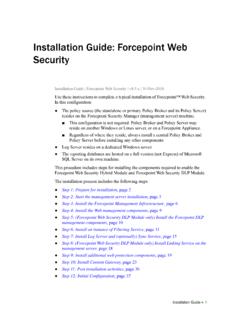
Installation Instructions: Forcepoint Web Security
www.websense.comGuide and gather information as instructed under “Gather data for firstboot”. Step 2: Start the management server installation Before installing management server components on a supported Windows server,
Stonesoft VPN Client 2.0 for Mac User Guide - websense.com
www.websense.comIntroduction | 3 Introduction This guide provides end-user instructions for installing and using Stonesoft® VPN Client for Mac OS X. The Stonesoft VPN Client is a software application that runs on your Mac.
Related documents

1794-UM066B-EN-E FLEX I/O Dual Port EtherNet/IP Adapter ...
literature.rockwellautomation.com• use of EtherNet/IP messages encapsulated within standard TCP/UDP/IP protocol • common application layer with ControlNet and DeviceNet • interfacing via Category 5 rated twisted pair cable • half/full duplex 10 Mbit or 100 Mbit operation • DIN rail mounting • communication to and from other FLEX I/O modules on the same DIN rail
Cisco NetFlow Configuration
www.cisco.com• Source port number • Destination port number • Layer 3 protocol type (ex. TCP, UDP) • ToS (type of service) byte • Input logical interface If one field is different, a new flow is created in the flow cache. • Enabled NetFlow on EVERY layer-3 interface for complete visibility

INTRODUCTION z/OS Console Commands for TCP/IP cont …
www.redbooks.ibm.comNote: The following TCP/IP commands should be done from the TSO command panel or the READY prompt. Note: hostname may be the IP address of the host, or the host name of the host. • FTP hostname {port} - Connect to remote host to get/put files. Defaults to port 21. • HOMETEST - Validate TCP/IP configuration.
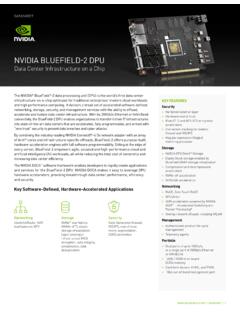
NVIDIA BlueField-2 Datasheet
www.nvidia.com1GbE out-of-band management port NC-SI, MCTP over SMBus, and MCT over PCIe > PLDM for Monitor and Control DSP0248 > PLDM for Firmware Update DSP026 > I2C interface for device control and configuration > SPI interface to flash > eMMC memory controller > UART > USB Features BlueField-2 DPU - 2x 25Gb/s HHHL form factor BlueField-2 DPU - 2x 100Gb/s ...

LabVIEW Error Codes - NI
www.ni.comLabVIEW Error Codes - NI ... error.