
Getting Started Guide - Dell
Getting Started Guide 7 N1108T-ON/N1108P-ON Installation Rack Mounting an N1108T-ON/N1108P-ON Switch WARNING: Read the safety information in the Safety and Regulatory Information as well as the safety information for other switches that connect to or support the switch. The AC power connector is on the rear panel of the switch. Installing in a Rack
Download Getting Started Guide - Dell

Information
Domain:
Source:
Link to this page:
Documents from same domain
Dell™ S2240M/S2340M Monitor
downloads.dell.comThe Dell™ S2240M/S2340M flat panel display has an active matrix, Thin-Film Transistor, Liquid Crystal Display. The monitor's features include: S2240M: 54.61 cm (21.5 inches) viewable area display. 1,920 x 1,080 resolution, plus full-screen support for lower resolutions.
Dell S3220DGF Monitor User's Guide
downloads.dell.comThe Dell S3220DGF monitor has an active matrix, Thin-Film Transistor (TFT), Liquid Crystal Display (LCD), anti-static, and LED backlight. The monitor features include: ∞ 80.01 cm (31.5 in.) viewable area display (measured diagonally). 2560 x 1440 resolution, with full-screen support for lower resolutions.
Configuring iSCSI connectivity with VMware vSphere 6 and ...
downloads.dell.comiSCSI SAN Configuration Guide (available on the VMware website), this document provides a summary of the steps specific to connecting to a PS Series SAN. It covers the steps for utilizing the software iSCSI initiator inside the ESXi host. Users connecting their vSphere environment using iSCSI HBAs, both
Dell EMC Networking S4148-ON and S4128-ON
downloads.dell.comNote: The configuration steps in this section are only recommended when the switch is used as a dedicated SAN for iSCSI traffic. 2.1 Hardware configuration 1. Power on the two switches. 2. Connect a serial cable to the serial port of the first switch. 3. Using PuTTY or another terminal utility, open a serial connection session to the switch. 4.
Dell EMC PowerVault ME4 Series and VMware vSphere
downloads.dell.combest practices presented in this paper, the vSphere ESXi® hypervisor provides an optimized experience with ME4 Series storage. These recommendations include guidelines for SAN fabric design, HBA settings, and multipath configuration. There are often various methods for accomplishing the described tasks, and this

Dell Universal Dock
downloads.dell.comDell Universal Dock D6000 Quick Setup Guide Author: Dell Inc. Subject: Setup Guide Keywords: Electronics & Accessories#Docking Stations#dell universal dock d6000#dell-universal-dock-d6000#Setup Guide#Dell Universal Dock D6000 Quick …
Dell ControlVault Installation Instructions for the ...
downloads.dell.com• Dell Data Protection | Encryption (v8.0.1 and older) • BitLocker Drive Encryption – Available in certain flavors of Windows® operating systems Specific combinations of one or more of the above mentioned products already installed in your system may prevent a smooth migration to the latest Dell Da ta Protection security offering . ...
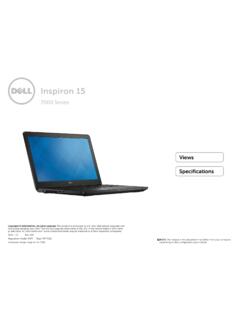
Inspiron 15-7559 Laptop Reference Guide - Dell
downloads.dell.comNOTE: The weight of your laptop varies depending on the configuration ordered and the manufacturing variability. Views Specifications System information Memory Ports and connectors Dimensions and weight Computer environment Storage Camera Touch pad Power adapter Communications Battery Video Audio Display Media‑card
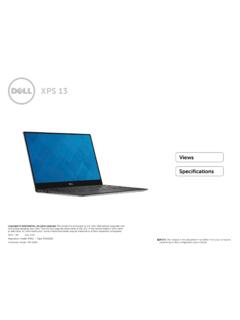
Laptop Reference Guide - Dell
downloads.dell.comall-products#esuprt_laptop#esuprt_xps_laptop#xps 13 9350 laptop#xps-13-9350-laptop#Reference Guide Created Date: 9/30/2015 12:04:09 PM ...
Dell EMC Storage Compatibility Matrix for SC, PS, and FS ...
downloads.dell.comOverview 7 Dell EMC Storage Compatibility Matrix for SC, PS, and FS Series Arrays | DSCM 1.3 Conventions used in this document Blue Text is used for all section titles. When visible in body text or tables, blue text indicates a change or addition from the previous version of the Dell Storage Compatibility Matrix (DSCM).
Related documents

Getting Started Guide - TechSmith
assets.techsmith.comAbout this Guide… Whether you’re using Snagit on Windows or Mac, this guide will help you get started! In this guide, content that is platform-specific is marked within each topic. What is Screen Capture? A screen capture is a snapshot or recording of anything on your computer screen—your desktop, a window, an application, a region, a hidden

Catalyst 2960-S Switch Getting Started Guide (English)
www.cisco.com7 Catalyst 2960-S Switch Getting Started Guide OL-19793-02 Catalyst 2960-S Switch Getting Started Guide Step 5 Connect a Category 5 or 6 Ethernet cable to one of these locations: † Any 10/100 or 10/100/1000 Ethernet downlink port (such as port 1) on the
Advanced Dashboard Getting Started Guide - TD
www.td.comGetting Started Guide. Welcome to Advanced Dashboard, our flagship web-based trader platform. Advanced Dashboard offers an intuitive and powerful set of capabilities designed to allow you to trade quickly and with increased confidence. This guide is meant to provide an overview of the platform's most
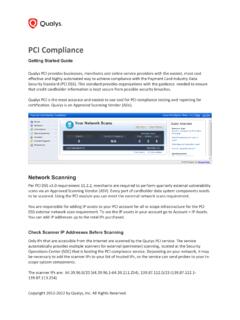
Getting Started Guide - Qualys
www.qualys.comPCI Compliance Getting Start Guide 3 . Next you’ll see the New Scan page. Select your scan settings and click OK . 1) The bandwidth represents a set of scan performance settings. We recommend Medium to get started. Click the Info link to understand the settings. 2) Choose to scan All IPs in your account or just certain IPs.

Xactimate Getting Started Guide - Xactware
www.xactware.comXactimate Getting Started Guide Page 3 1. Xactimate Installation W. ELCOME. Welcome to the Xactimate Getting Star ted Guide. Xactimate is a leading pr operty insurance repair estimating solution that is currently used by thousands of people in the United Kingdom, Ireland, the Netherlands, France, Belgium, Canada, and the United States.

fi Image Scanner Getting Started - Fujitsu
www.fujitsu.comzUser’s Guide Includes Safety Precautions, Getting Started, Operator's Guide, and fi-718PR Imprinter Operator's Guide. zScanner Central Admin Agent Used to centralize the management of multiple scanners, by allowing you to apply firmware updates simultaneously, monitor the operating status, and check the scanner information.