Getting Started With - Scratch Resources browser
Scratch is a programming language that makes it easy to create your own interactive stories, games, and animations – and share your creations with others on the web.
Download Getting Started With - Scratch Resources browser

Information
Domain:
Source:
Link to this page:
Documents from same domain

Hide and Seek - Massachusetts Institute of Technology
resources.scratch.mit.eduSCRATCH EDUCATOR GUIDE HIDE AND SEEK / EDUCATOR GUIDE scratch.mit.edu/go SCRATCH EDUCATOR GUIDE scratch.mit.edu/go HIDE AND SEEK / EDUCATOR GUIDE With this guide, you can plan and lead a one-hour workshop using Scratch.
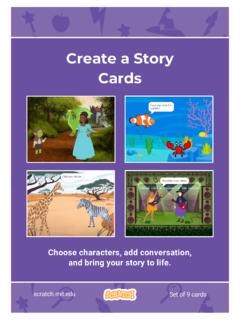
Create a Story Cards - Scratch Resources browser
resources.scratch.mit.eduCreate a Story ADD THIS CODE Click the thumbnail for each character, and then add its code. GET READY Choose two characters. Choose a Mountain backdrop. Goblin TIP You can click the menu to add a new message. Respond to a Character scratch.mit.edu Princess Broadcast a message. Princess Goblin Tell this character what to do when it receives the ...
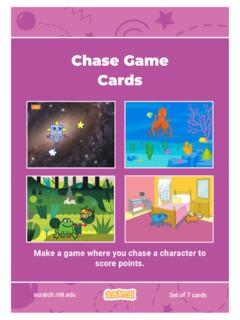
Chase Game Cards - Scratch Resources browser
resources.scratch.mit.eduMake a game where you chase a character to score points. Chase Game Cards scratch.mit.edu Set of 7 cards. Chase Game Cards Use these cards in this order: 1. Move Left and Right 2. Move Up and Down 3. Chase a Star 4. Play a Sound 5. Add a Score 6. Level Up! 7. Victory Message scratch.mit.edu Set of 7 cards. 1 Move Left and Right Press arrow keys ...
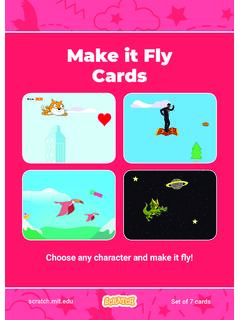
Make it Fly Make It Fly Cards - Scratch Resources browser
resources.scratch.mit.eduMake t ly Move the scenery so your character looks like it’s flying. Start Flying 2. scratchitedu ADD THIS CODE Type a negative number to move left. Start Flying GET READY Choose a sprite to fly by, such as Buildings. Start from the right end of the stage. TIP x is the position on the Stage from left to right. y = 180
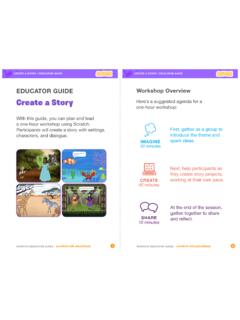
Create a Story
resources.scratch.mit.edu• Choose a character. • Make a character say something • Make a character hide and show. Click the green flag to start. Add code to the new character. Choose any character (in Scratch called a sprite). Type what you want your character to say. Add another character. Witch Wizard Use this block to have the second character wait before
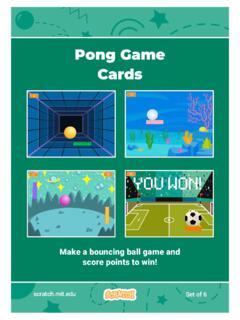
Pong Game Cards - Scratch Resources browser
resources.scratch.mit.eduGET READY Move your mouse pointer to move the paddle. Move the Paddle scratch.mit.edu Click the green flag to start. You can see the x position of the paddle change as you move the mouse pointer across the Stage. Choose a sprite for hitting the ball, like Paddle. Then, drag your paddle to the bottom of the Stage.

Teacher Accounts - Massachusetts Institute of Technology
resources.scratch.mit.eduT o s av e y o ur o w n co p y o f t hi s d o c, cl i ck F i l e a t t he t o p l ef t , t hen s el ect M a k e a c o p y . T o s av e a co p y t o y o ur co mp ut er , s el ect D o w n l o a d .
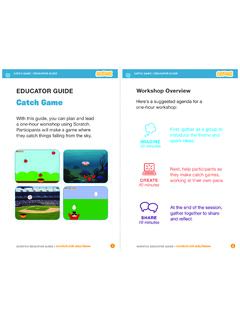
Catch Game - Massachusetts Institute of Technology
resources.scratch.mit.edua one-hour workshop using Scratch. Participants will make a game where they catch things falling from the sky. EDUCATOR GUIDE. Workshop Overview. First, gather as a group to introduce the theme and . spark ideas. SHARE . 10 minutes. Next, help participants as . they make catch games, working at their own pace. At the end of the session, gather ...
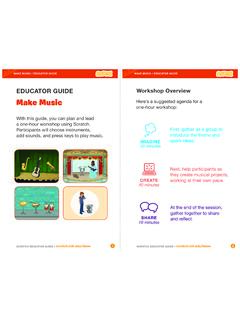
Make Music - Scratch Resources browser
resources.scratch.mit.eduCheck sound on computers or laptops 3 4 Check to make sure that the sound output is working on the computers or laptops. You may want to make headphones available (including headphone splitters to allow participants to listen together). Warm-up Activity: Repeat a Rhythm Gather the group in a circle and get ready to make music. Take
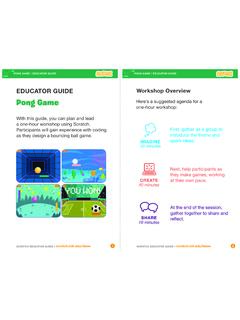
EDUCATOR GUIDE Workshop Overview
resources.scratch.mit.eduParticipants will gain experience with coding as they design a bouncing ball game. EDUCATOR GUIDE Workshop Overview First, gather as a group to ... Show the introductory video for the . Pong Game tutorial. The video shows pong games with a variety of themes, including ... For a more advanced project, try making a two-player game. To
Related documents

About The Tutorial
www.tutorialspoint.compopularity along with Java programming language, which is also equally popular and most widely used among modern software programmers. Audience This tutorial is designed for software programmers with a need to understand the C programming language starting from scratch. This tutorial will give you enough

An Introduction to Programming with Scratch - …
www.rpbourret.comCreate a Scratch Account Before you start programming, you will need to create a Scratch account. 1. Go to scratch.mit.edu. 2. Click Join Scratch. 3. Enter the requested information. (Use your real birth month and year. Do not use your school email address, as it cannot receive email from Scratch.) Scratch Editor The Scratch editor has three ...

A STUDY PATH FOR - GitHub Pages
miloyip.github.io11. Multiplayer Game Programming Recommended Path Optional Path Beginning from Age of 5 The Official ScratchJr Book (2015) Beginning from Age of 8 Coding Games in Scratch (2015) Super Scratch Programming Adventure! (2013) Intermediate Game Programming for Kids Invent Your Own Computer Games with Python 3rd Ed (2015) Learn to Program with ...
Why choose this book? Scratch MIT Media Lab
scratched.gse.harvard.eduScratch is a programming language that is widely used on the Raspberry Pi and in schools and colleges. Scratch’s highly visual interface and drag-and-drop commands make it an ideal language for all ages to try to program. With Scratch Programming in easy steps at hand, learning programming will be a breeze.

Scratch Programming Guide - jts.design
jts.designScratch usage and programming skills. • To explore the ways in which Scratch can be used as a tool to enhance the teaching-learning process across the curriculum. Scratch supports the development of 21st century learning skills such as critical thinking, problem solving, communication, collaboration, creativity and innovation.

The Scratch Programming Language and Environment
web.media.mit.eduScratch is a visual programming environment that allows users (primarily ages 8 to 16) to learn computer programming while working on personally meaningful projects such as animated stories and games. A key design goal of Scratch is to support self-directed learning through tinkering and collaboration with peers.
New frameworks for studying and assessing the development ...
web.media.mit.educoncepts (mapping to Scratch programming blocks) that are common in many programming languages. We have identified seven concepts that are highly useful in a wide range of Scratch projects, and which transfer to other programming (and non-programming) contexts: sequences, loops, parallelism, events, conditionals, operators, and data. For each ...

X-Plane 11
x-plane.comProgramming the Flight Plan Origin Using the CDU Key Pad, input the ICAO code of the originating airport, which is this instance is KLAX. The text will appear in the “Scratch Pad”. Click the Line Select Key (highlighted in red in the example to the right) to cut and paste KLAX from the Scratch Pad to the ORIGIN data field (in the Display Area).

Game Programming Patterns
gameprogrammingpatterns.comBy calling this book “Game Programming Patterns”, I’m not trying to imply that the Gang of Four’s book is inapplicable to games. On the contrary: the Design Patterns Revisited section of this book covers many of the patterns from Design Patterns, but with an emphasis on how they can be applied to game programming.