Help and tutorials - Adobe Inc.
To resize a field, use the font up or down button in the toolbar - the first two buttons from left. To move a field, move your mouse pointer closer to field border until you see the drag handle, and then hold and move the field as required.
Download Help and tutorials - Adobe Inc.

Information
Domain:
Source:
Link to this page:
Documents from same domain

Adobe Acrobat 9.0 Troubleshooting
helpx.adobe.comLast updated 11/3/2015 Legal notices Legal notices For legal notices, see http://help.adobe.com/en_US/legalnotices/index.html. A note to our customers

Adobe Acrobat X Troubleshooting
helpx.adobe.comLast updated 11/4/2015 Legal notices Legal notices For legal notices, see http://help.adobe.com/en_US/legalnotices/index.html. A note to our customers
Adobe Photoshop CS3 Troubleshooting
helpx.adobe.com1 Last updated 11/12/2015 ZoneAlarm causes Photoshop CS3 installer to fail Issue When you attempt to install Adobe Photoshop CS3, ZoneAlarm denies the installer access to the Registry, and the

Using Designer - Adobe
helpx.adobe.comiii Applying master pages to forms whose number of pages vary . . . . . . . . . . . . . . . 64 To use the first master page one time only .

ACROBAT DC ヘルプ - helpx.adobe.com
helpx.adobe.com新機能の概要 Adobe Acrobat DC 2016 リリース(5 月および 1 月) ポップヒントやウォークスルーで基本を学ぶ 最新のユーザーインターフェイス - 新しいダークグ レーテーマ
Adobe Photoshop Lightroom 3 Troubleshooting
helpx.adobe.com4 Choose Lightroom > Preferences > Presets (Mac OS) or Edit > Preferences > Presets (Windows). 5 Select Show Lightroom Presets Folder, and open the selected Lightroom folder. 6 Copy the config.lua file into the Lightroom folder.

Adobe Photoshop Lightroom 5 Troubleshooting
helpx.adobe.comIf you purchased Adobe Lightroom 4 from the Mac App Store and want to upgrade to Lightroom 5, purchase the upgrade from Adobe or another vendor. (For example, get the upgrade from Amazon, Best Buy, B&H, and so on.)

ADOBE ELEMENTS ORGANIZER
helpx.adobe.comEasily create, customize, and share creative slideshows using the enhanced Slideshow feature. Improved overall performance in Elements Organizer 2018 helps you work faster and more efficiently, even with large catalogs.

Adobe InDesign CS3 Troubleshooting
helpx.adobe.comWhen you try to print to a non-PostScript Epson printer from Adobe Illustrator or InDesign, the file appears in the printer's list of jobs, but one of the following problems occurs: The file doesn't print.
Digital signatures with Adobe
helpx.adobe.com– Document Cloud eSign services now brings digital signatures into the e-signing workflow: Document Cloud handles the creation, distribution and filing of agreements for signature, in conjunction with Acrobat or Reader, which handle the certification and validation of digital signing.
Related documents
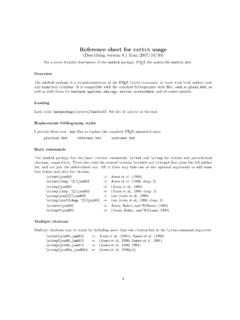
Reference sheet for natbib usage - Gary King
gking.harvard.eduReference sheet: natbib 4 De ne \citenumfont to be a font declaration or command like \itshape or \textit. Rede ne \bibnumfmt as a command with an argument to format the numbers in the list of references. The default de nition is [#1]. The indentation after the rst line of each reference is given by \bibhang; change this with the \setlength ...
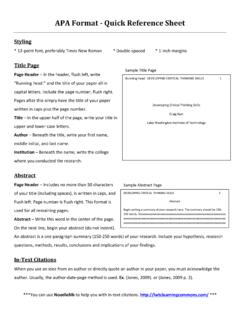
APA Format - Lake Washington Institute of Technology
www.lwtech.eduAPA Format - Quick Reference Sheet . Styling * 12-point font, preferably Times New Roman * Double-spaced * 1-inch margins. Title Page Page Header – In the header, flush left, write “Running head:” and the title of your paper all in capital letters. Include the page number, flush right. Pages after this simply have the title of your paper

HTML: The Complete Reference, Second Edition - Yola
nsofts999.yolasite.comThe Complete Reference, Second Edition Thomas A. Powell Osborne/McGraw-Hill Berkeley New York St. Louis San Francisco Auckland Bogotá Hamburg London Madrid Mexico City Milan Montreal New Delhi Panama City Paris São Paulo Singapore Sydney Tokyo Toronto
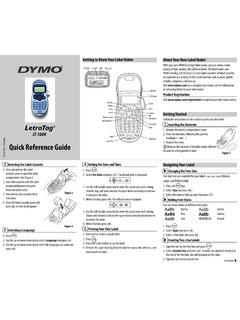
Quick Reference Guide - DYMO
download.dymo.com3. Select the desired font size and then press . Adding Font Styles You can choose from six different font styles: Normal Outline Bold Shadow Italic Vertical 1. Press . 2. Select Style and press . 3. Select a font style and press . Creating Two-Line Labels 1. Type the text for the first line and press . 2. Select Second Line and press . A multi ...
dsPICDEM™ MCLV-2 Development ... - Microchip Technology
ww1.microchip.comCourier New font: Plain Courier New Sample source code #define START Filenames autoexec.bat File paths c:\mcc18\h Keywords _asm, _endasm, static Command-line options -Opa+, -Opa-Bit values 0, 1 Constants 0xFF, ‘A’ Italic Courier New A variable argument file.o, where file can be any valid filename
The titlesec titleps titletoc Packages - tug.ctan.org
tug.ctan.orgformat, i. e., shape, font, label..., the second one de nes the \external" format, i. e., spacing before and after, indentation, etc. This scheme is intended to easy de nitions, since in most of cases you will want to modify either spacing or format.3 That rede nes existing sectioning commands, but does not create new ones.