
Kurzweil 1000 Version 12 Quick Reference
Kurzweil 1000 Quick Reference All Kurzweil 1000 features and settings are accessible from the menu system. For most of the frequently used features, there are shortcut keys from the keyboard. In addition, many of the basic functions are accessible from keypad keys. This Quick Reference presents shortcut keys, menu mnemonics, and keyboard keys, as
Download Kurzweil 1000 Version 12 Quick Reference

Information
Domain:
Source:
Link to this page:
Documents from same domain

Create Your Own Customized Picture Dictionary
www.kurzweiledu.comCreate Your Own Customized Picture Dictionary Kurzweil 3000 comes with the Kurzweil 3000 Picture Dictionary in English and Spanish of over 1300

Kurzweil 1000 Version 12 Installation and New …
www.kurzweiledu.comKurzweil 1000 Installation and New Features 3 Part 1. Installation Minimum Software and Hardware Requirements • Processor: 1 GHz or faster. Fo r VoiceText, a minimum of 700

Sample Grant Proposal - Kurzweil Edu
www.kurzweiledu.comSample Grant Proposal Read to Succeed! Improving Reading Performance for At Risk Students Project Abstract The project abstract should present a concise summary of …

Using the Keypad to Access Kurzweil 1000
www.kurzweiledu.comAbout the Keypad 2 Finding Your Way Around the Keypad As reference points you can use the following keys located at the perimeter of the keypad: Cancel is the key in the upper-left corner of the keypad.Pressing
IV. English Language Arts, Grade 7 - Kurzweil Edu
www.kurzweiledu.comThe spring 2005 Grade 7 MCAS English Language Arts Language and Literature Test was based on learning standards in the two content strands of the Massachusetts English Language Arts Curriculum Framework (2001) listed below.

Using Technology as a Solution for English Language ...
www.kurzweiledu.com• Vocabulary lists of homophones and easily confused words (teachers or students can also create their own vocabulary lists for quick reference) • A thesaurus to generate a list of synonyms

Striving Readers and Step Up to Writing Alignment
www.kurzweiledu.comBrief Overview of Step Up to Writing Step Up to Writing is a set of research-based and validated strategies to help students develop writing, reading, and comprehension skills. More specifically, the programs’ strategies ensure that students are able to write both narrative and expository pieces, that they become actively
Related documents

MiCollab Client Quick Reference Guide Q - Mitel Edocs
edocs.mitel.comMiCollab Client Quick Reference GuideQ About MiCollab Client MiCollab Client is a software comm unications product integrated with advanced call management features. The following clients are available: • MiCollab for PC Client (Windows 10 only) • MiCollab MAC Desktop Client • MiCollab Web Client

Windows 7 Quick Reference Guide - Hobbs Municipal Schools
hobbsschools.netWindows 7 Quick Reference Guide Updated: April 2010 Windows Explorer Keyboard Shortcuts • To Search for a File or Program: Click the Start button and type a keyword for the file or program. Results are displayed immediately in the menu. • To Search for a …
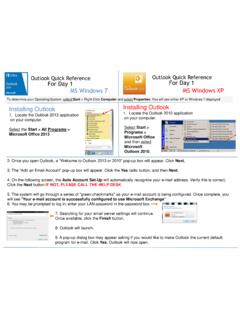
Outlook Quick Reference For Day 1 MS Windows 7 ... - …
w3.assurant.comOutlook Quick Reference For Day 1 Outlook Quick Reference For Day 1 MS Windows 7 MS Windows XP Installing Outlook 1. Locate the Outlook 2013 application on your computer. Select the Start > All Programs > Microsoft Office 2013 Installing Outlook 1. Locate the Outlook 2010 application on your computer. Select Start > Programs > Microsoft Office ...

Windows 7 Quick Reference Guide - Lehman College
wp.lehman.eduWindows 7 – Quick Reference Guide Windows Explorer Desktop shortcuts Gadgets Start menu Start menu search box T Start button Active program buttons ndows Explorer icon askbar T askbar Notific tion area Show Desktop button Starting Programs and Opening Files To open the Start menu: 1.

Adobe Photoshop 7.0 Quick Reference Card for Windows
www.cheat-sheets.orgVersion 7 for Windows ® QUICK REFERENCE CARD Adobe Online Move (V) (M) Rectangular Marquee Magic wand (W) Slice (K) Brush (B) History brush (Y)* Gradient (G)*

Windows 7 Quick Reference - SharePoint Training
www.customguide.comWindows 7 Quick Reference Card Windows Explorer Keyboard shortcuts General Start menu My Computer + E Create new folder Ctrl + Shift + N Zoom + + Connect to projector + P Flip 3D + Tabnavigation to Window management Peek at the desktop + Space Show/Hide desktop + D Minimize all windows + M Minimize other + Home windows
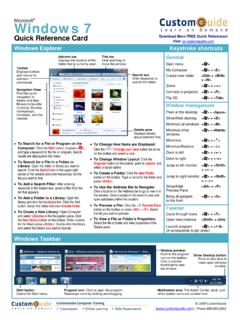
Windows 7 QR - CustomGuide
www.customguide.com• Jump Lists are quick shortcuts to files and commands that a program uses program selected. For example, Internet Explorer displays frequently visited pages, Microsoft Word displays frequently opened documents. • To View a Jump List: Right-click an icon on the Windows 7 taskbar. Or,
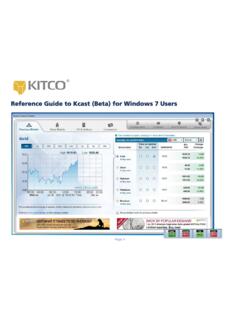
Reference Guide to Kcast (Beta) for Windows 7 Users
www.kitco.comRecommended Windows 7 Settings for Kcast Users To get the most out of your Kcast application, Kitco strongly recommends the following default settings for your Windows 7 operating system: Note: The Kcast for Windows 7 Taskbar always appears on your Application Tray (bottom left of your window). Taskbar Settings 1. Right-click the Windows taskbar 2.
Detailed Guide to Office 2010 - Word - Renfro Corporation
www.renfro.comBy design, this guide can be used as a replacement for the Windows 7 and Microsoft Office 2010 Quick Start Guide section for “Microsoft Word 2010” and the Word-related pieces of “Microsoft Office 2010 – Common Features” .
Windows 7 - University of Wolverhampton
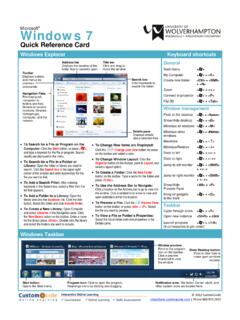
www2.wlv.ac.ukTo Flip through Windows with Flip 3D: Press < > + <Tab>; continue to hold down the < > key while pressing <Tab> to scroll through the open windows. Personalization To Personalize Windows 7 Appearance and Sounds: Right-click the desktop and select Personalize. The …
Related search queries
MiCollab Client Quick Reference, Windows, Windows 7 Quick Reference Guide, Outlook Quick Reference For Day, Windows 7, Windows 7 – Quick Reference Guide Windows, Quick Reference Card for Windows, QUICK REFERENCE, Windows 7 Quick Reference, Quick, Reference Guide to Kcast (Beta) for Windows 7, Kitco, Detailed Guide to Office 2010 - Word