
Linux Command Summary
route route -n | Displays the Linux Kernel IP routing table route add -net 192.168.0.0 eth0 | This will tell other systems what network to route your system on route add default gw 192.168.0.5 eth0 | This will tell the your system where the Internet gateway is located
Download Linux Command Summary

Information
Domain:
Source:
Link to this page:
Documents from same domain
A Guide to the Project Management Body of …
www.cs.bilkent.edu.trA Guide to the Project Management Body of Knowledge (PMBOK® Guide) 2000 Edition Project Management Institute Newtown Square, Pennsylvania USA
A Guide to the Project Management Body of Knowledge
www.cs.bilkent.edu.trPreface to the 2000 Edition This document supersedes the Project Management Institute’s (PMI ® ) A Guide to the Project Management Body of Knowledge (PMBOK ® Guide) , …

Chapter 2 Intelligent Agents
www.cs.bilkent.edu.tr– eyes, ears, and other organs for sensors; – hands,legs, mouth, and other body parts for actuators • Robotic agent: – cameras and infrared range finders for sensors; – various motors for actuators • A software agent: – Keystrokes, file contents, received network packages as sensors
Related documents
The Linux Kernel: Signals & Interrupts
cs-pub.bu.eduCS591 (Spring 2001) Signals n Introduced in UNIX systems to simplify IPC. n Used by the kernel to notify processes of system events. n A signal is a short message sent to a process, or group of processes, containing the number identifying the signal. n No data is delivered with traditional signals. n POSIX.4 defines i/f for queueing & ordering RT …
Process Scheduling in Linux
cs.boisestate.eduLinux uses dynamically assigned process priorities for non real-time processes. Processes running for a long time have their priorities decreased while pro- cesses that are waiting have their priorities increased dynamically.
Linux Forensics (for Non -Linux Folks) - Deer Run
deer-run.comWhat's Different About Linux? •No registry –Have to gather system info from scattered sources •Different file system –No file creation dates (until EXT4) –Important metadata zeroed when files deleted •Files/data are mostly …
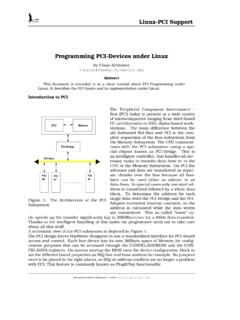
Linux-PCI Support Programming PCI-Devices …
g2pc1.bu.eduLinux-PCI Support First Contact with the PCI subsystem To get an impression how linux sees the PCI bus in your computer try getting the PCI bus conguration from the kernel with cat /proc/pci.
General Notes that apply to all Platforms
h10032.www1.hp.comAs technology advances, newer releases of Linux distributions are more likely to have sufficient support for new hardware (processors and chipset architectures, storage controllers, etc.) than are older releases in the same streams.
Professor Norm Matloff’s Beginner’s Guide to …
heather.cs.ucdavis.eduLinux windowing systems, I can arrange things so that all I have to do is simply move the mouse to the second window, without clicking on it. The term for this is focus follows mouse, and we can configure most Linux windowing systems to do this.
Perf Tool: Performance Analysis Tool for Linux
lacasa.uah.eduPerf Tool: Performance Analysis Tool for Linux 1. Introduction Perf is a profiler tool for Linux 2.6+ based systems that abstracts away CPU hardware differences in Linux performance measurements and presents a simple …

Paul Cobbaut - linux-training.be
linux-training.beLinux Fundamentals Paul Cobbaut Publication date 2015-05-24 CEST Abstract This book is meant to be used in an instructor-led training. For self-study, the intent is to read
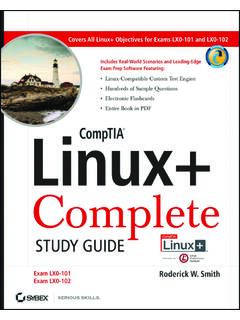
CompTIA Linux+ Complete Study Guide (Exams ... …
linuxbuddies.comRoderick W. Smith is a Linux consultant and author. He has written over a dozen He has written over a dozen books on Linux, FreeBSD, …
Linux Questions and Answers - Sabancı Üniversitesi
people.sabanciuniv.eduLinux, but in either case it is a form of data file that is read from and written to off and on as long as your system is running. Windows puts the swap file (a hidden system file with different names for different versions of