
MetroSelect Single-Line Configuration Guide
that may be selected using this bar code based configuration tool. Once the configuration is completed, the scanner stores the settings in nonvolatile memory (NOVRAM). NOVRAM saves the settings when the power is off.
Download MetroSelect Single-Line Configuration Guide

Information
Domain:
Source:
Link to this page:
Documents from same domain

N86XX Decoded Engine
country.honeywellaidc.comN86XX Decoded Engine User’s Guide. Product Agency Compliance Note: It is the OEM manufacturer’s responsibility to comply with applicable regulation(s) in regard to standards for specific equipment combinations. Honeywell shall not be liable for use of our product with
RP Series Mobile Printer Data Sheet | Honeywell
country.honeywellaidc.comMobile Printers FEATURES & BENEFITS Ultra-rugged design: 2 m (6.6 ft) drop tested, tested to 1000 0.5 m (1.5 ft) tumbles, IP54 dust and moisture ingress
MS3780 Fusion User's Guide - Honeywell Scanning and ...
country.honeywellaidc.com1. Locate the small ‘pin-hole’ beneath the Fusion logo on the front side of the scanner near the end of the handle. 2. Bend an ordinary paperclip into the

Voyager™ 1450g/1452g/1450g2DHR Series
country.honeywellaidc.comVoyager™ 1450g/1452g/1450g2DHR Series Area-Imaging Scanner User’s Guide

PM42 Industrial Label Printer User Manual
country.honeywellaidc.comoccur under any circumstances, even for a brief period of time. Caution: Carefully read the warning text on the envelope before using a cleaning card. Caution: To reduce the risk of electric shock or fire, keep the cover closed and turn off the printer when not …
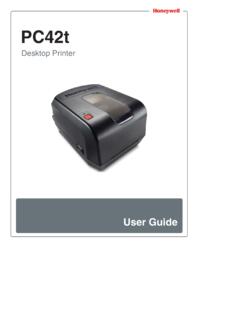
PC42t Desktop Printer User Guide - Honeywellaidc.com
country.honeywellaidc.comThe printer supports both direct thermal and thermal transfer media. To use thermal transfer media, you also need thermal transfer ribbon. The PC42t printer supports media from 1 to 4.33 inches (25 to 110 mm) wide. Green (blink) The printer is just starting up. Printing is paused.
Related documents

Service Asset and Configuration Management Process
itsm.ucsf.eduThe Configuration Management Database will be the source of truth for configuration items and their relationship to other configuration items at UCSF. 1.3 Overview The Service Asset and Configuration Management process ensures the integrity of the IT infrastructure by the tracking, recording and reporting on configuration items.

HP BIOS Configuration Utility (BCU)
whp-aus2.cold.extweb.hp.com3 BIOS configuration BCU is a Windows-based tool that lets you create standard configuration settings and deploy them across the enterprise. By creating a configuration text file with only the setting you want to change, you can deploy it to all systems in the enterprise.

SBC Configuration Examples for Mediant SBC
www.audiocodes.comJun 27, 2016 · required and this is the recommended configuration topology (multiple SRDs are only required for multi-tenant deployments). The device is shipped with a default SRD (at Index 0). If you are using only one SRD, the SRD is automatically assigned to new configuration entities, for example, when adding a Proxy Set. Therefore, when using a single

DO-178B/C Differences Tool - Federal Aviation …
www.faa.gov12.1.5 Software Configuration Management Considerations 12.1.6 Software Quality Assurance Considerations 12.2 Tool Qualification 12.2.1 Determining if Tool Qualification is Needed 12.2.2 Determining the Tool Qualification Level 12.2.3 Tool Qualification Process

FortiConverter Data Sheet
www.fortinet.com1 FortiConverter™ Highlights n One-time service, migrating legacy configurations to the latest FortiOS n Summary report and audit documentation n Broad industry support n Cisco n Palo Alto Networks n Check Point n Juniper n Forcepoint n SonicWal n lTrend Micro (Tipping Point) n Nokia (Alcatel-Lucent) DATA SHEET Available in: Hosted Cloud Configuration Migration

Intel® VROC (VMD NVMe RAID)
www.intel.comThe Intel® SSD Data Center Tool runs on top of Windows* or Linux* operating systems and can be used when the drives are behind the VMD controllers as well as after a RAID configuration has been created. For more detailed information on how to update the firmware on the Intel NVMe drives using the Intel* SSD Data Center Tool, refer to Appendix B.

7 Series FPGAs Configuration - Xilinx
www.xilinx.comFPGAs Configuration Differences from Previous FPGA Generations). Simplified part numbers in Table 1-1. Corrected XC7V2000T device JTAG IDCODE (added Note 2 to Table 1-1). Changed cell heading in Table 5-1 from “Xilinx Software Tool” to “Xilinx Tool”. Highlighted limitation imposed by a specific eFUSE security option (added