
New Client Checklist - QuickBooks
Convert from QuickBooks Desktop Import lists from Excel Product Features Required What features does your client need? Self Employed Simple Start Essentials Online Plus. 3 uickooks Online Conversion Checklist Integrate Apps (see below) Print Checks Payroll Payables Recurring Transactions Multi-currency
Download New Client Checklist - QuickBooks

Information
Domain:
Source:
Link to this page:
Documents from same domain
Ultimate client onboarding guide to QuickBooks online
quickbooks.intuit.comUltimate client onboarding guide to QuickBooks online 2 Discuss the areas of the application that are most beneficial for your clients’ particular needs. As QuickBooks ProAdvisors®, we have seen the power of QuickBooks® Online (QBO) for our own firms in easily accessing client data and using accountant-specific tools.
Online Edition - QuickBooks
quickbooks.intuit.comTest Drive QuickBooks Online .....12 Chapter 2: Getting Around .....13 Dashboard ... QuickBooks Online from another accounting program that is not QuickBooks Pro or Premier, you can import your lists (customers, vendors, chart of accounts, products
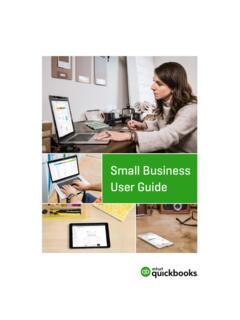
Starting Out with QuickBooks Online
quickbooks.intuit.comphotographers or wedding planners. QuickBooks Online Packages Available There are three versions of QuickBooks Online. A plan can be chosen to suit the requirements of the business. Each offering provides features relevant to the selected plan. Further details on …
ProFile 2020-2021 User Guide - quickbooks.intuit.com
quickbooks.intuit.comUsing a Direct Deposit Request in ProFile 110 Using Preauthorized Debit (PAD) for T1 in ProFile 111 T1: Preauthorized Debit (PAD), Continued 112 Completing a T1 Adjustment 113 Completing a T1 Adjustment, Continued 114 Using Express Notice of Assessment (ENOA) for T1 in ProFile 115 Using Couple’s Returns for T1 in ProFile 116
QuickBooks Online Tips and Tricks Guide
quickbooks.intuit.comQuickBooks Online Tips & Tricks 8 Clear All Lines – click this button to delete all lines on the transaction Add Lines – click this button to add additional lines to the transaction Add Subtotal – click to add a subtotal Trash Can Icon – click this button to delete a transaction line Reorder Lines – click the icon to the left of any line to reorder the lines on the transaction
Related documents
QuickBooks - The Basics for Nonprofits
shortridgebusinessservices.comQuickBooks The Basics for Nonprofits Shortridge Business Services 17 Donation is an Other Charge. The Item Name and Description are both Donation, and the Rate will be left at zero because each donation may be different.
THE ACCOUNTANT’S GUIDE TO Acing the QuickBooks Online ...
http-download.intuit.comcomplete the QuickBooks Online Certification exam. If you stop between sections, don’t worry—we’ll save your place. Come back and finish anytime. 5 SECTIONS. 75 QUESTIONS TOTAL. Complete any section in any order. We will save your progress. 80% This must be your minimum score on each section in order to pass. But don’t

QuickBooks Practice Test - bookkeeperassociation.org
bookkeeperassociation.orgQuickBooks automatically creates a journal entry that . A) Deletes the bill. B) Shows $1,000 as a Credit in Accounts Payable and shows $1,000 as a Debit in the Checking account. C) Shows $1,000 as a Debit in Accounts Payable and shows $1,000 as a Credit in the Checking account.

Reports in QuickBooks - Intuit
intuitglobal.intuit.comReports in QuickBooks 3 QuickBooks Reports include a consistent display to help you understand how to read the reports and make it easy to find information about your business. See sample report below. NOTE QuickBooks contains 60+ reports (QuickBooks Online Plus). If you’re use QuickBooks Online Essentials, you will have access to 40+ reports.

QuickBooks Keyboard Shortcuts - Intuit
intuitglobal.intuit.comQuickBooks Keyboard Shortcuts General Key To start QuickBooks without a company file CTRL + double-click To suppress the desktop windows (at Open Company window) ALT (while opening) Display information about QuickBooks F2 Cancel ESC Record (when black border is around OK, Next, or Prev button) ↵ Record (always) CTRL + ↵ Close QuickBooks ALT ...
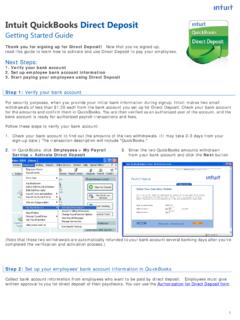
Intuit QuickBooks Direct Deposit
pws.quickbooks.comSending Direct Deposit paychecks to QuickBooks Payroll You must send your Direct Deposit paychecks to QuickBooks Payroll by 5:00 p.m. (Pacific time) at least two business banking days* before the paycheck date. This allows time for the service to process your payroll information and transfer funds from your account into your employees' accounts.

Chapter 11 Reports in QuickBooks - Intuit
www.intuit.com4 Chapter 11 • Custom Reports—this tab includes a list of reports that you’ve customized and saved for future use. This tab also includes any reports that other users in your company have customized and shared with you. • Management Reports—QuickBooks Online Management Reports feature allows you to customize a professional looking group of reports complete with …
Chapter 9 QuickBooks Online Payroll - Intuit
www.intuit.comQuickBooks Online Payroll 3 When you use QuickBooks Online you can track your small business accounting. You can track sales, expenses and manage all your day-to-day transactions. As you grow, QuickBooks Online lets you manage your company payroll. You can add employees, track time, and pay employees using cheques or via direct deposit. You can