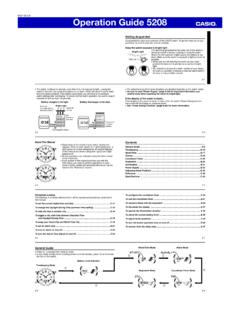
Operation Guide 5208 - CASIO
to the digital setting. • Whenever you need to adjust both the digital and the analog time settings, make sure you adjust the digital setting first. • Depending on how much the hands have to move in order to synchronize to the digital time, it may take …
Download Operation Guide 5208 - CASIO

Information
Domain:
Source:
Link to this page:
Documents from same domain
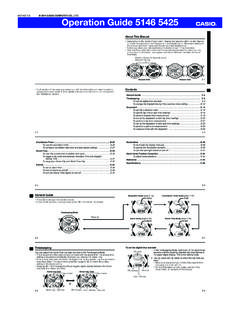
© 2014 CASIO COMPUTER CO., LTD. Operation …
support.casio.comOperation Guide 5146 5425 E-10 3. Press & to change the fl ashing screen content in the sequence shown below to select the other settings. Seconds
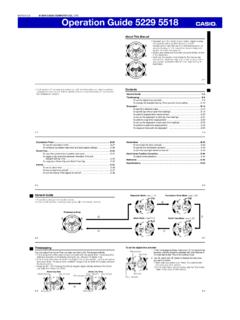
© 2016 CASIO COMPUTER CO., LTD. Operation …
support.casio.comOperation Guide 5229 5518 E-9 To set the digital time and date 1. In the Timekeeping Mode, hold down A for about three seconds until the currently selected city code flashes in
fx-570ES PLUS fx-991ES PLUS Users Guide Eng
support.casio.comE fx-570ES PLUS fx-991ES PLUS User’s Guide CASIO Worldwide Education Website http://edu.casio.com CASIO EDUCATIONAL FORUM http://edu.casio.com/forum/

FC-200V 100V Users Guide Eng - CASIO Official …
support.casio.comE-1 About this Manual • This User’s Guide covers use and operation of the CASIO FC-200V and FC-100V. Operations apply to both models, except in cases indicated by the text “FC-200V only”.
START 1. RÜCKSETZEN L HS-70W VORGANG …
support.casio.comENGLISH Timekeeping Mode Stopwatch Mode Recall Mode Press . Press . Year Month Day Second Minute Seconds Time Display Stopwatch Display Minutes
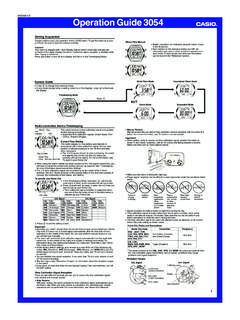
Operation Guide 3054 - support.casio.com
support.casio.comOperation Guide 3054 1 MO0606-EA Getting Acquainted Congratulations upon your selection of this CASIO watch. To get the most out of …
CTK2080 CTK2200 CTK2300 CTK3200 e - …
support.casio.comGeneral Guide E-4 Use the number buttons and the [–] and [+] keys to change the settings of the parameters that appear in the upper left area of the display.
MA1703-EA Operation Guide 5444/5524 - …
support.casio.comOperation Guide 5444/5524 E-29 x You can use the procedure under “To turn auto receive on and off” (page E-34) to enable or disable auto receive.
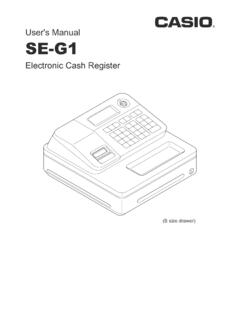
User's Manual SE-G1 - support.casio.com
support.casio.comE-4 •ongratulations upon your selection of this CASIO product. Be sure to read the C following safety precautions before using it for the first time.
fx-9860GII SD 9860GII 9860G AU PLUS ... - …
support.casio.comSitio web educativo para todo el mundo de CASIO http://edu.casio.com Los manuales están disponibles en varios idiomas en http://world.casio.com/manual/calc
Related documents
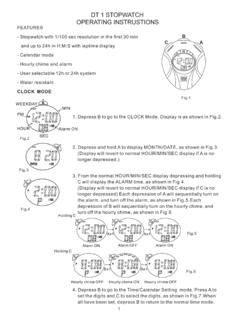
DT 1 STOPWATCH OPERATING INSTRUSTIONS
www.digisportinstruments.com- Stopwatch with 1/100 sec resolution in the first 30 min and up to 24h in H:M:S with laptime display - Calendar mode - Hourly chime and alarm - User selectable 12h or 24h system - Water resistant DT 1 STOPWATCH OPERATING INSTRUSTIONS 2. Depress and …

Research Methods - Psych205
www.psych205.combegin timing using a stopwatch. When they put down their pen on the table, the experimenter will stop timing and switch the music off. They will then be given the second puzzle (to be completed in silence) and the experimenter will begin timing them. When they put their pen on the desk the experimenter will stop timing and they will be thanked and
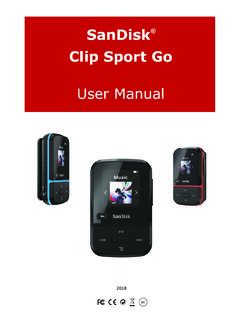
ClipSportGo UserManual 2018v11 - SanDisk
downloads.sandisk.com• FM radio: Includes an integrated FM radio with digital tuner for listening to live-broadcast FM radio programs. • Books: Audible DRM, audiobooks and podcasts. • Folders: Search root files for media. • Voice Rec: Record and save voice messages. • Sport: Includes stopwatch feature that saves logs and times.

LOW OR FAST - NCERT
ncert.nic.in(c) Digital clock (a) Wall clock a constant speed or not during that hour. The speed calculated here is actually the average speed of the car. In this book we shall use the term speed for average speed . So, for us the speed is the total distance covered divided by the total time taken . Thus, Total distance covered Speed = Total time taken ±

MA1609-EA Operation Guide 5522 - Support | Home | CASIO
support.casio.com* An ongoing stopwatch timing operation continues even if you navigate to another mode from the Stopwatch Mode. E-25 Using the Stopwatch The stopwatch measures elapsed time, split times, and two finishes. x The measurement range of …

Timer Calibrations Stopwatch and - NIST
tf.nist.govthe number of digits on the device’s display for a digital stopwatch or the smallest increment or graduation on the face of an analog stopwatch. For example, if a stopwatch display shows two digits to the right of the decimal point, it has a resolution of 0.01 s (10 ms, or 1/100 of a second).

Arduino - Tutorials
www.4tronix.co.ukDigital Pins: How the pins work and what it means for them to be configured as inputs or outputs. Analog Input Pins: Details about the analog-to-digital conversion and other uses of the pins. PWM: How the analogWrite() function simulates an analog output using pulse-width modulation. Memory: The various types of memory available on the Arduino ...

Module 3: Caregiver Skills
www.caregiver.va.govThe digital thermometer will beep when it is done. It will show the Veteran’s temperature in Fahrenheit degrees (leave a glass thermometer ... hand or a stopwatch handy to measure pulse will be helpful. The normal heart rate can range from 60 to 100 beats per minute. Activity, stress, worry and anxiety, as well as