Transcription of Operation Guide 5208 - CASIO
1 MO1106-EA. Operation Guide 5208. Getting Acquainted Congratulations upon your selection of this CASIO watch. To get the most out of your purchase, be sure to read this manual carefully. Keep the watch exposed to bright light The electricity generated by the solar cell of the watch is Bright Light stored by a built-in battery. Leaving or using the watch l l l l l l l l l l l where it is not exposed to light causes the battery to run down. Make sure the watch is exposed to light as much as Solar cell possible. When you are not wearing the watch on your wrist, position the face so it is pointed at a source of bright light. You should try to keep the watch outside of your sleeve as much as possible.
2 Charging is reduced significantly if the face is only partially covered. E-1. The watch continues to operate, even when it is not exposed to light. Leaving the The actual level at which some functions are disabled depends on the watch model. watch in the dark can cause the battery to run down, which will result in some watch Be sure to read Power Supply (page E-33) for important information you functions being disabled. If the battery goes dead, you will have to re-configure need to know when exposing the watch to bright light. watch settings after recharging. To ensure normal watch Operation , be sure to keep it exposed to light as much as possible. If the display of the watch is Battery charges in the light.
3 Battery discharges in the dark. If the display of the watch is blank, it means that the watch's Power Saving function has turned off the display to conserve power. Solar cell Bright Light See Power Saving Function (page E-46) for more information. (Converts light to Electrical electrical power.) energy LEVEL 1 All functions LEVEL 1. LEVEL 2 enabled LEVEL 2. LEVEL 3 Dis- LEVEL 3 Some or all Charge LEVEL 4 charge LEVEL 4 functions disabled Rechargeable battery E-2 E-3. About This Manual Contents Depending on the model of your watch, display text appears either as dark figures on a light background, or General Guide .. E-8. light figures on a dark background. All sample displays Timekeeping.
4 E-10. in this manual are shown using dark figures on a light background. World Time .. E-17. Button operations are indicated using the letters shown Alarms .. E-20. in the illustration. Countdown Timer .. E-24. Each section of this manual provides you with the Stopwatch .. E-29. information you need to perform operations in each mode. Further details and technical information can be Illumination .. E-31. found in the Reference section. Power Supply .. E-33. Adjusting Home Positions .. E-42. Reference .. E-44. Specifications .. E-50. E-4 E-5. Procedure Lookup To configure the countdown timer .. E-25. The following is a handy reference list of all the operational procedures contained in this manual.
5 To use the countdown timer .. E-27. To set the current digital time and date .. E-11 To measure times with the stopwatch .. E-30. To change the Daylight Saving Time (summer time) setting .. E-15 To illuminate the display .. E-31. To view the time in another city .. E-18 To specify the illumination duration .. E-32. To toggle a city code time between Standard Time To check the current battery level .. E-35. and Daylight Saving Time .. E-18 To adjust home positions .. E-42. To swap your Home City and World Time City .. E-19 To turn the button Operation tone on and off .. E-45. To set an alarm time .. E-21 To recover from the sleep state .. E-47. To turn an alarm on and off.
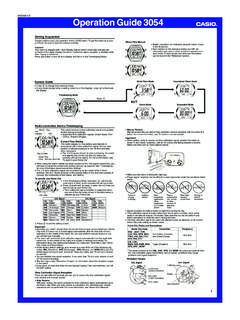
6 E-23. To turn the Hourly Time Signal on and off .. E-23. E-6 E-7. General Guide World Time Mode Alarm Mode Press C to change from mode to mode. In any mode (except when a setting screen is on the display), press B to illuminate the face of the watch. C C.. Battery Level Indicator Timekeeping Mode C. Stopwatch Mode Countdown Timer Mode C.. C C. E-8 E-9. Operation Guide 5208. Timekeeping Setting the digital Time and Date Make sure you select your Home City code before you change the current time and Use the Timekeeping Mode to set and view the current time and date. date settings. World Time Mode times are all displayed in accordance with the When setting the time, you can also configure settings for the 12/24-hour format.
7 Timekeeping Mode settings. Because of this, World Time Mode times will not be Each press of D cycles the digital display in the sequence shown below. correct if you do not select the proper Home City code before setting the time and Month PM indicator Day of week date in the Timekeeping Mode. Day Hour : Minute To set the current digital time and date D D 1. In the Timekeeping Mode, hold down A for about two City code seconds, until ADJ appears on the display.. Your current Home City code will be flashing on the screen. Second Second Second 2. Press C to move the flashing in the sequence shown below to select other settings. D. All of the operations in this section are performed in the Timekeeping Mode, which you can enter by pressing C (page E-8).
8 E-10 E-11. 12/24-Hour Screen: To do this: Do this: City Code DST Seconds Hour Minutes Format Change the hour or minutes Use D (+) and B ( ). Illumination Button Operation Language Duration Tone Day Month Year Change the year Change the month or day 3. While the setting you want to change is flashing, use D and B to change it as explained below. Toggle the button Operation tone Press D. Screen: To do this: Do this: between (on) and (off). Change the city code Press D (east) and B (west). Toggle the illumination duration between Press D. LT1 (approximately seconds) and LT3 (approximately 3 seconds). Toggle between Daylight Saving Time Press D. (ON) and Standard Time (OFF).
9 Change the day of the week language Use D (+) and B ( ). ENG: English POR: Portuguese Toggle between 12-hour (12H) and Press D. ESP: Spanish FRA: French 24-hour (24H) timekeeping DEU: German ITA : Italian Reset the seconds to 00 Press D. See City Code Table at the back of this manual for a complete list of available city codes. E-12 E-13. 4. Press A to exit the setting screen. To change the Daylight Saving Time (summer time) setting The day of the week is automatically displayed in accordance with the date (year, 1. In the Timekeeping Mode, hold down A for about two seconds, until ADJ appears month, and day) settings. on the display. Your current Home City code will be flashing on the screen.
10 12-hour and 24-hour timekeeping 2. Press C once to display the DST setting screen. With the 12-hour format, the P (PM) indicator appears to the left of the hour digits for 3. Press D to toggle between Daylight Saving Time (ON displayed) and Standard times in the range of noon to 11:59 and no indicator appears for times in the Time (OFF displayed). range of midnight to 11:59 4. When the setting you want is selected, press A to exit the setting screen. With the 24-hour format, times are displayed in the range of 0:00 to 23:59, without The DST indicator appears on the display to indicate that Daylight Saving Time is any indicator. turned on. The 12-hour/24-hour timekeeping format you select in the Timekeeping Mode is applied in all other modes.