
Quick Start Guide - Fetch TV
5 Connection Option 3 – PLC Adaptors You can use this option if you cannot connect using Ethernet Cable and you ordered PLC Adaptors with your Fetch
Download Quick Start Guide - Fetch TV

Information
Domain:
Source:
Link to this page:
Documents from same domain

Fetch Remote 3 - Fetch TV. Show TV who's boss. …
www.fetchtv.com.au2 Welcome to Fetch Simple Remote Set Up 3 Direct Remote Set Up 4 Controlling the TV Volume 5 TV Power and AV 6 Reset remote to control Fetch Box only 7
Wi-Fi User Guide - Fetch TV
www.fetchtv.com.au4 1 Connect Fetch to your home Wi-Fi To set up your Fetch with Wi-Fi You’ll need your Wi-Fi network name and password to connect. Before you start, check you can browse
Mighty Quick Start Guide - Fetch TV
www.fetchtv.com.au• The remote control works up to 6m away from the Fetch box in Infrared mode. The voice remote control works up to 10m away in Bluetooth mode. • Unplug the Fetch box from the power source before cleaning. • Clean using a dry cloth only - don’t use water or chemicals. • Don’t try to open the Fetch box - it’s dangerous and will void ...

My Media Hub Quick Start Guide for USB Devices
www.fetchtv.com.au(see the “Fetch My Media Hub Quick Start Guide for Media Servers”) • See your folders, album artwork, playlists in My Media Hub • Play a slideshow of photos • Play your music or videos with full playback controls About this document This guide will help play your media off a USB device from your Fetch Box to your connected TV. Related ...
Multiroom User Guide - Fetch TV
www.fetchtv.com.auFetch through Optus, iiNet, Internode, Westnet, Aussie Broadband or iPrimus. Before you can use your Fetch box, you’ll need to create an account directly with us. Go to fetch.com.au/activate. Once you have entered in your personal details and credit card details, you will be given an Activation Code (also called your Fetch ID).

New Software Update - Fetch
www.fetchtv.com.auThis update to Fetch introduces the ability to watch sport via the Paramount + app. Menu > Apps > All > Paramount + > All Shows > Sports • From October 14, there will be sport highlights, mini matches and full match replays from AFC Road to Qatar Qualifier as well as Socceroo and Matildas friendly matches available to watch.

Mini Quick Start Guide - Fetch TV
www.fetchtv.com.auConnect the Fetch Mini to your broadband modem Connect the Fetch Mini to your TV Antenna Connect the Fetch Mini to your TV Power up your Fetch Mini Start up Fetch This guide tells you all you need to know about setting up and turning on Fetch. It also has important safety and usage information. It’s Fetch and it’s ready when you are. 1 2 3 ...
Fetch Voice Remote
www.fetchtv.com.aufront of your box to pair the remote. • You can pair one Fetch Mighty or Fetch Mini at a time to use voice control through the remote. • Fetch will prompt you to pair the remote using Bluetooth the first time you use it with your Fetch Mighty or Fetch Mini. • Bluetooth pairing is not supported on Gen 2 Fetch boxes.

Mini User Guide - Fetch TV
www.fetchtv.com.au3. 12 You can go back a day in the TV Guide and watch programs you missed. You can set a reminder to alert you when your favourite programs are about to start. TV Guide – Reverse EPG Set Reminders In the TV Guide or Live TV Info Bar press to browse backwards into the ... Fetch Mighty or Gen 2 box.
Related documents

Quick Start Guide - Hikvision
www.hikvision.comFirst Choice For Security Professionals Quick Start Guide Hybrid DVR DS-9000HFI-ST Series Hybrid DVR NVR DS-9600NI-ST Series NVR NOTE: For more detailed information, refer to …
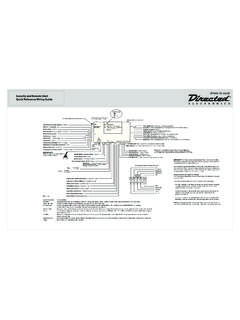
Security and Remote Start Remote Start Keyless Entry Quick ...
www.directeddealers.comRemote Start Keyless Entry Quick Reference Wiring Guide RS in Valet Program switch input (use Blue two-pin from antenna cable) D2D Data-to-data connector Door Lock/unlock Antenna four-pin connector

VR1A / VR2A Remote Quick Start Guide - Fitness Showcase
www.rhpeterson.com1 INSTALLER: Leave these instructions with consumer. CONSUMER: Retain for future reference. This guide serves as a supplement to any remote information found in the burner, pilot kit, and remote instructions. Read all instructions completely and carefully prior to product use.

BRIGHTSIGN QUICK START GUIDE - Amazon Web Services
brightsignbiz.s3.amazonaws.com3 • Play live HD video, including HDCP-secured content, using an ATSC/ClearQAM tuner (available on the XD1230 only). • Schedule content to play at specific times (hour, day, month, and year).

Remote Start Keyless Entry Remote Start Keyless Entry ...
www.directeddealers.comResponder LE Remote Start Keyless Entry Quick Reference Transmitter Programming Consult the “Remote Control Learn Routine” section of the installation guide and enter the remote setup

Elec DVR Quick Start Guide
www.elec.com1 ELECDVRQuickStartGuide Thank you for purchasing ELEC DVR. This quick start guide will help you to install and operate our DVR in a short time. Should you have any questions or concerns, please
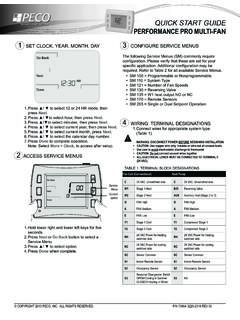
Performance PRO T8532-002 PECO thermostat quick start …
www.pecomanufacturing.comTitle: Performance PRO T8532-002 PECO thermostat quick start guide Author: PECO Subject: PECO; Astronics; Performance PRO T8532-002; commercial; digital; thermostat ...

Cisco IP Phone 7800 Series Quick Start Guide - IN.gov
www.in.govCisco IP Phone 7800 Series Quick Start Guide Copyright © 2015 Cisco Systems, Inc. All rights reserved. December 2015 Transfer a Call to Another Person
Related search queries
Quick start guide, Remote Start Remote Start Keyless, Quick, Remote Start, Quick Reference Wiring Guide, Remote Quick Start Guide, Guide, Remote, BRIGHTSIGN QUICK START GUIDE, Remote Start Keyless Entry Remote Start Keyless Entry, Remote Start Keyless Entry Quick, T8532-002 PECO thermostat quick start, T8532-002 PECO thermostat quick start guide, Phone 7800 Series Quick Start Guide