Remote Codes - Device codes for programming the ... - Bell
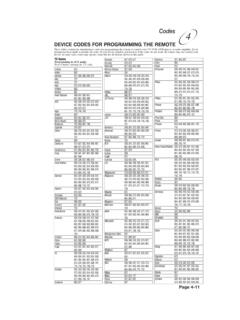
Page 4-11 Codes 4 TV Codes Programming in AUX mode: Press 0 before entering the TV code. A Mark 670 Action 662 Admiral 521, 605, 668, 669, 675 Aiko 727
Download Remote Codes - Device codes for programming the ... - Bell

Information
Domain:
Source:
Link to this page:
Documents from same domain

Installation and Setup -- A 5 Step Process
support.bell.ca7. Ground the satellite antenna, and wire it to the ExpressVu™ receiver (see pages 4-38). 8. Aim the satellite antenna for the strongest possible signal (see pages 4-29 through 4-33). 9. Connect the receiver to an active telephone connection (see page 4-39). With the receiver wired to the TV and the antenna properly installed, you will be ...

Control Setup Remote - Bell
support.bell.ca4. Press POWER on the remote controls to turn on/off receiver. ADJUSTING THE REMOTE ANTENNA Be sure to set the remote control antenna (back of the receiver) straight up so you can use the remote control from as far away as possible. Don't let the antenna touch anything. If your UHF Pro Remote Control isn't working very well from far away,
User’s Guide PlugLink 9650 Ethernet Adapter
support.bell.caand other Powerline devices on your network. The screen displays the Device Name, MAC Address, and Type (local or remote; 14mbps or 85mbps) of connection for each device on your network. To refresh the list of Powerline devices, Click on the ‘Rescan’ icon. (Note: Devices set up with a different network password will NOT show up on this list.)
Bell Customer Support Centre
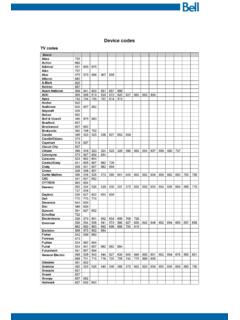
support.bell.caTV codes Brand Abex Action Admiral Aiko Akai Alleron A-Mark Amtron Anam National AOC Apex Archer Audiovox Ba craft Belcor Bell & Howell Bradford Brockwood Broksonic Candle Candle/Citizen Capehart Circuit Cit Citizen Colortyme Concerto Contec/Con Craig Crown Curtis Mathes cxc CYTRON Daewoo Da ron Dell Dimensia

Slim Remote Programming | Bell TV
support.bell.caFibe™ TV remote instructions Programming the remote to your TV 1. Turn on your TV and Fibe receiver. 2.Press and hold the options key for 3 seconds, until the green light flashes twice. Within 10 seconds, enter the Ll-digit code for the brand of your TV (see table below), or use 0001 to search through all brands.
User Guide - Bell
support.bell.ca3 Disclaimer ZTE Corporation expressly disclaims any liability for faults and damages caused by unauthorized modifications of the software. Images and …
Related documents
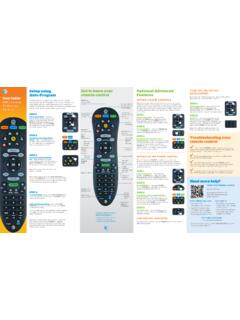
Get to know your Optional Advanced Auto-Program remote ...
www.att.comAudio device programming: Let go of the FASt ForWArD key when the device mutes. Press mute to unmute the device. Use the volume keys to verify that the remote control is controlling the volume. If it does not work properly, repeat this process. note: If TV programming is interrupted or inactive for more than 10 seconds, the PoWer key will flash
PROGRAMMING GUIDE - DMP
buy.dmp.comCONTROL PANEL PROGRAMMING GUIDE Contains programming Instructions for use with the Model XR500, XR500N, XR500E Series Control Panels XR500FC, XR500NFC Series Fire Control Panels When using the XR500 Series panel for any UL, NFPA, CSFM, or other listing organization’s approved methods, refer to this

PROGRAMMING OF FINITE DIFFERENCE METHODS IN …
www.math.uci.eduPROGRAMMING OF FINITE DIFFERENCE METHODS IN MATLAB 5 to store the function. For the matrix-free implementation, the coordinate consistent system, i.e., ndgrid, is more intuitive since the stencil is realized by subscripts. Let us use a matrix u(1:m,1:n) to store the function. The following double loops will compute Aufor all interior nodes.

Assembly Language Programming - UTEP
www.ece.utep.eduprogramming directly. We will start from assembly language but use high-level C language to help understand it. Compiler often directly generates machine code. The assembly language stage is often skipped… Adapted from notes from BYU ECE124 12
PROGRAMMING WORKBOOK - Penn State College of …
www.engr.psu.eduThis programming manual is meant as a supplementary teaching aid to users of the HAAS Mill. The information in this workbook may apply in whole or in part to the operation of other CNC machines. Its use is intended only as an aid in the operation of the HAAS Milling Machine. For a complete explanation and an in-depth descrip-

Learning Arduino with C Programming
c-stem.ucdavis.eduwould be such that the code from a Ch program can be copied and paste into the Arduino programming environment and function the same way, creating a smooth transition from ChIDE to the Arduino IDE. This gives students easy experience with different programming environments and the dynamic nature of programming and programming languages.

Programming and Troubleshooting Guide 1 Mastercode 2
kwiksetprodstorage.blob.core.windows.netIf programming is unsuccessful, the “X” pattern will flash three times with three beeps. Make sure the user code is not a duplicate and that it is between 4 and 8 digits during your next attempt. Make sure the lock has room for an additional code. If all user codes are filled, delete a code to make room for this one.

Omnibus Codes – Commercial Medical Policy
www.uhcprovider.com0417T Programming device evaluation (in person) with iterative adjustment of the implantable device to test the function of the device and select optimal permanent programmed values with analysis, including review and report, implantable cardiac