
Ronin-SC Camera Compatibility List
Ronin-SC Camera Compatibility List Notes: 1. The current camera firmware version that was used during these compatiblity tests. 2. The form will be continuously updated as more compatability is added and is subject to change without notice. 3. The information in the lens compatibility table will be continuously updated after testing is completed.
Download Ronin-SC Camera Compatibility List

Information
Domain:
Source:
Link to this page:
Documents from same domain

NAZA-M LITE - dl.djicdn.com
dl.djicdn.com©2014 DJI. All Rights Reserved. NAZA-M LITE User Manual V 2.00 2014.04.21 Revision For Firmware Version V1.00 & Assistant Software Version V1.00

Manuel de l'utilisateur - DJI
dl.djicdn.comLisez le manuel utilisateur et les consignes de sécurité relatives à la batterie intelligente avant toute utilisation. L'utilisateur assume l'entière responsabilité de ses actions et de son utilisation
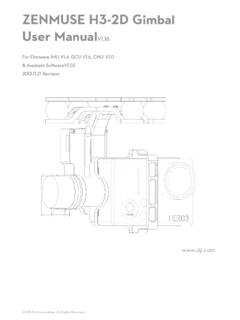
ZENMUSE H3-2D Gimbal User ManualV1 - …
dl.djicdn.com©2013 DJI Innovations. All Rights Reserved. 2 Warning & Disclaimer No adjusting or amending is allowed to the H3-2D!!!

PHANTOM - DJI
dl.djicdn.com©2013 DJI Innovations. All Rights Reserved. 1 | PHANTOM Manuel Avancé V 1.4 2013.03.22 Révision

OSMO MOBILE 2 - dl.djicdn.com
dl.djicdn.com© 2018 DJI All Rights Reserved. 5 * 最大稼働時間は、ジンバルのバランスが取れており、 安定した状態でテストした値です。この ...

User Manual V1 - dl.djicdn.com
dl.djicdn.comUser Manual Make sure all of the parts listed in the In the Box document are included in the package. The information in the Safety Guidelines and Disclaimer document affects your safety and your legal rights and responsibilities. Read this entire document carefully to ensure proper configuration

Tuned Propulsion System - dl.djicdn.com
dl.djicdn.comE5000 PRO Tuned Propulsion System 多旋翼动力系统 V1.0 2016.12 User Manual 用户手册

RONIN 2 User Manual - dl.djicdn.com
dl.djicdn.comRonin 2 User Manual Ronin 2 Intelligent Battery Safety Guidelines Ronin 2 Disclaimer and Safety Guidelines Check all of the included parts listed in the In the Box manual. Read this entire User Manual and watch the informational and tutorial videos on the product page of DJI’s

Quick Start Guide - dl.djicdn.com
dl.djicdn.comthe DJI GO 4 app on your mobile device at up to 1080p. An on-board LCD screen gives real- time aircraft data information and the detachable control sticks make the remote controller

PHANTOM 2 VISION - dl.djicdn.com
dl.djicdn.comBe sure to watch your fight distance as the PHANTOM 2 VISION will enter Failsafe mode (auto-landing or go home and land) if it flies beyond this range. FCC compliant devices have an effective range of 500 meters in open spaces.
Related documents

Artisan 1430 User's Guide - files.support.epson.com
files.support.epson.com1. Right-click the product icon in the Windows taskbar and select Printer Settings. 2. Click the Maintenance tab. 3. Click the Printer and Option Information button. You see this screen: 4. Select the time period you want as the Power Off Timer setting. 5. Click Send. 6. Click OK to exit. Parent topic: The Power Off Timer Changing the Power Off ...
User’s Guide
files.support.epson.comIf it does not, double-click Setup.exe on the CD-ROM. 3. Select Install Software and click . 4. Select your printer from the list, then follow the instructions on the screen. 5. When the installation is complete, see page 15 to install the Reference Guide and the EPSON Remote Configuration Utility. For Windows 98, 95, or NT 4.0 1.

Sentry ONE User Guide - DataLocker Inc.
media.datalocker.com2.Double click the Unlocker volume that appears on the desktop to start the initialization pro-cess. •If the Unlocker volume does not appear on the desktop, open Finder and locate the Unlocker volume on the left side of the Finder window (listed under Devices.) Highlight the volume and double-click the Unlocker application icon in the Finder ...

Verizon Internet Gateway
scache.vzw.com> Wi-Fi Settings > Basic All of your basic WiFi settings can be configured here. Band Steering is a feature which enables your router to dynamically assign wireless devices (smartphones, laptops etc.) to the best wireless frequency (2.4GHz or 5GHz). When Band Steering is enabled your dual-band router’s network will have one Wi-Fi name.

CompTIA A+ Certification Exam: Core 2 Objectives
www.comptia.jp• Time/date/region/language settings • Driver installation, software, and Windows updates • Factory recovery partition • Properly formatted boot drive with the correct partitions/format • Prerequisites/hardware compatibility • Application compatibility • OS compatibility/upgrade path Summarize general OS installation

User Guide for NextGen® Enterprise Patient Portal 5
www.nextmd.comTo remove the NextGen Enterprise Patient Portal link, open Internet Explorer and press Alt. Click Tools > Compatibility View Settings. Under Website you've added to Compatibility View, select the NextGen Enterprise Patient Portal link. Click Remove and clear the Display intranet sites in Compatibility View check box. Click Close.