
RUN Powered by ADP Mobile Payroll - Quick Reference
On the Payroll Entry screen, the current department (if applicable) is listed under the employee or contractor's name. 3. TapOptions and then tapPay at an Additional Rate. 4. For salaried employees, salaried employees with an hourly rate set ... RUN Powered by ADP Mobile Payroll - Quick Reference
Download RUN Powered by ADP Mobile Payroll - Quick Reference

Information
Domain:
Source:
Link to this page:
Documents from same domain
Employee Self Service Quick Reference Card - ADP
support.adp.comEmployee Self Service Quick Reference Card Contents Self Service Registration (Updated ...
Administrator Access Quick Reference
support.adp.comAdministrator Access Quick Reference Welcome! New administrators complete the security registration process to access ADP services. ADP uses new technology to provide this simple and easy access so administrators can focus on the tasks to support your company.
ADP Registration for Employees/Associates
support.adp.comQuick Reference Card for Employees/Associates ADP and the ADP logo are registered trademarks of ADP, LLC. 6 ADP A more human resource. is a service mark of ADP, LLC.
Increased Security and Convenience for Registration: You ...
support.adp.comEmployee Registration Options ADP and the ADP logo are registered trademarks of ADP, LLC. 3 ADP A more human resource. is a service mark of ADP, LLC.

Working with RUN Powered by ADP®
support.adp.comRUN Powered By ADP® 2 Getting Started Security Access Roles HR Admin · Available only if your company has the HR Plus feature · Access to the HR Plus pages and reports in RUN Powered by ADP, and can view the Employee Info and Employment Info pages. No …
Getting Started With ADP Security Management Service
support.adp.comGetting Started with the ADP Security Management Service ADP, the ADP logo, and Always Designing for People are trademarks of ADP, LLC Removing a Service Profile..... 22

How to do General Ledger Mapping
support.adp.comA general ledger is a history of a company's financial transactions. Mapping payroll items to general ledger accounts allows you to classify your payroll transactions for your financial statements.You need to have list of account names and associated account numbers
Employee Direct Deposit Banking Authorization Form RUN ...
support.adp.comchoice (hereinafter “Bank”) indicated on this form. Further, I authorize Bank to accept and to credit any credit entries indicated by Employer, either directly or through its payroll service provider, to my account. To the extent permitted by law, in the event
Administrator Access Quick Reference
support.adp.comIf significant change(s) have been made to your trusted computer by your administrator or possibly, a malware. Important: You can verify your information to confirm your identity and reestablish the secured administrator access on your trusted computer. Your administrator role remains unchanged.
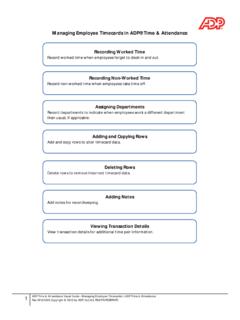
Managing Employee Timecards in ADP® Time & Attendance
support.adp.comManaging Employee Timecards in ADP® Time & Attendance Recording Worked Time Record worked time when employees forget to clock in and out. Recording Non-Worked Time Record non-worked time when employees take time off. Assigning Departments
Related documents
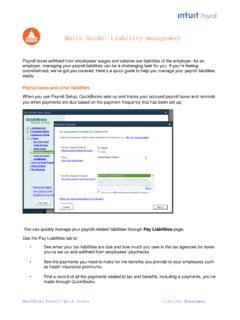
Quick Guide: Liability management
http-download.intuit.comQuickBooks Payroll Quick Guides Liability Management Note: Before initiating an e-payment, check out the list of states and agencies that accept e-payments through QuickBooks. 3. Paying liabilities that are not on a set schedule: To pay liabilities that are not on a set schedule (for example: a one-time fee or non-recurring payment), click Related Payment Activities in the
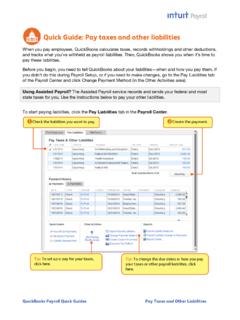
Quick Guide: Pay taxes and other liabilities
http-download.intuit.comJan 15, 2014 · QuickBooks Payroll Quick Guides Pay Taxes and Other Liabilities Quick Guide: Pay taxes and other liabilities When you pay employees, QuickBooks calculates taxes, records withholdings and other deductions, and tracks what you’ve withheld as payroll liabilities. Then, QuickBooks shows you when it’s time to pay these liabilities.
Quick Guide: Payroll tips
http-download.intuit.comQuickBooks Payroll Quick Guides 1 Payroll Tips Quick Guide: Payroll tips QuickBooks Payroll lets you pay employees with just a few clicks and minimal data entry, usually just the hours employees worked. To make the most of the payroll features: • When you first start using QuickBooks Payroll, use the step-by-step Payroll Setup interview to
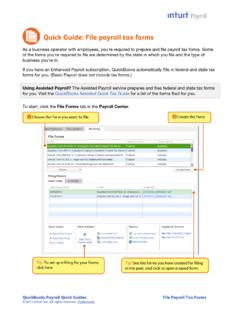
Quick Guide: File payroll tax forms
http-download.intuit.comQuick Guide: File payroll tax forms . As a business operator with employees, you're required to prepare and file payroll tax forms. Some of the forms you're required to file are determined by the state in which you file and the type of business you're in.

Quick Guide: Tips for new employers
http-download.intuit.comPayroll > Employee Contact List and then modify or customize the report by selecting the columns you need. QuickBooks Payroll Quick Guides 2 Tips for New Employers 4. Post Labor Law posters. The moment you have one W-2 employee, you are required by law to . display. up-to-date labor law posters at every location where employees work.

Quick Guide: ViewMyPaycheck
http-download.intuit.com3. When prompted, create a payroll service PIN to use when you send pay stub information to Intuit and re-enter the PIN to confirm it. Then click Save Changes. Tip: If you already have a payroll service PIN for Assisted Payroll or for direct deposit, QuickBooks just prompts you to confirm your existing PIN. Sending payroll information to ...

EPP User ID/Password Quick Reference Guide
www.nfc.usda.govQuick Reference Guide The Employee Personal Page (EPP) allows employees serviced by the National Finance EPP Center (NFC) to view their payroll, leave, health and life insurance, Wage and Tax Statement, and other personal information. EPP also allows employees (whose Agencies
Quick Guide Setting up Payroll - Intuit
globalsmallbusiness.intuit.comPay period summaries of employee payroll amounts from the beginning of this calendar year to the beginning of the current period Note: You need to enter year-to-date payroll ONLY if you start using QuickBooks Payroll after January 1 of the calendar year AND if you’ve already run payroll at least once since January 1 (if you start using
Quick Guide: ViewMyPaycheck
http-download.intuit.com3. When prompted, create a payroll service PIN to use when you send pay stub information to Intuit and re-enter the PIN to confirm it. Then click Save Changes. Tip: If you already have a payroll service PIN for Assisted Payroll or for direct deposit, QuickBooks just prompts you to confirm your existing PIN. Sending payroll information to ...

Upload a payment file - NAB
www.nab.com.auQuick Reference Guide Upload a payment file Background: You have the option of manually creating a payment or you can upload a payment file for the following services: • Direct Credit1 • Payroll 1 • Executive Payroll 1 • Direct Debit 1 • International 2 • NAB Payments 3