
RUN Powered by ADP Mobile Payroll - Quick Reference
RUN Powered by ADP® Mobile Payroll – ... A red badge on the Payroll icon shows the number of payrolls started or suspended, due, and past due. 1. TapPayroll. On the Payroll Selection screen, payrolls are organized as Past Due, In Progress, and New. 2. Tap the in-progress payroll you want to resume.
Download RUN Powered by ADP Mobile Payroll - Quick Reference

Information
Domain:
Source:
Link to this page:
Documents from same domain
Employee Self Service Quick Reference Card - ADP
support.adp.comEmployee Self Service Quick Reference Card Contents Self Service Registration (Updated ...
Administrator Access Quick Reference
support.adp.comAdministrator Access Quick Reference Welcome! New administrators complete the security registration process to access ADP services. ADP uses new technology to provide this simple and easy access so administrators can focus on the tasks to support your company.
ADP Registration for Employees/Associates
support.adp.comQuick Reference Card for Employees/Associates ADP and the ADP logo are registered trademarks of ADP, LLC. 6 ADP A more human resource. is a service mark of ADP, LLC.
Increased Security and Convenience for Registration: You ...
support.adp.comEmployee Registration Options ADP and the ADP logo are registered trademarks of ADP, LLC. 3 ADP A more human resource. is a service mark of ADP, LLC.

Working with RUN Powered by ADP®
support.adp.comRUN Powered By ADP® 2 Getting Started Security Access Roles HR Admin · Available only if your company has the HR Plus feature · Access to the HR Plus pages and reports in RUN Powered by ADP, and can view the Employee Info and Employment Info pages. No …
Getting Started With ADP Security Management Service
support.adp.comGetting Started with the ADP Security Management Service ADP, the ADP logo, and Always Designing for People are trademarks of ADP, LLC Removing a Service Profile..... 22

How to do General Ledger Mapping
support.adp.comA general ledger is a history of a company's financial transactions. Mapping payroll items to general ledger accounts allows you to classify your payroll transactions for your financial statements.You need to have list of account names and associated account numbers
Employee Direct Deposit Banking Authorization Form RUN ...
support.adp.comchoice (hereinafter “Bank”) indicated on this form. Further, I authorize Bank to accept and to credit any credit entries indicated by Employer, either directly or through its payroll service provider, to my account. To the extent permitted by law, in the event
Administrator Access Quick Reference
support.adp.comIf significant change(s) have been made to your trusted computer by your administrator or possibly, a malware. Important: You can verify your information to confirm your identity and reestablish the secured administrator access on your trusted computer. Your administrator role remains unchanged.
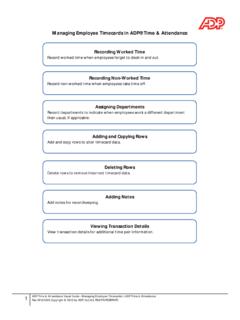
Managing Employee Timecards in ADP® Time & Attendance
support.adp.comManaging Employee Timecards in ADP® Time & Attendance Recording Worked Time Record worked time when employees forget to clock in and out. Recording Non-Worked Time Record non-worked time when employees take time off. Assigning Departments
Related documents

Setting up Microsoft Authenticator App on a mobile device
doit.niu.eduInvalid phone number. Please provide phone number in followir"è format: 999 999 9999 Method Send me a code by text message @ Call me Next Your phone numbers will only be used for account security. Standard telephone and SMS charges will apply. ©2019 Microsoft PrivKy
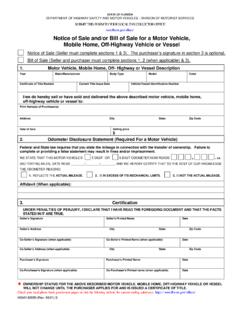
STATE OF FLORIDA - Florida Department of Highway Safety ...
flhsmv.govCertificate of Title Number Current Title Issue Date Vehicle/Vessel Identification Number. I/we do hereby sell or have sold and delivered the above described motor vehicle, mobile home, off-highway vehicle or vessel to: Print Name(s) of Purchaser(s) Address. City State Zip Code : Date of Sale. Selling price $ 2.
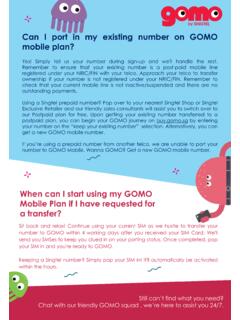
Can I port in my existing number on GOMO mobile plan?
gomo.sgour Postpaid plan for free. Upon getting your existing number transferred to a postpaid plan, you can begin your GOMO journey on buy.gomo.sg by entering your number on the “keepyour existing number”selection. Alternatively, you can get a new GOMO mobile number. If you’reusing a prepaid number from another telco, we are unable to port your ...

APPLICATION BY FLORIDA MOTOR VEHICLE, …
www.flhsmv.govapplication is hereby made by a florida motor vehicle, motorcycle, mobile home or recreational vehicle dealer, (whose name and dealer license number appears below) for _____ temporary license plates, as provided in section 320.131, f. s. (number of plates being requested)

Mobile Hotspot User Manual
www.t-mobile.comOn the Mobile Hotspot device display The number of unread messages displays to the right of the message icon. When a new message arrives, the message icon appears. A maximum of 20 messages can be stored. On the Mobile Hotspot Web UI Home page You can see the message contents by pressing the Messages menu on your Web UI home page.

How to set up International mobile number or US Mobile ...
www.tricareonline.comEnter your mobile number in the email format provided on this page. Contact your mobile carrier if you have any further questions. EXAMPLE of inputting ‘Other’ Carrier and Mobile Number in textbox using format for Carrier O2 from United Kingdom: UNITED KINGDOM Carrier Format to enter on TOL in Mobile Number textbox.

Everyday call charges - Virgin Media
www.virginmedia.comTo be “active”, the Virgin Mobile number called must have originated a chargeable outbound event (call, SMS, data session) within the previous 90 days. Remember that if you call a Virgin Mobile number that is roaming overseas, that number will still be charged any applicable roaming tariff, even though your part of the call may be free.