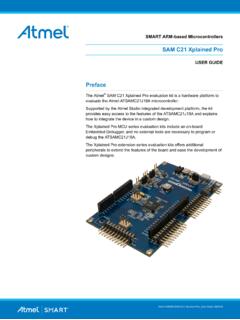
SAM C21 Xplained Pro - Microchip Technology
Steps to start exploring the Atmel Xplained Pro platform: 1. Download Atmel Studio. 2. Launch Atmel Studio. 3. Connect the DEBUG USB port on the kit to the PC using a USB cable (Standard-A to Micro-B or Micro-AB). When the Xplained Pro MCU kit is connected to the computer for the first time, operating system will install the software driver.
Download SAM C21 Xplained Pro - Microchip Technology

Information
Domain:
Source:
Link to this page:
Documents from same domain
Power Factor Correction in Power Conversion …
ww1.microchip.com© 2007 Microchip Technology Inc. DS01106A-page 2 AN1106 FIGURE 1: CURRENT WAVEFORMS WITH AND WITHOUT PFC These waveforms illustrate that …
2.7V to 5.5V Single Supply CMOS Op Amp
ww1.microchip.comMCP601/1R/2/3/4 DS21314G-page 2 © 2007 Microchip Technology Inc. 1.0 ELECTRICAL CHARACTERISTICS Absolute Maximum Ratings † VDD –VSS.....7.0V
Data Encryption Routines for PIC24 and dsPIC Device
ww1.microchip.com© 2006 Microchip Technology Inc. DS01044A-page 1 AN1044 INTRODUCTION Currently, there are three data encryption standards approved …
Using SAM-BA for Linux on SAMA5D3 Xplained
ww1.microchip.comAN-8995 – Using SAM-BA for Linux on SAMA5D3 Xplained: 42328A−06/2014 Page 5 of 19 2. Setup With Ubuntu distributions, a user has to be member of the dialout group to access serial devices like
MCP6021/1R/2/3/4 - Rail-to-Rail Input/Output, 10 …
ww1.microchip.com2001-2017 Microchip Technology Inc. DS20001685E-page 1 MCP6021/1R/2/3/4 Features • Rail-to-Rail Input/Output • Wide Bandwidth: 10 MHz (typical)
Low Quiescent Current LDO - Microchip Technology
ww1.microchip.com2005-2016 Microchip Technology Inc. DS20001826D-page 1 MCP1700 Features: • 1.6 µA Typical Quiescent Current • Input Operating Voltage Range: 2.3V to 6.0V
MCP1703 250 mA, 16V, Low Quiescent Current
ww1.microchip.com2010 Microchip Technology Inc. DS22049E-page 1 MCP1703 Features: • 2.0 µA Typical Quiescent Current • Input Operating Voltage Range: 2.7V to16.0V

MTCH6102 Low-Power Projected Capacitive Touch …
ww1.microchip.com2014 Microchip Technology Inc. DS40001750A-page 1 Description: Microchip’s MTCH6102 is a turnkey projected capacitive touch controller that simplifies adding

PIC32 GUI Development Board with Projected …
ww1.microchip.comPIC32 GUI Development Board with Projected Capacitance (PCAP) Touch Information Sheet Microchip Technology Inc.
RN4020 Bluetooth Low Energy Module User’s Guide
ww1.microchip.comRN4020 BLUETOOTH LOW ENERGY MODULE USER’S GUIDE 2014 Microchip Technology Inc. DS70005191B-page 7 Preface INTRODUCTION This chapter contains general information that will be useful to know before using the
Related documents

MicroLogix 1200 Programmable Controllers - Rockwell …
literature.rockwellautomation.comFirmware Revision History Features are added to the controllers thro ugh firmware upgrades. See the latest ... Use Control Flash to Upgrade Your Operating System ... not procedural steps. • Numbered lists provide sequential steps or hierarchical information.

1769-L20, 1769-L30 CompactLogix™ Controllers
literature.rockwellautomation.comyou can use it. The controller ships with firmware revision 1.x but must be upgraded to match the version of RSLogix 5000 that you are using (e.g. if you are using RSLogix 5000 V11, you must upgrade your CompactLogix controller firmware to revision 11.x before using it. For more information on upgrading your controller’s firmware, see page 17.

Dell Mobile Pro Wireless Mouse MS5120W User's Guide
dl.dell.comClick on the tab that matches the Operating System (OS) installed on your laptop/desktop and perform the steps within that section to change the settings. a. In the Search box, type main.cpl. The Mouse Properties dialog box appears. b. Click or tap main.cpl in the list of programs. c. Click the Pointer Options tab. In the Motion section, move