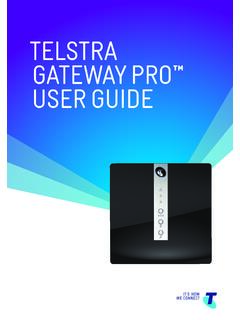
TELSTRA GATEWAY PRO ™ USER GUIDE
TELSTRA GATEWAY PR™ USER GUIDE 8 1.4.2. Getting to know the back panel Back Panel LED & port description LED Activity Description DSL port None The DSL port is connected for ADSL and VDSL connections FXO port None N/A FXS1 port None Plug an analogue phone / device into this port when voice is enabled on the Gateway
Download TELSTRA GATEWAY PRO ™ USER GUIDE

Information
Domain:
Source:
Link to this page:
Documents from same domain

telstra.com/homephone HOME FEATURES USER …
www.telstra.com.auC020 OCT13 GET TO KNOW YOUR HOME PHONE telstra.com/homephone HOME FEATURES USER GUIDE visit a telstra store 13 2200
TIPS AND TRICK S foR youR NBN C oNNECTI oN - …
www.telstra.com.auTIPS AND TRICK S foR youR NBN C oNNECTI oN TElSTRA SER vICES o N ThE NBN SuPPoRT guIDE
Telstra Cloud Collaboration Cisco Powered
www.telstra.com.ausecure virtual spaces accessed via the Cisco Spark app. • Spaces are multi-purpose, searchable and accessible from any device, anytime, anywhere. ... endpoints within Cisco WebEx® Meeting Centre ... foundation for WebRTC-enabled endpoints. Intelligent Routing Collaboration
INTERNET VPN REMOTE ACCESS CLIENT USER GUIDE
www.telstra.com.auThe Internet VPN Remote Access Client is a program installed on your computer that tunnels all internet traffic through your company’s VPN. Remote Access User will use an SSL Client to connect to the Adaptive Security Virtual Appliance (ASAv).
OUR CUSTOMER TERMS PRIVATE CLOUD CISCO HYPERFLEX …
www.telstra.com.auOUR CUSTOMER TERMS PRIVATE CLOUD – CISCO HYPERFLEX TELSTRA CORPORATION LIMITED (ABN 33 051 775 556) | Our Customer Terms - Cloud Services – Private Cloud – Cisco HyperFlex 12 November 2016 | TELSTRA UNRESTRICTED
Feb 2012– v8.0 Mobile Device Management Administrator …
www.telstra.com.auTelstra Mobile Device Management Guide – Apple iOS Page 10 The Telstra MDM portal will then search for the mobile number and display a picture of the handset model associated with that mobile number or email address.
telstra.com/homephone HOME FEATURES USER GUIDE visit …
www.telstra.com.au06 07 HOW TO USE IT To turn on Call Forward Busy for all incoming calls: 1 # Follow prompts or 2 4 Phone number # To turn off Call Forward Busy for all incoming calls: 1 # Follow prompts or # 2 4 # To check if Call Forward Busy is on or off: 1 # Follow promptsH or # 2 4 # Announcement Call Forward Busy is available to use on your phone now.
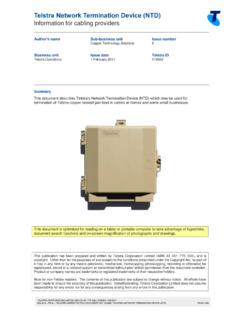
Telstra Network Termination Device (NTD)
www.telstra.com.auTelstra Network Termination Device (NTD) Information for cabling providers TELSTRA CORPORATION LIMITED (ABN 33 051 775 556) | ISSUED 1/02/2017
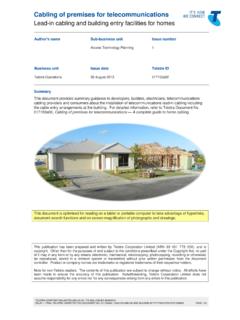
Cabling of premises for telecommunications
www.telstra.com.auCabling of premises for telecommunications Lead-in cabling and building entry facilities for homes TELSTRA CORPORATION LIMITED (ABN 33 051 775 556) | ISSUED 26/08/2013
Things you need to know about your service - Telstra
www.telstra.com.au03 Our customer service commitment for mobile services We use due care and skill whenever we provide you with a service. There may also be other non-excludable statutory guarantees,
Related documents
CGA4131 BUSINESS GATEWAY OPERATIONS GUIDE
mediacomcc.custhelp.com1.1 Technicolor CGA4131 Business Gateway The CGA4131 Business Gateway allows cable MSOs to respond to small and medium businesses with a business-centric set of data, voice, and wireless features. The CGA4131 is a DOCSIS® 3.1 broadband gateway offering triple-play services: up to Gigabit speeds, business VoIP and next generation 802.11ac Wi-Fi.
TECHNICOLOR WIRELESS GATEWAY - CGM4231 …
mediacomcc.custhelp.com2 Technicolor Wireless Gateway The Technicolor Wireless Gateway (Wireless Gateway) meets industry standards for DOCSIS 3.1 high-speed data connectivity along with reliable digital telephone service. The Technicolor Wireless Gateway delivers data, voice and wired (Ethernet) or wireless (Wi-Fi) gateway
C1100T for CenturyLink
www.centurylink.comWireless Smart Ultra-Broadband Gateway telecom DAtA VIDeo Features at a Glance Integrated VDSL2 modem 1 GE WAN port AutoWAN sensing™ 4 GE LAN ports Wi-Fi IEEE 802.11n 2.4 GHz (2x2) with high power 1 USB 2.0 master port Non-service-affecting platform software upgrades (dual bank memory) Extensive remote management

Nighthawk AC1900 WiFi Cable Modem Router
www.downloads.netgear.com350 East Plumeria Drive San Jose, CA 95134 USA April 2015 202-11499-01 Nighthawk AC1900 . WiFi Cable Modem Router. Model C7000 User Manual

Hitron CGNM 2250 Modem User Guide - Midco
www.midco.comLAN1 Use these ports to connect your computers and other network devices, using Category 5 or 6 Ethernet cables with RJ45 connectors. LAN2 LAN3
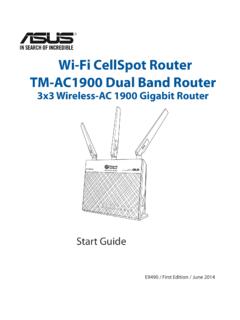
Wi-Fi CellSpot Router TM-AC1900 Dual Band Router
www.t-mobile.comDisconnect the network cable from your cable/ADSL modem. c. Reboot your computer (recommended). Modem OFF! WARNING! Before disconnecting the wires/cables, ensure that your . cable/ADSL modem has been turned off for at least 10 seconds. If your modem has a backup battery, remove it as well. TM-AC1900 Computer Wall Power Outlet LAN Modem …

Wireless DSL Gateway - Verizon
www.verizon.comThe Ethernet ports are used to connect computers to the Gateway via Ethernet cable. The Ethernet ports are 10/100 Mbps auto-sensing ports, and either a straight-through or crossover Ethernet cable can be used when connecting to the ports. DSL Port The DSL port is used to connect the Gateway to a DSL (Digital Subcriber Line) connection. Reset Switch