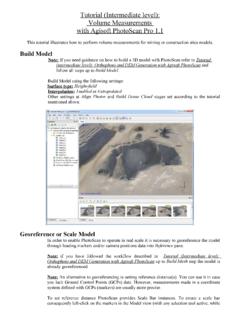
Tutorial (Intermediate level): Volume …
holding the Ctrl key), that correspond to the scale bar ends (for guidance on marker placement refer to Place markers step in Tutorial (Intermediate level): Orthophoto and DEM Generation with Agisoft PhotoScan).A scale bar is added onto the Reference pane. In the Scale Bars section of the Reference pane type in the known length of the scale …
Download Tutorial (Intermediate level): Volume …

Information
Domain:
Source:
Link to this page:
Documents from same domain
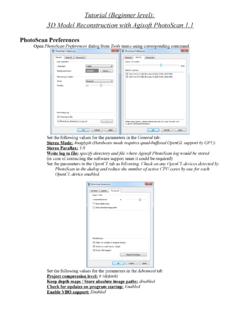
Tutorial (Beginner level): 3D Model Reconstruction …
www.agisoft.comTutorial (Beginner level): 3D Model Reconstruction with Agisoft PhotoScan 1.1 PhotoScan Preferences Open PhotoScan Preferences dialog from …
Professional Edition, Version 1 - Agisoft PhotoScan
www.agisoft.comv Overview Agisoft PhotoScan is an advanced image-based 3D modeling solution aimed at creating professional quality 3D content from still images.

Agisoft PhotoScan Change Log
www.agisoft.com1 Agisoft PhotoScan Change Log Version 1.4.3 build 6529 (21 July 2018) Standard and Professional editions • Added Generate Report command to Standard edition.
Professional Edition, Version 1 - Agisoft PhotoScan
www.agisoft.comv Overview Agisoft PhotoScan is an advanced image-based 3D modeling solution aimed at creating professional quality 3D content from still images.
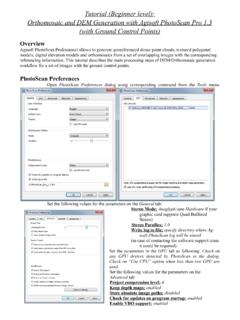
Tutorial (Beginner level): Orthomosaic and DEM …
www.agisoft.comTutorial (Beginner level): Orthomosaic and DEM Generation with Agisoft PhotoScan Pro 1.3 (with Ground Control Points) Overview Agisoft PhotoScan Professional allows to generate georeferenced dense point clouds, textured polygonal
Professional Edition, Version 1 - PhotoScan
www.agisoft.com1 Chapter 1. Installation and Activation System requirements Minimal configuration • Windows XP or later (32 or 64 bit), Mac OS X Mountain Lion or …
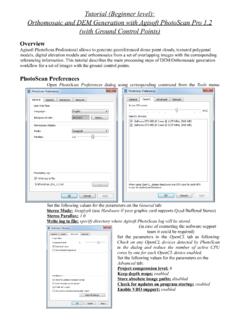
Tutorial (Beginner level): Orthomosaic and DEM Generation ...
www.agisoft.comOrthomosaic and DEM Generation with Agisoft PhotoScan Pro 1.2 (with Ground Control Points) Overview Agisoft PhotoScan Professional allows to generate georeferenced dense point clouds, textured polygonal models, digital elevation models and orthomosaics from a set of overlapping images with the corresponding referencing information.
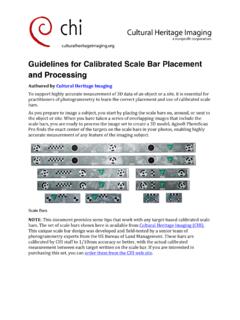
Guidelines for Calibrated Scale Bar Placement and Processing
www.agisoft.comGuidelines for Calibrated Scale Bar Placement and Processing Authored by Cultural Heritage Imaging To support highly accurate measurement of 3D data of …
Professional Edition, Version 1 - Metashape
www.agisoft.com• Windows 7 SP 1 or later (64 bit), Windows Server 2008 R2 or later (64 bit), macOS Mojave or later, Debian/Ubuntu with GLIBC 2.19+ (64 bit) • Intel Core i7 or AMD Ryzen 7 processor • Discrete NVIDIA or AMD GPU (4+ GB VRAM) • 32 GB of RAM The number of photos that can be processed by Metashape depends on the available RAM and
Professional Edition, Version 1 - Metashape
www.agisoft.comcapability 2.0 and higher or OpenCL 1.1 and higher enabled device with SPIR support for stages specified above, provided that CUDA/OpenCL drivers for the device are properly installed. However, because of the large number of various combinations of video chips, driver versions and operating systems, Agisoft
Related documents
PortaCount Tips Tools Troubleshooting Guide-RFT …
www.tsi.comPORTACOUNT® ACADEMY TIPS & TOOLS TROUBLESHOOTING GUIDE APPLICATION NOTE RFT-018 (US) his quick reference guide provides helpful information and troubleshooting instructions for