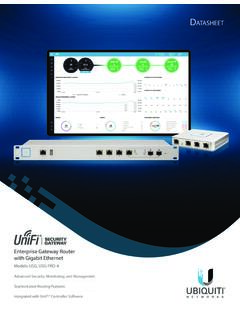
UniFi Security Gateway Datasheet
Convenient VLAN Support The UniFi Security Gateway can create virtual network segments for security and network traffic management. VPN Server for Secure Communications A site‑to‑site VPN secures and encrypts private data communications traveling over the Internet.
Download UniFi Security Gateway Datasheet

Information
Domain:
Source:
Link to this page:
Documents from same domain

Datasheet - Ubiquiti Networks
dl.ubnt.comDatasheet www.ubnt.com/airmax 3 Software airOS is an intuitive, versatile, highly developed Ubiquiti firmware technology. It is exceptionally intuitive and …

802.11ac Dual Radio Access Point
dl.ubnt.comThis Quick Start Guide is designed to guide you through ... 802.11ac Dual Radio Access Point Model: UAP-AC-LITE Gigabit PoE* (24V, 0.5A) with Mounting Bracket

Advanced Gigabit Ethernet Router - Ubiquiti …
dl.ubnt.comThis Quick Start Guide is designed to guide ... Advanced Gigabit Ethernet Router Model: ER-X EdgeRouter X Power Adapter (12V, 0.5A) Quick Start Guide

UniFi AC AP Datasheet - dl.ubnt.com
dl.ubnt.com3 D atasheet UniFi Controller Packed with Features Use the UniFi Controller to provision thousands of UniFi APs, map out networks, quickly manage

Wide-Angle 1080p Dome IP Camera with Infrared
dl.ubnt.comIntroduction Thank you for purchasing the Ubiquiti Networks® UniFi® Video Camera G3 Dome. This Quick Start Guide is designed to guide you through installation and includes warranty terms.

TOUGHCable PRO Quick Start Guide - Ubiquiti Networks
dl.ubnt.com2 TOUGHCable™ PRO Quick Start Guide TOUGHCable Box The Tension Knob is set to High by default. If necessary, the tension can be set to to Low or None. Tension Knob TOUGHCable PRO Cross-Section Conductor Insulation ESD Drain Wire

U-Installer Quick Start Guide - Ubiquiti Networks
dl.ubnt.comLEDs Wi-Fi Lights blue if the U-Installer has a Wi-Fi connection to your mobile device. Battery Four blue LEDs indicate the internal battery’s charge level: Full charge Low charge* * Recharge the battery by connecting a power source,

1080p Wireless IP Security Camera with Infrared
dl.ubnt.comIntroduction Thank you for purchasing the Ubiquiti Networks® UniFi® Video Camera G3 Micro. This Quick Start Guide is designed to guide you through installation and also includes warranty terms.

802.11n Wi-Fi Access Point - Ubiquiti Networks
dl.ubnt.comHardware Installation The UniFi AP can be mounted to the wall or ceiling. Perform the steps for the appropriate installation: Wall Mount 1. Position the Mounting Bracket at the desired location on the wall with the cable feed slot pointed towards the floor.

Rocket ac Datasheet - Ubiquiti Networks
dl.ubnt.comD atasheet 4 Technology Unlike standard Wi-Fi protocol, Ubiquiti’s Time Division Multiple Access (TDMA) airMAX ac protocol allows each client to send and receive
Related documents

TCPDUMP filters
alumni.cs.ucr.eduvlan [vlan_id] True if the packet is an IEEE 802.1Q VLAN packet. If [vlan_id] is specified, only encountered in expression changes the decod ing offsets for the remainder of expression on the assumption that the packet is a VLAN packet. tcp, udp, icmp Abbreviations for: ip proto p or ip6 proto p where p is one of the above protocols. iso proto ...

Easy Smart Configuration Utility - TP-Link
static.tp-link.comSystem Info: View device information and define the device description. IP Setting: Get and modify the network parameters of the switch. User Account: Modify the username and password for users to log on to the Web management page. Backup and Restore: Save the current configuration file to your computer or download a backup configuration file to

Virtual LANs (VLANs) - Allied Telesis
www.alliedtelesis.comVLAN Introduction This guide describes Virtual LANs (VLANs), VLAN features and configuration on the switch. It begins with a description of what a VLAN is, its evolution and purpose, and also provides the meaning of some common VLAN terminology. This is followed with a detailed look at VLAN implementation. Port-based VLAN

VLAN Configuration - Cisco
www.cisco.comswitch module port can belong to a VLAN, and unic ast, broadcast, and multicast packets are forwarded and flooded only to end stations in the VLAN. Each VLAN is considered a logical network, and packet s destined for stations that do not belong to the VLAN must be forwarded through a router, as shown in Figure 11-1. Because a VLAN is considered a

Configuring VLANs - Cisco
www.cisco.comStep 2 vlan vlan-id Enter a VLAN ID, and enter VLAN configuration mode. Enter a new VLAN ID to create a VLAN, or enter an existing VLAN ID to modify that VLAN. Step 3 exit Return to privileged EXEC mode. Step 4 show vlan Verify your entries. Step 5 copy running-config startup config (Optional) This saves the configuration in the switch startup
S350 Series 24-Port (PoE+) and 48-Port Gigabit ... - Netgear
www.downloads.netgear.comNETGEAR, Inc. 350 East Plumeria Drive San Jose, CA 95134, USA September 2021 202-11910-04 User Manual S350 Series 24-Port (PoE+) and 48-Port Gigabit Ethernet Smart Switches
Grandstream Networks, Inc.
www.grandstream.comVLAN (Virtual Local Area Network) allows to separate network devices in logical groups despite of their physical location. Only members in same VLAN can communicate with each other. It also confines the broadcast domain to its members. VLANs are implemented to achieve scalability, security and ease the network management and can quickly

e-VLAN サービス 技術参考資料 - NTT
www.ntt.come-vlan サービス 技術参考資料 第14.5 版 平成25 年6 月 ntt コミュニケーションズ株式会社 本資料の内容は、機能追加等により追加・変更することがあります。

L2 / L3 Switches VLAN Configuration Guide
www.supermicro.comStep 2 vlan <vlan-list > Create s a VLAN using vlan command. vlan-list – may be any vlan number or list of vlan numbers. Multiple vlan numbers can be provided as comma-separated values. Consecutive vlan numbers can be provided as a range, such as 5-10. User can configure VLANs with identifiers 1 to 4069.