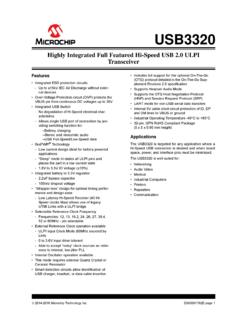
USB3320 Data Sheet - Microchip Technology
USB3320 is asserted. The USB audio mode enables audio signaling from a single USB port of connection, and the switches may also be used to connect Full Speed USB from another transceiver onto the USB cable. 1.2 Reference Documents • Universal Serial Bus Specification, Revision 2.0, April 27, 2000
Download USB3320 Data Sheet - Microchip Technology

Information
Domain:
Source:
Link to this page:
Documents from same domain
Power Factor Correction in Power Conversion …
ww1.microchip.com© 2007 Microchip Technology Inc. DS01106A-page 2 AN1106 FIGURE 1: CURRENT WAVEFORMS WITH AND WITHOUT PFC These waveforms illustrate that …
2.7V to 5.5V Single Supply CMOS Op Amp
ww1.microchip.comMCP601/1R/2/3/4 DS21314G-page 2 © 2007 Microchip Technology Inc. 1.0 ELECTRICAL CHARACTERISTICS Absolute Maximum Ratings † VDD –VSS.....7.0V
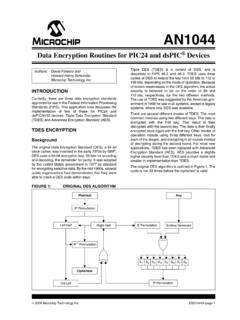
Data Encryption Routines for PIC24 and dsPIC Device
ww1.microchip.com© 2006 Microchip Technology Inc. DS01044A-page 1 AN1044 INTRODUCTION Currently, there are three data encryption standards approved …

Using SAM-BA for Linux on SAMA5D3 Xplained
ww1.microchip.comAN-8995 – Using SAM-BA for Linux on SAMA5D3 Xplained: 42328A−06/2014 Page 5 of 19 2. Setup With Ubuntu distributions, a user has to be member of the dialout group to access serial devices like
MCP6021/1R/2/3/4 - Rail-to-Rail Input/Output, 10 …
ww1.microchip.com2001-2017 Microchip Technology Inc. DS20001685E-page 1 MCP6021/1R/2/3/4 Features • Rail-to-Rail Input/Output • Wide Bandwidth: 10 MHz (typical)
Low Quiescent Current LDO - Microchip Technology
ww1.microchip.com2005-2016 Microchip Technology Inc. DS20001826D-page 1 MCP1700 Features: • 1.6 µA Typical Quiescent Current • Input Operating Voltage Range: 2.3V to 6.0V
MCP1703 250 mA, 16V, Low Quiescent Current
ww1.microchip.com2010 Microchip Technology Inc. DS22049E-page 1 MCP1703 Features: • 2.0 µA Typical Quiescent Current • Input Operating Voltage Range: 2.7V to16.0V
MTCH6102 Low-Power Projected Capacitive Touch …
ww1.microchip.com2014 Microchip Technology Inc. DS40001750A-page 1 Description: Microchip’s MTCH6102 is a turnkey projected capacitive touch controller that simplifies adding
PIC32 GUI Development Board with Projected …
ww1.microchip.comPIC32 GUI Development Board with Projected Capacitance (PCAP) Touch Information Sheet Microchip Technology Inc.

RN4020 Bluetooth Low Energy Module User’s Guide
ww1.microchip.comRN4020 BLUETOOTH LOW ENERGY MODULE USER’S GUIDE 2014 Microchip Technology Inc. DS70005191B-page 7 Preface INTRODUCTION This chapter contains general information that will be useful to know before using the
Related documents
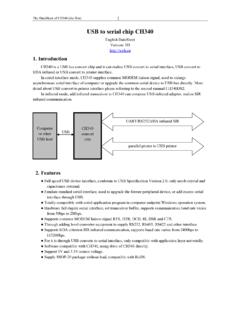
USB to serial chip CH340 - SparkFun Electronics
cdn.sparkfun.comCH340 is a USB bus convert chip and it can realize USB convert to serial interface, USB convert to IrDA infrared or USB convert to printer interface. In serial interface mode, CH340 supplies common MODEM liaison signal, used to enlarge asynchronous serial interface of computer or upgrade the common serial device to USB bus directly. More

SanDisk Ultra Fit™ USB 3.1 Flash Drive Datasheet
documents.westerndigital.comUSB 3.1 Flash Drive and leave it in, making it the simple way to add extra, high-speed storage to your device! It delivers write speeds that are up to 15x faster than with a standard USB 2.0 drive so you can move a full-length movie in less than 30 seconds. Plus it includes SanDisk SecureAccess® software for password protection and 128-bit
Product Overview: WD Elements™ Portable Storage
documents.westerndigital.comPortable hard drive USB cable Quick install guide Operating temperature: 5°C to 35°C Non-op. temperature: –20°C to 65°C Formatted NTFS for Windows® 10, Windows 8.1, Windows 7 Reformatting required for other operating systems. INTERFACE USB 3.0 Type-A 5TB WDBU6Y0050BBK 4TBWDBU6Y0040BBK 3TBWDBU6Y0030BBK 2TBWDBU6Y0020BBK …

Dell Docking Station WD15 User Guide
downloads.dell.comThe Dell Docking Station WD15 is a device that links all your electronic devices to your computer using a USB Type-C cable interface. Connecting the computer to the docking station allows you to access all peripherals (mouse, keyboard, stereo speakers, external hard drive, and large-screen displays) without having to plug each one into the ...

INSTRUCTION MANAUL iDiskk USB Lightning Flash Drive
images-na.ssl-images-amazon.com(These files still can be seen in iDiskk application even you disconnect the USB Flash Drive) "Photo/Video" Section: Support taking pictures/videos and save directly to the USB flash drive when connected to Apple device. iPhone Section: Files stored in your iPhone Camera Roll will appear in this section.

How to make a bootable flash disk and to flash BIOS
storage-asset.msi.comUpdate BIOS with a bootable USB flash drive (Pen drive): 1. Extract the zip file containing the BIOS files and flash utility to a bootable USB flash drive (Pen drive). 2. Insert the USB flash drive (Pen drive) in the USB port. 3. Boot up the notebook and press F11 key to run Boot menu and then to select USB flash disk drive.

Connecting to a Musical Instrument - Casio
web.casio.comUSB flash drive port Do not use with the app. USB port Connect to this port. Connect the smart device to the piano using the cable When the connection is successful To check whether your Android device can be connected Smart devices that display the message shown below the first time app installation
How to install a USB webcam in Windows 10
www.seattleu.educamera. Also, there is no accompanying CD or USB drive with software for your camera. This is a plug-and-play device that just needs to be plugged into your Windows computer. Plugging in the Camera and Mounting it to your Monitor Begin by removing all the plastic from your new camera. The brace opens and retracts so that you may