
User Manual - D-Link
1 LAN Ports (1-4) Connect Ethernet devices such as computers, switches, and hubs. 2 Internet Port The auto MDI/MDIX Internet port is the connection for the Ethernet cable to the cable or DSL modem. 3 USB Connect a USB flash drive or printer. 4 On/Off Button Pressing the on/off button toggles power to the router.
Download User Manual - D-Link

Information
Domain:
Source:
Link to this page:
Documents from same domain

QUICK INSTALLATION GUIDE - eu.dlink.com
eu.dlink.comconnect additional wireless devices in the future. You can use the included Wi-Fi ... den Namen des Netzwerks (SSID) und das WLAN-Kennwort auf der Wi-Fi Konfigurationskarte verwenden. - Haben Sie den Netzwerknamen (SSID) oder das WLAN Kennwort geändert und Sie haben

DIR-615 Wireless N300 Router - eu.dlink.com
eu.dlink.comWireless N300 Router DIR-615 Easily set up a fast, reliable, and secure wireless home network with the DIR-615 Wireless N300 Router. The setup wizard gets you up and running in no time, and with the

Wireless N300 ADSL2+ Modem Router - eu.dlink.com
eu.dlink.comThe Wireless N300 ADSL2+ Modem Router offers Quality of Service (QoS), which allows priority queues to enable a group of home or office users to experience the benefit of a smooth network connection without worrying about traffic congestion.

Wireless AC1200 Dual-Band Gigabit ADSL2+/VDSL2 Modem …
eu.dlink.comDSL-3785 Home is where the SMART is Wireless AC1200 Dual-Band Gigabit ADSL2+/VDSL2 Modem Router File Sharing Right at Your Fingertips The DSL-3785 lets you connect a …
Wireless AC1200 Dual Band Gigabit Router - eu.dlink.com
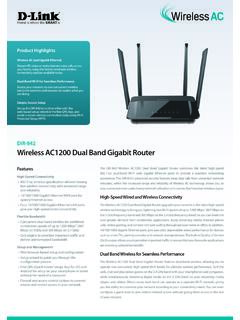
eu.dlink.comThe Wireless AC1200 Dual Band Gigabit Router upgrades your network to the latest high-speed wireless technology to bring you lightning-fast Wi-Fi speeds of up to 1200 Mbps 1 ... • Cable/DSL modem or other Internet Service Provider equipment with Ethernet port Functionality Security • WPA & WPA2 (Wi-Fi Protected Access) • WPS (Wi-Fi ...
Wireless N Open Source Access Point - eu.dlink.com
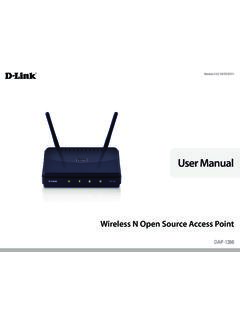
eu.dlink.comThe DAP-1360 is Wi-Fi IEEE 802.11n compliant, meaning that it can connect and interoperate with other 802.11n compatible wireless client devices. The DAP-1360 is also backwards compatible with 802.11b/g.

DAP-1360 Wireless N Range Extender - eu.dlink.com
eu.dlink.comDAP-1360 Hoe is where the SMART is The D-Link DAP-1360 Wireless N Range Extender can provide your wired network with wireless connectivity, or upgrade your existing wireless network and extend its coverage. Enjoy surfing the web, checking e-mail, and chatting with family and friends online, at faster speeds and from
User Manual - eu.dlink.com
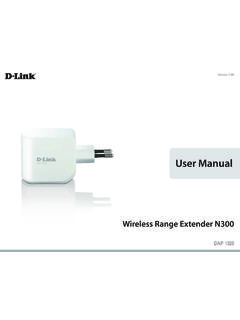
eu.dlink.comD-Link DAP-1320 User Manual 4 Section 1 - Product vervie • Faster Wireess Networking - The DAP-1320 provides a ireless connection o up to 300 Mbps ith other 0211n ireless clients This capabilit allows users to participate in real-time activities online such as video
D-Link Web Smart Switch User Manual
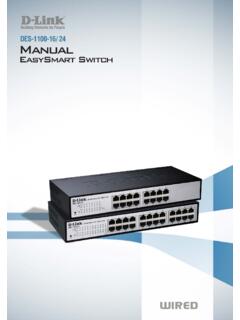
eu.dlink.comD-Link Web Smart Switch User Manual 3 Getting Started . This chapter introduces the management interface of D-Link EasySmart Switch. Management Options . The D-Link EasySmart Switch can be managed through any port on the device by using the Web-based Management or through any PC using the SmartConsole Utility.

DGS-1248T A1 Manual v1.01
eu.dlink.comCongratulations on your purchase of the DGS-1248T Web Smart 48-Port 10/100/1000Mbps Gigabit Switch. This device integrates 1000Mbps Gigabit Ethernet, 100Mbps Fast Ethernet, and 10Mbps Ethernet network capabilities in a highly flexible package. Purpose This manual discusses how to install your 48-Port 10/100/1000Mbps Gigabit Web Smart Switch.
Related documents
Basics of Electrostatic Discharge Protection
aml.ece.iisc.ac.inBasics of Electrostatic Discharge (ESD) Protection ... ―to operate pushbutton switches, e.g. in elevators ―touch screens of smart phones, tablets, etc. capacitive touch ... o ESD protection must limit excess voltage at gate oxides due to high …
OPERATION MANUAL
appiontools.comlimit the performance of the G5Twin and/or cause overheating of the recovery cylinder. See Page 15 for more information. • The recovery cylinder should have extra capacity beyond the amount you intend to recover. For maximum recovery speeds, use a recovery cylinder that is already evacuated (500 microns or better). Note: new

EMBEDDED SYSTEM BASICS AND APPLICATION
profile.iiita.ac.inParts: Status display panel, Switches & Dials, Motor, Power supply & control unit, Inner water level sensor and solenoid valve. Rules 1.Wash by spinning 2.Rinse 3.Drying 4.Wash over by blinking 5.Each step display the process stage 6.In case interruption, execute only the remaining

Switch Mode Power Supply (SMPS) Topologies
ww1.microchip.comSep 10, 2007 · The semiconductor switches used to implement switch mode power supplies are cont inuously switched on and off at high frequencies (50 kHz to several MHz), to transfer electrical energy from the input to the output through the passive components. The output voltage is controlled by varying the duty cycle, frequency or

Important things to know about Choice Income
www.australiansuper.com1 The basics Page The benefits of Choice Income 5 How Choice Income works 6 Balance Booster 8 ... This limit is known as the ‘transfer balance cap’. The cap: › includes the total amount transferred from any ... switches between options.

Training Requirements Chart - IHSA
www.ihsa.caautomatic limit switches and overload limit devices of a tower crane Competent worker Construction Projects, s.161(1) Worker who visually inspects all cable used by a crane or similar hoisting device at least once a week when it is being used Competent worker Construction Projects, s.170(1)