
User Manual - Thrustmaster
Note: The steering wheel on your "Ferrari Racing Wheel: Red Legend edition" racing wheel features 2 sensitivity modes (normal or high). To achieve optimal precision in "Gran Turismo® PS3™", we recommend that you enable "high sensitivity" mode. PC Installation on PC 1. Set the wheel’s USB selector (7) to the “PC” position. 2.
Download User Manual - Thrustmaster

Information
Domain:
Source:
Link to this page:
Documents from same domain
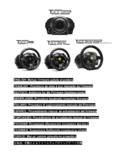
ITALI ANO - Thrustmaster
ts.thrustmaster.comENGLISH: Manual firmware update procedure (Windows 7 / 8 / 8.1 / 10) On PC, the USB sliding switch on the T300 racing wheel’s base must always be set to the PS3 position!
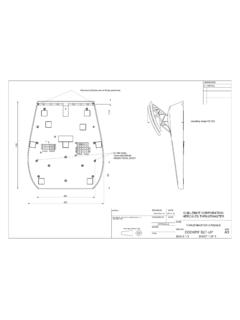
A3
ts.thrustmaster.com310 99 204 267 11,5 operating range125-220 drawn by date guillemot corporation hercules thrustmaster thrustmaster 2013-11-20 checked by date name approvals thrustmaster 2 …
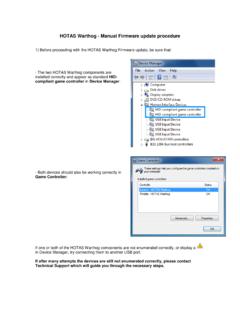
HOTAS Warthog - Manual Firmware update …
ts.thrustmaster.comHOTAS Warthog - Manual Firmware update procedure 1) Before proceeding with the HOTAS Warthog Firmware update, be sure that: - …
MANUEL DE L’UTILISATEUR - ts.thrustmaster.com
ts.thrustmaster.com2/44 – Manuel de l’utilisateur T.A.R.G.E.T v3.0 Avant-propos Bienvenue dans ce manuel et félicitations pour votre achat. Nous espérons que ce contrôleur de …
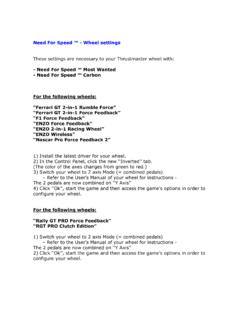
Need For Speed ™ - Wheel settings - Thrustmaster
ts.thrustmaster.comNeed For Speed ™ - Wheel settings These settings are necessary to your Thrustmaster wheel with: - Need For Speed ™ Most Wanted - …
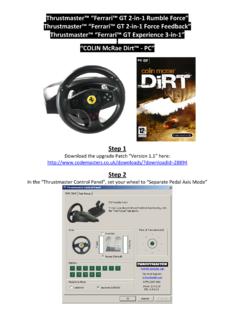
ColinMcRae Dirt Ferrari GT WHEEL - Thrustmaster
ts.thrustmaster.comThrustmaster™ “Ferrari™ GT 2‐in‐1 Rumble Force” Thrustmaster™ “Ferrari™ GT 2‐in‐1 Force Feedback” Thrustmaster™ “Ferrari™ GT Experience 3‐in‐1” “COLIN McRae Dirt™ ‐ PC” Step 1
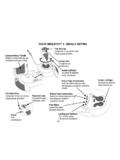
FLIGHT SIMULATOR™ X - DEFAULT MAPPING
ts.thrustmaster.com2/4 FLIGHT SIMULATOR™ X - DEFAULT MAPPING Throttle (meer/minder) Alza flap (passo Subir alerones (paso a paso) Visuale panoramica Vista panorámica Roer links/rechts
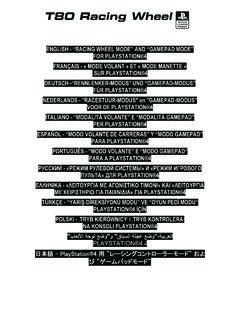
ENGLISH - “RACING WHEEL MODE” AND “GAMEPAD MODE” …
ts.thrustmaster.comincrease the T80 Racing Wheel's sensitivity (for more information on this subject, please refer to the section below, “Adjusting the r acing wheel's sensitivity in “Gamepad Mode”). ADJUSTING THE RACING WHEEL'S SENSITIVITY IN “GAMEPAD MODE”
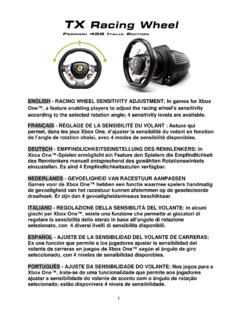
ENGLISH - RACING WHEEL SENSITIVITY ADJUSTMENT: In …
ts.thrustmaster.comThe racing wheel automatically reverts to Sensitivity level 1 (i.e. default mode) when the system restarts or the wheel is disconnected from the system. Manually adjusting the sensitivity level slightly alters the intensity of the racing wheel's
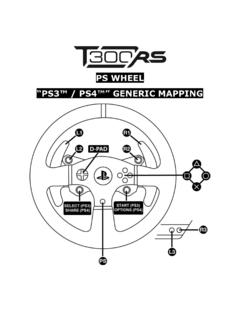
PS WHEEL - Thrustmaster
ts.thrustmaster.com1.2 a d-pad select (ps3) share (ps4) start (ps3) options (ps4) 1.3 aoo
Related documents
ENGLISH - “RACING WHEEL MODE” AND “GAMEPAD MODE” …
ts.thrustmaster.com• Racing wheel sensitivity adjustment procedure: - Simultaneously press and release the D-pad (5) and the UP and DOWN paddle shifters (4) - The LED (6) then changes color according to the selected sensitivity setting. - You can now adjust the sensitivity of your racing wheel's steering to your requirements.

Racing Wheel and Pedals For Xbox One and PC Volant de ...
www.logitech.comG HUB WHEEL SETTINGS Sensitivity Alters the output response of the wheel to be more or less sensitive Leaving this slider at 50% will provide a linear 1:1 output Between 51% and 100% will make the wheel increasingly more sensitive around the centre movement of the wheel Between 0% and 49% will make the wheel decreasingly sensitive

G923 - Logitech
www.logitech.comG HUB WHEEL SETTINGS Sensitivity Alters the output response of the wheel to be more or less sensitive Leaving this slider at 50% will provide a linear 1:1 output Between 51% and 100% will make the wheel increasingly more sensitive around the centre movement of the wheel Between 0% and 49% will make the wheel decreasingly sensitive

MASTER GUIDE - Razer Inc.
dl.razerzone.comSensitivity Stage Down - Decreases the current sensitivity by one stage. On-The-Fly Sensitivity - Pressing the designated button and moving the scroll wheel either up or down will increase or decrease the current DPI respectively. Cycle Up Sensitivity Stages - Increases the current sensitivity stage by one. Once it reaches the

Razer Atheris
dl.razerzone.comSensitivity Stage Down - Decreases the current sensitivity by one stage. On-The-Fly Sensitivity - Pressing the designated button and moving the scroll wheel either up or down will increase or decrease the current DPI respectively. Cycle Up Sensitivity Stages - Increases the current sensitivity stage by one. Once it

Steering Wheel instructions for Xbox One
cdn.cnetcontent.comwhen using it after disconnecting the controller from the XR Racing Wheel. To adjust sensitivity. - Press and hold the SEN button until the lights flash between red/blue. - Press up and down on the DPAD to adjust the sensitivity. - Press the SEN button once again to set. 1. 2. 3.
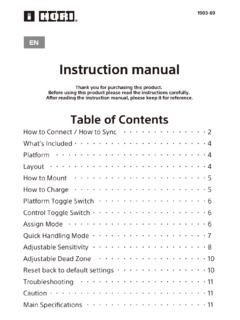
Instruction manual - 株式会社HORI
hori.jpAdjustable Sensitivity Steering wheel sensitivity is adjustable to seven levels. The Program LED (Left) colour will change to indicate the sensitivity value. Steering Unit ④ Sensitivity value increases by pressing up on the Directional Pad. Responsive ⑤ ⑥ Sensitivity value decreases by pressing down on the Directional Pad. Gradual

Instruction Manual - media.s-bol.com
media.s-bol.com④ HORI Wireless Racing Wheel Select “HORI Wireless Racing Wheel” from the list to complete the pairing. If you want to use the paired controller again, press the PS button on the ... Steering wheel sensitivity is adjustable to seven levels. The Program LED (Left) color will change to indicate the sensitivity value.
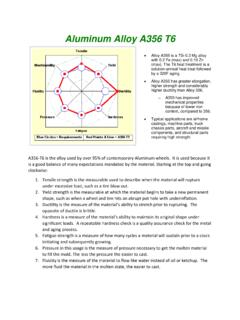
Aluminum Alloy A356 T6 - Wheel Straightening Machine
www.newarctech.comIf the wheel paint bubbles or incurs slight handling damage, the wheel can be repaired, painted and cured again changing the metallurgy. Two repair process are typically ... sensitivity of the hardening process relative to time at temperature. 1. At 320 degrees F, it can take five hours initiate the hardening and about ...