
USER’S MANUAL - Axis Communications
AXIS Q1755/-E User’s Manual Notices This manual is intended for administrators and users of the AXIS Q1755/-E Network Camera, and is applicable for firmware release
Download USER’S MANUAL - Axis Communications

Information
Domain:
Source:
Link to this page:
Documents from same domain

USER’S MANUAL - Axis Communications - Leader …
www.axis.com4 AXIS Media Control - Introduction Introduction This document gives you an overview of the controls provided by Axis Media Control (AMC). AMC is an ActiveX component

AXIS P7701 - User's Manual
www.axis.comAXIS P7701 User’s Manual About this Document This manual is intended for administ rators and users of the AXIS P7701 Video Decoder, and …

How to access AXIS Camera Station via mobile app
www.axis.comStep 2: Port forwarding on your router. The mobile app uses HTTPS and RTSP over HTTP (for video stream) to communicate with the AXIS Camera Station server.

AXIS 205 Network Camera Quick Installation Guide
www.axis.comAXIS 205 Quick Installation Guide Page 1 of 6 AXIS 205 Network Camera Quick Installation Guide Package Contents: Printed Material AXIS 205 Network Camera Power adapter Stand + 3 mounting screws AXIS 205 Network Camera

Installation Guide - Axis Communications
www.axis.comPage 8 AXIS 207/207W/207MW Installation Guide 4. Set an IP address To make it accessible on the network, the AXIS 207/207W/207MW must be assigned an IP

Perfect Pixel Count - Axis Communications - …
www.axis.com3 1. Introduction This step-by-step guide helps you select the best cameras for your operational requirements and surveillance scenarios. Lack of industry standards and the complexity of the matter cause many integrators to lose sight of a
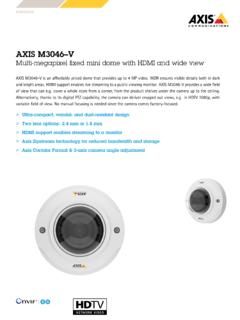
Multi …
www.axis.comAXISM3046–V Multi-megapixelfixedminidomewithHDMIandwideview AXIS M3046-V is an affordably priced dome that provides up to 4 …

User's Manual AXIS P8221
www.axis.comAXIS P8221 User’s Manual Notices This manual is intended for administ rators and users of the AXIS P8221 Network I/O Audio Module, and is …

Hardening Guide - Axis Communications
www.axis.com7 5. Enterprise protection For medium and large organizations that deploy a professional video surveillance system, it is recom-mended to use a Video Management System (VMS) software or NVR.

USER MANUAL - Axis Communications
www.axis.comAbout this Document This manual is intended for administrators and users of AXIS Q6032-E PTZ Dome Network Camera, and is applicable to firmware 5.41 and
Related documents
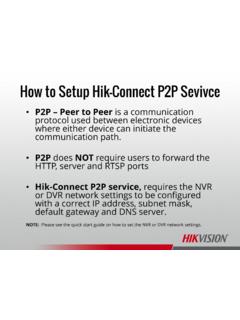
How to Setup Hik-Connect P2P Sevivce - Hikvision
hikvisionusa.comprotocol used between electronic devices where either device can initiate the communication path. •P2P does NOT require users to forward the HTTP, server and RTSP ports •Hik-Connect P2P service, requires the NVR or DVR network settings to be configured with a correct IP address, subnet mask, default gateway and DNS server.
Quick Guide HIKVISION DDNS V1
www.hikvision.comEurope B.V. Hikvision Europe Technical Support Hotline +31(0)23 554 27 70 8 PART 4-C Access your devices through iVMS4500 In iVMS4500 select [Device] -> [Add], Fill in [Domain name] as alias you registered in www.hik-online.com

SADP Download & Install
hikvisionusa.comFinds only devices on same physical network as computer Finds all Hikvision devices on physical network, even if on other subnets . How to Download • Go to Hikvision.com • Click on SUPPORT [1] • Then DOWNLOADS [2] • Choose TOOLS [3] • Click on SADP Tool [4]

iVMS-4200 Part 1 Download, Install, Login
hikvisionusa.comiVMS-4200 Accounts •iVMS-4200 accounts are separate from the accounts on a camera or DVR/NVR. They can have the same names, but creation of accounts in iVMS-4200 does

How to Create a Hik-Connect Account Using the iVMS-4200
hikvisionusa.comA Hik-Connect account is required in order to add a Hikvision device to the iVMS4200 using the Cloud P2P service. A Hik-Connect P2P device, is a device that is registered to dev.hik-
Enable Hik-Connect 3.0 Remote Access Platform Services
hikvisionusa.comaccess to Hikvision devices. Hik-Connect P2P Service – Peer to Peer protocol is used between electronic devices where either device can initiate communication. Hik-Connect DDNS Service – Allows accounts to assign unique domain names to online devices. Port forwarding is required.*

2nd Gen Indoor Station Firmware V2.1.34 build211118 ...
hiknow-soft-bucket.s3.ap-southeast-1.amazonaws.comHikvision Video Intercom v2.0 Protocol The communication protocol between Hikvision devices uses a secure private call protocol, and the communication with 3rd party devices uses standard SIP; 1) Support setting period number, building number, …

How to add device into Hik-Connect App
www.hikvision.comFor devices that do not support the Hik-Connect service, you can also add devices to the hik connect app through IP / domain. Adding steps: (1) Launch Hik-Connect App; (2) Adding device through input the IP, port ,user name and password manually;

U.S. Investors Are Funding Malign PRC Companies on …
www.state.govDec 08, 2020 · Hangzhou Hikvision Digital Technology Co., Ltd. (Hikvision) Hong Kong, Mainland PRC X X Huawei Technologies Not a publicly traded company Inspur Group ... IRICO Display Devices Co., Ltd. China Electronics Optics Valley Union Holding Co., Ltd. China Electronics Huada Technology Co., Ltd. China National Chemical