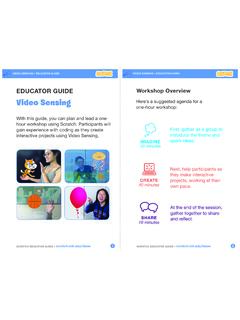
Video Sensing - Scratch Resources browser
a card and try something new. • You can create a game, an interactive story, or a virtual pet. • When someone gets stuck, connect them to another participant who can help. • See a cool idea? Ask the creator to share with others. The Video Sensing activity cards can be done in any order, with a range of different character and object sprites.
Download Video Sensing - Scratch Resources browser

Information
Domain:
Source:
Link to this page:
Documents from same domain

Hide and Seek - Massachusetts Institute of Technology
resources.scratch.mit.eduSCRATCH EDUCATOR GUIDE HIDE AND SEEK / EDUCATOR GUIDE scratch.mit.edu/go SCRATCH EDUCATOR GUIDE scratch.mit.edu/go HIDE AND SEEK / EDUCATOR GUIDE With this guide, you can plan and lead a one-hour workshop using Scratch.
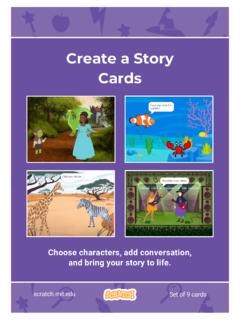
Create a Story Cards - Scratch Resources browser
resources.scratch.mit.eduCreate a Story ADD THIS CODE Click the thumbnail for each character, and then add its code. GET READY Choose two characters. Choose a Mountain backdrop. Goblin TIP You can click the menu to add a new message. Respond to a Character scratch.mit.edu Princess Broadcast a message. Princess Goblin Tell this character what to do when it receives the ...
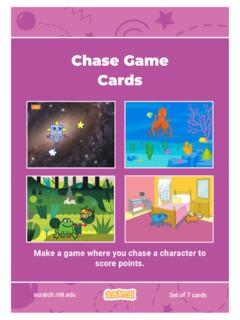
Chase Game Cards - Scratch Resources browser
resources.scratch.mit.eduMake a game where you chase a character to score points. Chase Game Cards scratch.mit.edu Set of 7 cards. Chase Game Cards Use these cards in this order: 1. Move Left and Right 2. Move Up and Down 3. Chase a Star 4. Play a Sound 5. Add a Score 6. Level Up! 7. Victory Message scratch.mit.edu Set of 7 cards. 1 Move Left and Right Press arrow keys ...
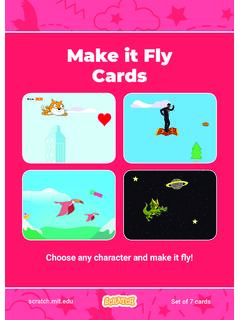
Make it Fly Make It Fly Cards - Scratch Resources browser
resources.scratch.mit.eduMake t ly Move the scenery so your character looks like it’s flying. Start Flying 2. scratchitedu ADD THIS CODE Type a negative number to move left. Start Flying GET READY Choose a sprite to fly by, such as Buildings. Start from the right end of the stage. TIP x is the position on the Stage from left to right. y = 180
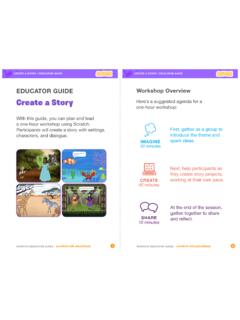
Create a Story
resources.scratch.mit.edu• Choose a character. • Make a character say something • Make a character hide and show. Click the green flag to start. Add code to the new character. Choose any character (in Scratch called a sprite). Type what you want your character to say. Add another character. Witch Wizard Use this block to have the second character wait before
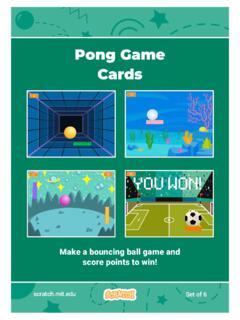
Pong Game Cards - Scratch Resources browser
resources.scratch.mit.eduGET READY Move your mouse pointer to move the paddle. Move the Paddle scratch.mit.edu Click the green flag to start. You can see the x position of the paddle change as you move the mouse pointer across the Stage. Choose a sprite for hitting the ball, like Paddle. Then, drag your paddle to the bottom of the Stage.

Teacher Accounts - Massachusetts Institute of Technology
resources.scratch.mit.eduT o s av e y o ur o w n co p y o f t hi s d o c, cl i ck F i l e a t t he t o p l ef t , t hen s el ect M a k e a c o p y . T o s av e a co p y t o y o ur co mp ut er , s el ect D o w n l o a d .
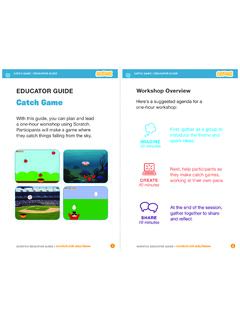
Catch Game - Massachusetts Institute of Technology
resources.scratch.mit.edua one-hour workshop using Scratch. Participants will make a game where they catch things falling from the sky. EDUCATOR GUIDE. Workshop Overview. First, gather as a group to introduce the theme and . spark ideas. SHARE . 10 minutes. Next, help participants as . they make catch games, working at their own pace. At the end of the session, gather ...
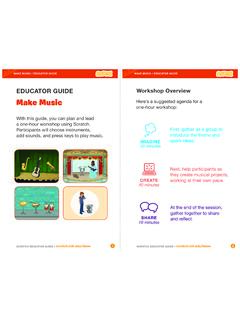
Make Music - Scratch Resources browser
resources.scratch.mit.eduCheck sound on computers or laptops 3 4 Check to make sure that the sound output is working on the computers or laptops. You may want to make headphones available (including headphone splitters to allow participants to listen together). Warm-up Activity: Repeat a Rhythm Gather the group in a circle and get ready to make music. Take
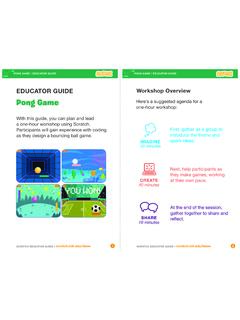
EDUCATOR GUIDE Workshop Overview
resources.scratch.mit.eduParticipants will gain experience with coding as they design a bouncing ball game. EDUCATOR GUIDE Workshop Overview First, gather as a group to ... Show the introductory video for the . Pong Game tutorial. The video shows pong games with a variety of themes, including ... For a more advanced project, try making a two-player game. To
Related documents
Global Banking Fraud Survey - assets.kpmg
assets.kpmg& account takeover, cyber attack, card not present fraud and authorized push payments scams. In this report we refer to such customer authorized payments as scams. — The largest portion of respondents globally said that the total cost, average cost and volume of internal employee fraud detected stayed the same or decreased. This may not, however,
Samsung Galaxy A01 A015V User Manual - VZW
ss7.vzw.com1. From Settings, tap Accounts and backup > Accounts. 2. Tap Add account > Google. NOTE When you sign in to a Google Account, Factory Reset Protection (FRP) is activated. FRP requires your Google Account information when resetting to factory settings. For more information, see . Factory Reset Protection.

Executive Team Meeting Agenda Template - The …
www.bridgespan.orgCredit Card Policy James - Share and update See written updates template2 Draft Accounts Payable Policy James - Share and update RSM Annual Audit Fieldwork James - Share and update New Items 2019 Employee Engagement Survey Results Overview Maria + OD Team 40 minutes Share and update None SLT Shared Administrative Assistant Maria 10 minutes ...
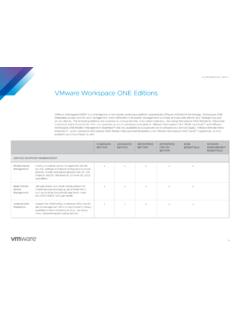
VMware Workspace ONE Editions Comparison Table
www.vmware.commobile, SaaS and virtual applications with single sign-on (SSO) with the catalog Hub service. Curate the catalog by recommending and categorizing applications. • • • • • • • People Allow employees to look up colleagues, view organization charts, view contact card, initiate calls and emails, and view your team at a glance with the ...