Example: confidence
Arlo Pro 3 User Manual
unwanted visitors. Advanced noise canceling technology also minimizes background noise for clear, two-way conversations. When your camera detects motion, it uses a WiFi link to the Arlo SmartHub to stream video to your Arlo account in the cloud. Get the Arlo app Download the Arlo app. The Arlo app lets you create an Arlo account in the cloud and
Tags:
Information
Domain:
Source:
Link to this page:
Documents from same domain
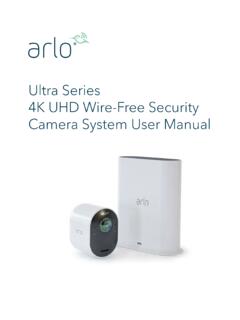
Arlo Ultra User Manual
www.arlo.comSee a full panoramic view with auto image correction that reduces the fisheye effect. The camera has an 180-degree diagonal field of view with a matching wide range for motion detection. • Noise canceling technology. Listen and speak to visitors with crystal clear, full 2-way audio that reduces wind and noise. • Auto Zoom and Tracking. Auto ...
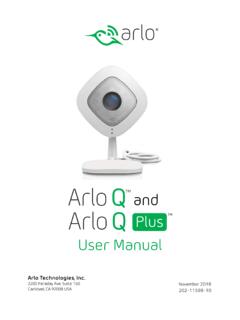
Arlo Q and Arlo Q Plus User Manual
www.arlo.com2. Connect your own Ethernet cable to the PoE adapter. 3. Connect the other end of the Ethernet cable to an Ethernet switch or a router. 4. Connect the included micro USB cable to the side of the PoE adapter. 5. Connect the other end of the micro USB cable to the USB power adapter. 6. Plug the USB adapter into a wall socket. 7.
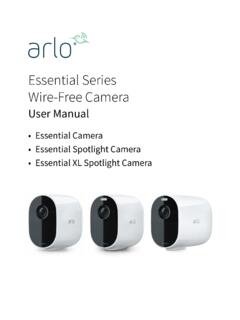
Essential Series Wire-Free Camera - Arlo
www.arlo.comArlo Essential Series Wire-Free Camera User anual 3. Tilt and swivel to adjust the camera angle. Connect an optional Essential Solar Panel (sold separately) You can use the Essential Solar Panel (VM3600) to harvest power from the sun to keep your camera battery charged. camera..

Arlo Pro 4 Wire-Free Spotlight Camera
www.arlo.com• Fast and easy wire-free set up. Magnetic mount makes it easy to install and adjust. • 160 degree view. Keep an eye on more of what matters with a wider field of view. • Magnetic charging. Fast charging cable easily snaps into place. • 2-Way Audio. Hear and speak to visitors clearly with superior audio quality. • Built in smart siren ...
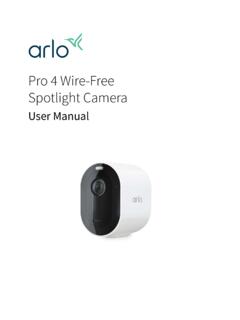
Arlo Pro 4 Wire-Free Spotlight Camera User Manual
www.arlo.comPro 4 Spotlight Camera User Manual Pro 4 Spotlight Camera features • 2K video with HDR. Zoom in on objects and see clearer details and colors in 2K HDR. • Color night vision. See what’s lurking with color night vision or black and white. • Integrated spotlight. Light up the night and ward off unwelcome guests. • Fast and easy wire ...

Protect What Matters Most - ARLO
www.arlo.comFeatures 100% Wire-Free Free of power cords and wiring hassles Weather-resistant Put Arlo anywhere—indoors or out Rechargeable Battery 2 …
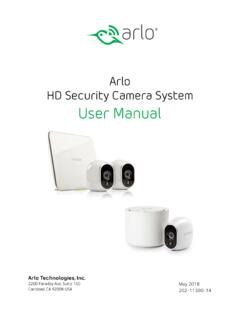
Arlo HD Security Camera System User Manual
www.arlo.comIf you are using a computer, enter arlo.netgear.com in the address bar of a browser. The Devices page displays. 2. Log in to the old Arlo account. 3. Tap or click Settings > My Devices. A list of devices including the base station and cameras displays. 4. Tap or click the camera. The settings for the camera display. 5.

Arlo Audio Doorbell and Arlo Chime User Manual
www.arlo.comchime The Arlo Audio Doorbell is compatible with AC-powered mechanical and digital chimes operating between 8-24 volts. The Arlo Audio Doorbell isn’t compatible with wireless door chimes or any chime or intercom system using a DC transformer. Set the chime switch The chime switch is located inside the Arlo Audio Doorbell. This switch is only used

Essential Video Doorbell Wired - Arlo
www.arlo.combut it can still be configured to trigger recordings on other cameras or vice versa. • Can I pair the wired Arlo Essential Video Doorbell with other Arlo cameras? ... The estimated voltage is commonly printed on transformers. This is typically accurate, but it isn’t as precise as using a multimeter. Get Started 11 Essential Video Doorbell ired

Arlo Quick Start Guide
www.arlo.com• Mount your Arlo camera at least 7 feet (2.1 meters) above the floor or ground and angle it slightly downward. • Place your camera within 10-15 feet (3.0–4.6 meters) of where motion is expected. • Make sure that side-to-side traffic crosses the camera’s field of view. • The best area for motion detection is 5 to
Related documents

CHAPTER 12: Information and Communications Technology
www.afdb.orgBox 12.1: Goals of the Connect Africa Summit (Kigali, 2007) ... Information and Communications Technology Zimbabwe Report 3 ministries, including the Ministry of Science and Technology, the Ministry of Media, the ... new ICT bill to be clear about these issues.

SECONDARY SCHOOL GRADE 7 Information Technology …
ccti.colfinder.orgInformation Technology Curriculum Guides, Grades 7 to 11, were produced in 1999. ... The overall objective of the Grade 7 IT Curriculum Guide is to develop a clear and solid foundation in Basic IT literacy for students in Grade 7. ... students to become familiar and comfortable with how the computers connect and communicate with each other on ...

2.4 GHz Wireless Technology - Logitech
www.logitech.comGHz technology, which uses sophisticated techniques to optimize wireless transmissions. With features ... cordless devices offer clear advantages and can increase business productivity. ... press the mini-receiver green connect button once and then press the keyboard green
Using Connectivism Theory in the Classroom
www.nactateachers.orginstructional theory. Regardless of a person’s conclusion on the matter, it’s clear that technology has changed how we learn in the classroom as well as outside of the classroom. Connectivism is defined as “actionable knowledge, where an understanding of where to find knowledge may be more important than answering how or what that knowledge

5G-Advanced Technology Evolution from a Network ...
www-file.huawei.comIn addition, DT (Data Technology) technology will also inject new impetus into network evolution. The development foundation of the digital economy is a massive connection, digital extraction, data modeling, and analysis and judgment. Combining 5G network with big data, AI (Artificial Intelligence), and other technologies can achieve more

INFORMATION AND COMMUNICATION TECHNOLOGY (ICT) …
uis.unesco.orgTarget 2. Connect all secondary schools and primary schools with ICT 1. Proportion of schools with a radio used for educational purposes 2. Proportion of schools with a television used for educational purposes 3. Learner-to-computer ratio 4. Proportion of schools with Internet access, by type of access Target 7.
ADVANCED DIAGNOSTIC SUPPORT WITH TECHLINE …
www.acdelco.comTechline Connect (formerly TIS2Web) is the internet-based subscription service for GM vehicle calibrations, Global Diagnostic System software, and scan tool hardware updates. This single application covers all technical problems accurately and efficiently by integrating Service Inf ormation, programming, and scan tool