Example: bachelor of science
Back-UPS ES 750 - APCGuard.com
not a surge protector or power strip. ... over-voltages), these outlets will be powered for a limited time by the Back-UPS ES. Plug your computer, monitor, CD-ROM drive and one other data-sensitive device such as ... Network Surge Protection 10/100Base-T Ethernet
Tags:
Information
Domain:
Source:
Link to this page:
Documents from same domain
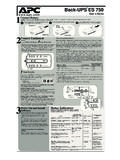
Back-UPS ES 750 - APCGuard.com
www.apcguard.comBack-UPS ES 750 User’s Guide 1 2 3 Connect Battery Power On and Install Software Surge Protection These outlets provide full-time protection from surges even if the Back-UPS ES
Uninterruptible Power Supply - APC UPS, APC …
www.apcguard.comSmart-UPS C 1000/1500 VA 120/230 Vac Rack-Mount 2U 1 Product Description The APC ™ by Schneider Electric Smart-UPS™ is a high performance uninterruptible power supply (UPS).

APC SmartAPC Smart---UPSUPS - APC UPS, APC …
www.apcguard.com990-1704 01/2004 User Manual English APC SmartAPC Smart---UPSUPS 1500/3000 VA 120/230 Vac 1500/3000 VA 120/230 Vac ModularModular Uninterruptible Power Supply Uninterruptible Power Supply
User Manual English - APC UPS, APC Battery …
www.apcguard.com990-8500 03/2007 APC Smart-UPS® 5000 VA 208/230 Vac Tower/Rack-Mount 5U Uninterruptible Power Supply User Manual English
User Manual English - APC UPS, APC Battery …
www.apcguard.com990-2404 06/2005 APC Smart-UPS XL 2200/3000 VA 120/230 VAC Rack Mount 3U Uninterruptible Power Supply User Manual English
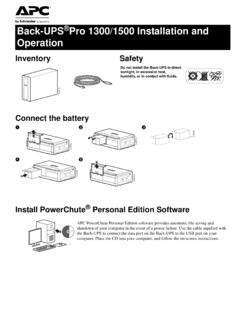
Back-UPS Pro 1300/1500 Installation and Operation
www.apcguard.comBack-UPS® Pro Installation and Operation 3 Operation Power-Saving Function To conserve electricity, configure the Back-UPS to recognize a Master device, such as a desktop computer or an A/V receiver, and Controlled peripheral devices, such as a printer, speakers, or a scanner.

PowerChute Business Edition - APCGuard.com
www.apcguard.com2 PowerChute Business Edition Components PowerChute Business Edition Agent Provides UPS status monitoring and, in the event of an extended power outage, system
PowerChute Business Edition - APC UPS, APC …
www.apcguard.comContents i Getting Started Guide 1 PowerChute Business Edition Components 2 Installation Procedure 3 STEP 1: Install the PowerChute Business Edition Agent 3
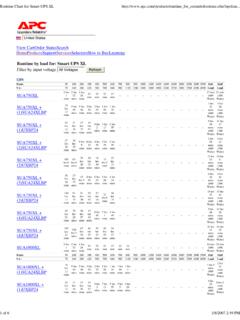
Runtime Chart for Smart-UPS XL - APCGuard.com
www.apcguard.comRuntime Chart for Smart-UPS XL http://www.apc.com/products/runtime_for_extendedruntime.cfm?upsfam... 1 of 6 1/8/2007 2:49 PM United States View CartOrder StatusSearch
User Manual English - APC UPS, APC Battery Replacement ...
www.apcguard.comSmart-UPS XL 2200/3000 VA 120/230 VAC 3U Rack Mount User Manual 5 Start Up Accessories This UPS is equipped with an accessory SmartSlot. Refer to the …
Related documents

Product Information Guide - Lexmark
publications.lexmark.comCAUTION—POTENTIAL INJURY: Only a Lexmark Inline Surge Protector that is properly connected between the printer and the power cord provided with the printer may be used with this product. The use of non-Lexmark surge protection devices may result in a risk of fire, property damage, or poor printer performance.
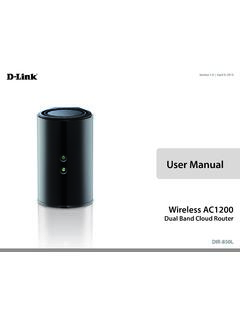
User Manual - D-Link
www.dlink.com.my3 LAN Ports (1-4) Connect 10/100/1000 Ethernet devices such as computers, switches, storage (NAS) devices, and game consoles. 4 Internet Port Using an Ethernet cable, connect your broadband modem to this port. 5 Power Button Press the power button to power on and off. 6 Power Receptor Receptor for the supplied power adapter.

PowerLINE 2000 Adapters - Netgear
www.downloads.netgear.coma lot of power, such as washers, dryers, or refrigerators. Interference from these appliances might prevent PowerLINE products from working correctly or reduce PowerLINE network performance. • Do not plug PowerLINE products into a power strip, extension cord, or …