Example: air traffic controller
BIOS Setting Guide - GIGABYTE
Platform Controller Hub additional features configuration. Boot This setup page provides items for configuration of boot sequence. Security ... Intel Rapid Start Technology Enables BRIX to get up and running faster from the deepest sleep, saving time and power consumption.
Tags:
Information
Domain:
Source:
Link to this page:
Documents from same domain

Configuring a RAID Set (Z590 Series)
download.gigabyte.comthe power connectors from your power supply to the hard drives. RAID 0 RAID 1 RAID 5 RAID 10 Minimum ... An M.2 PCIe SSD cannot be used to set up a RAID set either with an M.2 SATA SSD or a SATA hard drive. ... launch the Intel® Optane™ Memory and Storage Management utility from the Start menu. Step 1: Go to the Manage menu and click Rebuild ...
Configuring Audio Input and Output 2
download.gigabyte.comThe recordings will saved in Documents>Sound Recordings. Voice Recorder records audio in MPEG-4 (.m4a) format. You can play the recording with a digital media player program that supports the audio file format. After setting up the audio input device, to open the Voice Recorder, go to the Start menu and search for Voice Recorder.

Configuring a RAID Set - GIGABYTE
download.gigabyte.comA recovery volume and a RAID array cannot co-exist in the system at the same time, that is, if you have already created a recovery volume, you are unable to create a RAID array. • By default, only the master drive can be viewed in the operating system; the recovery drive is hidden. ...

Configuring a RAID Set (B450 Series)
download.gigabyte.comTo delete a RAID array, select the array to be deleted on the RAIDXpert2 Configuration Utility\Array Management\Delete Array screen. Press <Enter> on Delete Array to enter the Delete screen. Then set Confirm to Enabled and press <Enter> on Yes (Figure 8). Figure 8

Configuring Audio Input and Output 2
download.gigabyte.comB. Playing the Recorded Sound The recordings will saved in Documents>Sound Recordings. Voice Recorder records audio in MPEG-4 (.m4a) format. You can play the recording with a digital media player program that supports the audio file format. After setting up the audio input device, to open the Voice Recorder, go to the Start menu and search for

Unique Features (X570 Series) - GIGABYTE
download.gigabyte.cominstructions to complete. 2. Update the BIOS without Using the Internet Update Function: Click Update from File, then select the location where you save the BIOS update file obtained from the Internet or through other source. Follow the on-screen instructions to complete. 3. Save the Current BIOS File: Click Save to File to save the current ...

User's Manual - GIGABYTE
download.gigabyte.com* Due to a Windows 32-bit operating system limitation, when more than 4 GB of physical ... BIOS 1 x 64 Mbit flash Use of licensed AMI UEFI BIOS PnP 1.0a, DMI 2.7, WfM 2.0, SM BIOS 2.7, ACPI 5.0 ... Support for Q-Flash Support for Smart Switch
BIOS Setup - GIGABYTE
download.gigabyte.comA user password only allows you to view the BIOS settings but not to make changes. Server Management Server additional features enabled/disabled setup menus. Boot This setup page provides items for configuration of boot sequence. Exit Save all the changes made in the BIOS Setup program to the CMOS and exit BIOS Setup. (Pressing

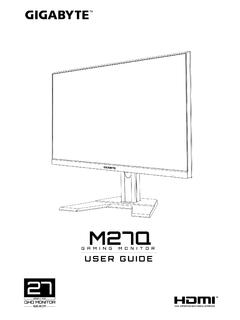
G32QC - GIGABYTE
download.gigabyte.comNote: The default Profile folder is located at the OSDsidekick installation path. D Click and do any of the following to customize the profile: - Rename the profile. - Click to modify the profile picture. Browse for the picture, and click OK to upload. - Click to confirm the modifications. - Click to reject the modifications.
Copyright
download.gigabyte.comAddress: 17358 Railroad street, City Of Industry, CA91748 Tel.: 1-626-854-9338 Internet contact information: https://www.gigabyte.com FCC Compliance Statement: This device complies with Part 15 of the FCC Rules, Subpart B, Unintentional Radiators. Operation is subject to the following two conditions: (1) This device
Related documents
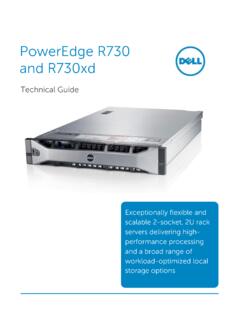
PowerEdge R730 and R730xd - Dell
i.dell.comIntel C610 series chipset The R730 and R730xd servers use the Intel Platform Controller Hub (PCH) chip. 2133MT/s DDR4 memory Certain models of E5-2600 v3 processors support 2133MT/s memory. The R730 and R730xd support three DIMMs per channel at 1866MT/s with these processors. See the Memory section for details.

Introduction to Intel® Architecture
www.intel.comGenerally speaking, every Intel architecture hardware platform will include two major components: the microprocessor chip, and a companion chip known as the platform controller hub (PCH). In earlier times, Intel® processors were paired with two companion chips, often called the “north bridge” and *

Intel® Desktop Board DH61CR Product Guide
www.intel.comChipset Intel® H61 Express Chipset consisting of the Intel® H61 Express Platform Controller Hub (PCH) Memory Support • Two 240-pin DDR3 SDRAM Dual Inline Memory Module (DIMM) sockets • Support for DDR3 1333 MHz and DDR3 1066 MHz DIMMs • Support for 1 Gb, 2 Gb, and 4 Gb memory technology

Dell EMC PowerEdge R640 Technical Guide
i.dell.comIntel® C620 series chipset The R640 system uses the Intel Lewisburg chip. It is a 2 chip platform - CPU and PCH. 2933 MT/s DDR4 memory The Intel® Xeon® Scalable Processor product family that supports 2933 MT/s memory and twenty-four 288-pin DIMMs. The R640 system supports: Two DIMMs per channel for single ‐ rank and/or dual ‐ rank DIMMs