Example: biology
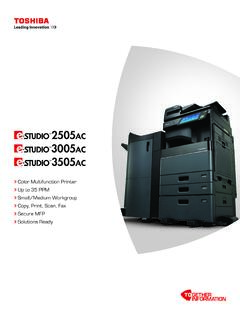
Color Multifunction Printer Copy, Print, Scan, Fax ...
Account Control Up to 10,000 users or 1,000 Departments Supports User Authentication (on Device), Login Name/Password (via Windows domain) or Login Name/ Password (via LDAP Server) for Copy, Print, Scan, Fax, List, and User Function Accessibility Features Tilt Front Panel, Job Programs, Universal Grip for Paper Trays, Disable Screen
Tags:
Information
Domain:
Source:
Link to this page:
Documents from same domain
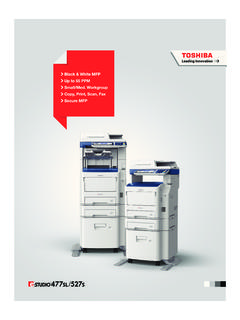
Black & White MFP Up to 55 PPM Small/Med. …
business.toshiba.comBlack & White MFP Up to 55 PPM Small/Med. Workgroup Copy, Print, Scan, Fax Secure MFP
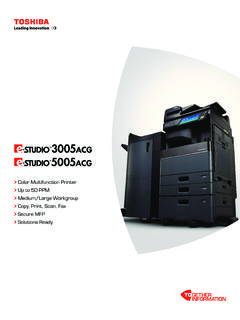
Color Multifunction Printer Copy, Print, Scan, Fax ...
business.toshiba.comPrint Around eliminates printing bottlenecks by ... • EPEAT Gold Registered in the global registry for ... Designs and specifications subject to change without notice. For best results and reliable performance, always use …
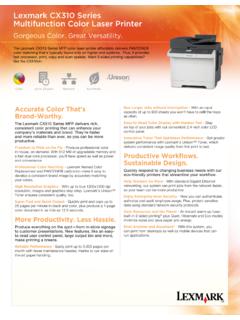
Lexmark CX310 Series Multifunction Color Laser Printer
business.toshiba.comThe Lexmark CX310 Series MFP color laser printer affordably delivers PANTONE® color matching that’s typically found only on higher-end systems.
MULTIFUNCTIONAL DIGITAL SYSTEMS Copying Guide
business.toshiba.comPreface 1 Preface Thank you for purchasing TOSHIBA Multifunctional Digital Systems. This manual describes how to use the copying functions. Read this manual before using this equipment.
MULTIFUNCTIONAL DIGITAL SYSTEMS Troubleshooting Guide
business.toshiba.comPreface 1 Preface Thank you for purchasing TOSHIBA Multifunctional Digital Systems. This manual describes how to troubleshoot the problems that could occur while you are using the equipment.
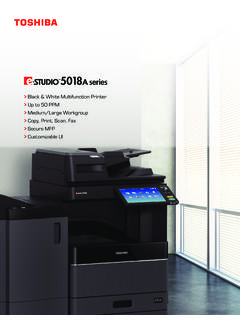
Black & White Multifunction Printer Up to 50 PPM Medium ...
business.toshiba.comA COMPACT DESIGN THAT LEAVES NOTHING OUT. Workgroups can now get a lot more done using fewer resources and less space. The compact design of the e-STUDIO5018A Series is
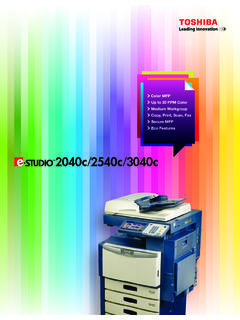
Color MFP Up to 30 PPM Color Medium Workgroup Copy, …
business.toshiba.comColor MFP Up to 30 PPM Color Medium Workgroup Copy, Print, Scan, Fax Secure MFP Eco Features
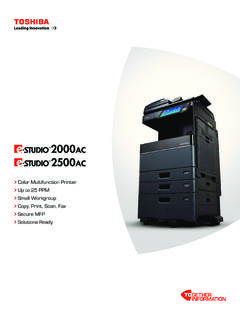
Color Multifunction Printer Copy, Print, Scan, Fax ...
business.toshiba.comSimple, smart and stylish. A new 9” tablet-style touch screen with an embedded web browser is easy to use and customizable to meet your needs.
Color Multifunction Printer Copy, Print, Scan, Fax ...
business.toshiba.comColor Multifunction Printer Up to 35 PPM Copy, Print, Scan, Fax Secure MFP Solutions Ready. Technology for every office, delivering advanced functionality, ease of use and peace of mind. Every industry has unique workflow needs. Toshiba has ... developed solutions or even third-party applications. 1 2 4 3
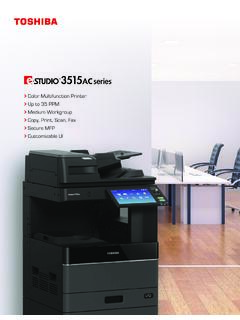
Color Multifunction Printer Up to 35 PPM Copy, Print, Scan ...
business.toshiba.comToshiba’s seamless integration with third-party solutions and the use of embedded web browser technology. Toshiba’s exclusive e-BRIDGE Print & Capture application enables mobile device users to take . advantage of the broad feature set of the …
Related documents
Frequently asked questions on dogging and rigging ...
www.dmp.wa.gov.au• erecting precast tilt-up concrete panels and structural steel • installing static lines and safety nets • erecting cranes, conveyors, dredges or excavators • demolishing a building or structure • coordinating a multi-crane lift • erecting suspended or fabricated hung scaffolding. In all cases, the job needs to be
AIRO Micro Strike - hubbellcdn
hubbellcdn.comincrements) or exchangeable for job site fine-tuning • 3000K, 4000K, or 5000K (70 CRI) CCT • 80, 160, or 320 midpower LEDs • 52.225-11 Buy American-Construction 3000K, 4000K or 5000K (70 CRI) CCT • Zero uplight at 0 degrees of tilt • Field rotatable optics INSTALLATION • Tool-less entry to wiring/driver compartment optional
Frequently asked questions on dogging and rigging ...
www.dmp.wa.gov.au• erecting precast tilt-up concrete panels and structural steel • installing static lines and safety nets • erecting cranes, conveyors, dredges or excavators • demolishing a building or structure • coordinating a multi-crane lift • erecting suspended or fabricated hung scaffolding. In all cases, the job needs to be
Display screen equipment (DSE) workstation checklist
www.hse.gov.ukTilt need not be built in Is it possible to find a comfortable keying position? Try pushing the display screen further back to create more room for the keyboard, hands and wrists. Users of thick, raised keyboards may need a wrist rest. Does the user have good keyboard technique? Training can be used to prevent: hands bent up at the wrist;