Example: marketing
Copyright
European Union (EU) RoHS (recast) Directive 2011/65/EU & the European Commission Delegated Directive (EU) 2015/863 Statement GIGABYTE products have not intended to add and safe from hazardous substances (Cd, Pb, Hg, Cr+6, PBDE, PBB, DEHP, BBP, DBP and DIBP). The parts and components have been carefully selected to meet RoHS requirement.
Tags:
Information
Domain:
Source:
Link to this page:
Documents from same domain
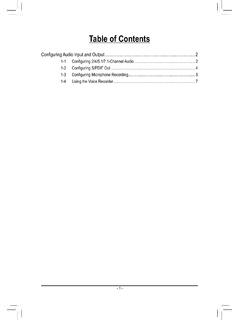
Configuring Audio Input and Output 2
download.gigabyte.comThe recordings will saved in Documents>Sound Recordings. Voice Recorder records audio in MPEG-4 (.m4a) format. You can play the recording with a digital media player program that supports the audio file format. After setting up the audio input device, to open the Voice Recorder, go to the Start menu and search for Voice Recorder.

Configuring a RAID Set - GIGABYTE
download.gigabyte.comA recovery volume and a RAID array cannot co-exist in the system at the same time, that is, if you have already created a recovery volume, you are unable to create a RAID array. • By default, only the master drive can be viewed in the operating system; the recovery drive is hidden. ...

Configuring a RAID Set (B450 Series)
download.gigabyte.comTo delete a RAID array, select the array to be deleted on the RAIDXpert2 Configuration Utility\Array Management\Delete Array screen. Press <Enter> on Delete Array to enter the Delete screen. Then set Confirm to Enabled and press <Enter> on Yes (Figure 8). Figure 8

Configuring Audio Input and Output 2
download.gigabyte.comB. Playing the Recorded Sound The recordings will saved in Documents>Sound Recordings. Voice Recorder records audio in MPEG-4 (.m4a) format. You can play the recording with a digital media player program that supports the audio file format. After setting up the audio input device, to open the Voice Recorder, go to the Start menu and search for

Unique Features (X570 Series) - GIGABYTE
download.gigabyte.cominstructions to complete. 2. Update the BIOS without Using the Internet Update Function: Click Update from File, then select the location where you save the BIOS update file obtained from the Internet or through other source. Follow the on-screen instructions to complete. 3. Save the Current BIOS File: Click Save to File to save the current ...

User's Manual - GIGABYTE
download.gigabyte.com* Due to a Windows 32-bit operating system limitation, when more than 4 GB of physical ... BIOS 1 x 64 Mbit flash Use of licensed AMI UEFI BIOS PnP 1.0a, DMI 2.7, WfM 2.0, SM BIOS 2.7, ACPI 5.0 ... Support for Q-Flash Support for Smart Switch
BIOS Setup - GIGABYTE
download.gigabyte.comA user password only allows you to view the BIOS settings but not to make changes. Server Management Server additional features enabled/disabled setup menus. Boot This setup page provides items for configuration of boot sequence. Exit Save all the changes made in the BIOS Setup program to the CMOS and exit BIOS Setup. (Pressing

G32QC - GIGABYTE
download.gigabyte.comNote: The default Profile folder is located at the OSDsidekick installation path. D Click and do any of the following to customize the profile: - Rename the profile. - Click to modify the profile picture. Browse for the picture, and click OK to upload. - Click to confirm the modifications. - Click to reject the modifications.

Configuring a RAID Set (Z590 Series)
download.gigabyte.comthe power connectors from your power supply to the hard drives. RAID 0 RAID 1 RAID 5 RAID 10 Minimum ... An M.2 PCIe SSD cannot be used to set up a RAID set either with an M.2 SATA SSD or a SATA hard drive. ... launch the Intel® Optane™ Memory and Storage Management utility from the Start menu. Step 1: Go to the Manage menu and click Rebuild ...

GAMING MONITOR - GIGABYTE
download.gigabyte.comD Click the q icon to select the available option. • All the changes will be applied directly to the monitor. DISPLAY SETTING Configure the game, image, multi-picture, Dashboard, and Game Assist related settings. Gaming & Picture PIP/PBP Game Assist Dashboard Picture Mode Crosshair Configuring the Picture Mode Profiles
Related documents
PRINTER: Replace this box with Printed- In (PI) Statement ...
h10032.www1.hp.comNOTE: This box is simply a placeholder. PI Statement(s) do not have to fit inside the box but should be placed in this area. ... and wireless regulatory notices and compliance information for your ... RoHS Directive 2011/65/EU. Compliance with these directives is assessed using applicable European Harmonised Standards. Radio frequency bands and ...
Optix Series - download.msi.com
download.msi.comRoHS Statement vii ... In compliance with chemical substances regulations, such as the EU REACH Regulation (Regulation EC No 1907/2006 of …
Optix Series - download.msi.com
download.msi.comIn compliance with chemical substances regulations, such as the EU REACH Regulation ... RoHS Statement Japan JIS C 0950 Material Declaration A Japanese regulatory requirement, defined by specification JIS C 0950, mandates that manufacturers provide material declarations for certain categories of electronic
ON RoHS Statement - ON Semiconductor
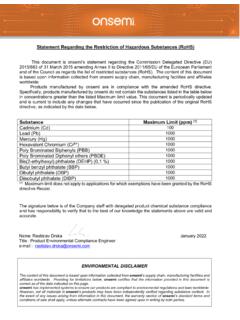
www.onsemi.comStatement Regarding the Restriction of Hazardous Substances This document is ON Semiconductor’s statement regarding the Commission Delegated Directive (EU) 2015/863 of 31 March 2015 amending Annex II to Directive 2011/65/EU of the European Parliament and of the Council as regards the list of restricted substances (RoHS).
Use of SY, CY and YY Cables in UK-based Fixed Installation ...
www.elandcables.comInsulation Resistance Testing to BS EN 50395 RoHS Compliance Testing to BS EN 62321-3-1:2014 . It is these tests, performed in an ISO 17025 UKAS accredited laboratory, which attest to the quality (and therefore safety) of our cables. This is demonstrated by certification to the BSI Cable Batch Verification Kitemark™.
Using the Material Declaration Form (MDF) - Intel
www.intel.comSupplier Environmental Compliance Requirements Intel’s Expectations: • Suppliers are required to provide a material declaration form for each part, product or product family supplied to Intel, which includes disclosures for RoHS, REACH, Low …

Intel® Desktop Board DQ57TM Product Guide
www.intel.comCanadian Department of Communications Compliance Statement This digital apparatus does not exceed the Class B limits for radio noise emissions from digital apparatus set out in the Radio Interference Regulations of the Canadian Department of Communications.

System Administration Guide - Spiceworks
static.spiceworks.comin this document, such compliance is not a warranty and is based solely on Epicor's current understanding of such laws and requirements. All laws and requirements are subject to varying interpretations as well as to change and accordingly Epicor cannot guarantee that the software will be compliant and up to date with such changes. All statements of

Termination SMA ANNE-50+ - Mini-Circuits
www.minicircuits.comNotes A. Performance and quality attributes and conditions not expressly stated in this speci˜cation document are intended to be excluded and …