Example: confidence
Creating a Research Poster in PowerPoint
• In PowerPoint, open a New Presentation and go to PAGE SETUP under the File Menu • Slide sized for: Custom • Page setup does not accommodate the actual size of a poster, so you’ll enter a page size that is 50% of the final product. Enter a width of no more than 28” and a height of no more than 22”. Click OK.
Tags:
Information
Domain:
Source:
Link to this page:
Documents from same domain
Quick Introduction to Phase Margin - Brown …
www.brown.edu(dB) Frequency (Hertz) Open Loop Gain and Phase of Oscillator Circuit Open Loop Gain in dB Zero Phase Frequency (450 KHz) Phase Shift in Degrees Phase margin is minus ... Microsoft PowerPoint - Quick Introduction to Phase Margin…
Chapter 2 Review of Forces and Moments - Brown …
www.brown.eduChapter 2 Review of Forces and Moments 2.1 Forces In this chapter we review the basic concepts of forces, and force laws. Most of this material is identical
THE MENTAL STATUS EXAMINATION - Brown …
www.brown.eduTHE MENTAL STATUS EXAMINATION Robert M. House M.D. 1. What is the mental status examination? The mental status examination (MSE) is a component of all

ACTION
www.brown.edureferences, and ways to obtain more information are provided in each booklet. Table of Contents ... Action research is a process in which participants examine
Agilent InfiniiVision 2000 X-Series Oscilloscopes …
www.brown.edu4 Agilent InfiniiVision 2000 X-Series Oscilloscopes User's Guide the screen on a different monitor. An MSO lets you debug your mixed-signal designs using analog signals

Mentoring Program Models - Brown University
www.brown.eduCommission on Professionals in Science and Technology Mentoring Program Models Lisa M. Frehill, Ph.D. Executive Director
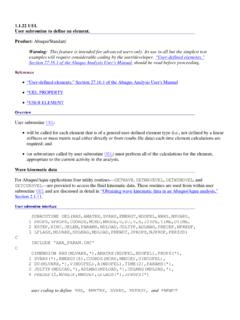
1.1.22 UEL User subroutine to define an element. …
www.brown.edu1.1.22 UEL User subroutine to define an element. Product: Abaqus/Standard Warning: This feature is intended for advanced users only.Its use in …
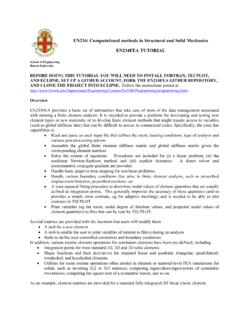
EN234: Computational methods in Structural and …
www.brown.eduEN234: Computational methods in Structural and Solid Mechanics . EN234FEA TUTORIAL . ... explicit dynamics.
Critical Path Analysis & PERT Charts (taken from …
www.brown.eduCritical Path Analysis & PERT Charts (taken from www.business.com. - Planning and scheduling more complex projects Critical Path Analysis and PERT are powerful tools that help you to schedule and manage
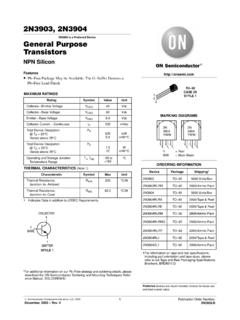
2N3903, 2N3904 General Purpose Transistors - …
www.brown.edu2N3903, 2N3904 http://onsemi.com 3 Figure 1. Delay and Rise Time Equivalent Test Circuit Figure 2. Storage and Fall Time Equivalent Test Circuit +3 V
Related documents

10 POWERPOINT Making interactive, non-linear slide …
sites.pitt.eduLesson 10: PowerPoint Presentations Beyond the Basics 313 PowerPoint displays the Action Settings dialog box (Fig. 10.4). Fig. 10.4 The Action Settings dialog box (If you don’t see the Action Settings dialog box, right click on the Action Button and, from the pop up context menu, select Edit Hyperlink… You want the Action Button to go from the Title slide to the Next Slide, …
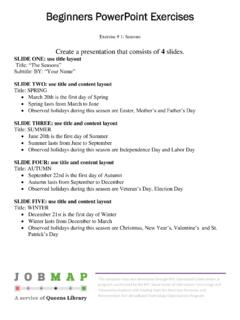
Beginners PowerPoint Exercises - JobMap
jobmap.queenslibrary.orgBeginners PowerPoint Exercises This computer class was developed through NYC-Connected Communities, a program coordinated by the NYC Department of Information Technology and Telecommunications with funding from the American Recovery and Reinvestment Act’s Broadband Technology Opportunities Program Exercise # 1: Seasons
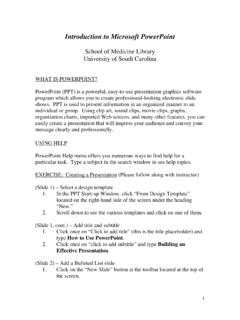
Introduction to Microsoft PowerPoint
uscm.med.sc.eduPowerPoint (PPT) is a powerful, easy-to-use presentation graphics software program which allows you to create professional-looking electronic slide shows. PPT is used to present information in an organized manner to an individual or group. Using clip …

Sample Rubric for PowerPoint Presentation
www.scholastic.comSample Rubric for PowerPoint Presentation Author: jessikle Subject: Sample rubric to outline the quality, content, and effectiveness expected of a well-constructed presentation as opposed to a weak one Created Date: 9/24/2004 10:59:23 AM
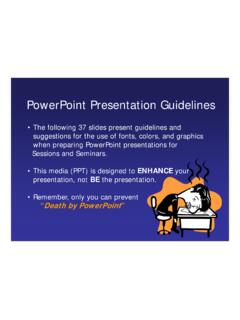
PowerPoint Presentation Guidelines - McGill University
www.mcgill.caPowerPoint Layout. Fonts • Font Style Should be Readable –Recommended fonts: Arial, Tahoma, Veranda • Standardize the Font Throughout –This presentation is in Tahoma Do ! • This is a good title size Verdana 40 point • A good subtitle or bullet point size Verdana 32 point