Example: quiz answers
Creating a Research Poster in PowerPoint
• Click AutoShapes in the Drawing toolbar, point to Lines, and then click the line style you want. • Drag to draw the line. To constrain the line to draw at 15-degree angles from its starting point, hold down SHIFT as you drag. To lengthen the line in opposite directions from the first end point, hold down CTRL as you drag.
Tags:
Information
Domain:
Source:
Link to this page:
Documents from same domain
Chapter 2 Review of Forces and Moments - Brown …
www.brown.eduChapter 2 Review of Forces and Moments 2.1 Forces In this chapter we review the basic concepts of forces, and force laws. Most of this material is identical
THE MENTAL STATUS EXAMINATION - Brown …
www.brown.eduTHE MENTAL STATUS EXAMINATION Robert M. House M.D. 1. What is the mental status examination? The mental status examination (MSE) is a component of all

ACTION
www.brown.edureferences, and ways to obtain more information are provided in each booklet. Table of Contents ... Action research is a process in which participants examine
Agilent InfiniiVision 2000 X-Series Oscilloscopes …
www.brown.edu4 Agilent InfiniiVision 2000 X-Series Oscilloscopes User's Guide the screen on a different monitor. An MSO lets you debug your mixed-signal designs using analog signals

Mentoring Program Models - Brown University
www.brown.eduCommission on Professionals in Science and Technology Mentoring Program Models Lisa M. Frehill, Ph.D. Executive Director
1.1.22 UEL User subroutine to define an element. …
www.brown.edu1.1.22 UEL User subroutine to define an element. Product: Abaqus/Standard Warning: This feature is intended for advanced users only.Its use in …
EN234: Computational methods in Structural and …
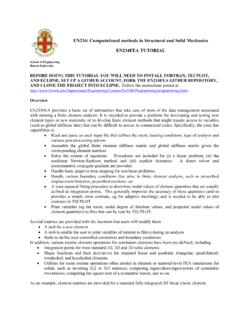
www.brown.eduEN234: Computational methods in Structural and Solid Mechanics . EN234FEA TUTORIAL . ... explicit dynamics.
Quick Introduction to Phase Margin - Brown …
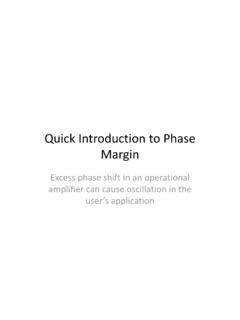
www.brown.edu(dB) Frequency (Hertz) Open Loop Gain and Phase of Oscillator Circuit Open Loop Gain in dB Zero Phase Frequency (450 KHz) Phase Shift in Degrees Phase margin is minus ... Microsoft PowerPoint - Quick Introduction to Phase Margin…
Critical Path Analysis & PERT Charts (taken from …
www.brown.eduCritical Path Analysis & PERT Charts (taken from www.business.com. - Planning and scheduling more complex projects Critical Path Analysis and PERT are powerful tools that help you to schedule and manage
2N3903, 2N3904 General Purpose Transistors - …
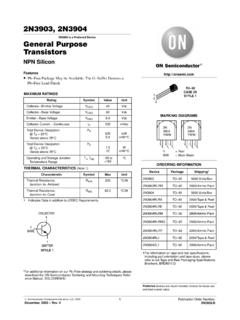
www.brown.edu2N3903, 2N3904 http://onsemi.com 3 Figure 1. Delay and Rise Time Equivalent Test Circuit Figure 2. Storage and Fall Time Equivalent Test Circuit +3 V
Related documents

F l y e r s w r i t i n g s k i l s - World of Fun | Home
worldoffun.cambridge.orgWords to describe pictures 2 Completing sentences 3 Making sentences longer 4 Focus on a picture 5 Write about differences 6 Finish a story 7 Complete a story 8 ... Draw lines from each sentence to the people and things in the picture. Example A …
Interpreting Childrens Human Figure Drawings
www.gwinnett.k12.ga.usMany elementary school students willingly draw pictures at the request of a school counselor or other adult. Around 10 years of age, children begin to become dissatisfied, discouraged and self-critical with their drawing attempts, probably because they are unable to draw …
PRACTICE, Grade K
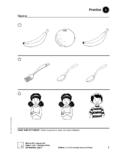
teacherlink.ed.usu.eduAt Home: Draw a picture of yourself doing something that you wish you could do. McGraw-Hill Language Arts Grade K, Unit 1, Study Skills, 4 page 6 Practice Name 4 MAKING LISTS Draw lines to show what each person at the left might be wishing for.
Visual Basic Programming - Baylor University
cs.baylor.eduH You draw pictures of your user interface. H You draw buttons, text boxes, and other user-interface items. H You add little snippets of code to handle the user interaction. H You add initialization code, usually as the last step. H If you like, you can code more complex functions. (But many do not.)
ORBITALS and MOLECULAR REPRESENTATION
www.smallscalechemistry.colostate.eduNext we show the phase pictures of combining the sp hybrid orbitals with fi rst one and then both of the remaining p orbitals. Phase pictures. loop Diagram Axes for you to draw the loop diagram. You will also see these orbitals in greyscale, without phases. We use reddish grey for unhybridized orbitals and plain gray for for hybridized orbitals. 2s
Chapter 2: Frequency Distributions and Graphs (or making ...
math.ucdenver.eduFrequency Polygon – a graph that displays the data by using lines that connect points plotted for the frequencies at the midpoints of the classes. The frequencies are represented by the heights of the points. Steps: 1. Find the midpoint of each class (by averaging the class boundaries). 2. Draw the x and y axes.
How to create a multi-level house in Sweet Home 3D
www.sweethome3d.comTo draw the first raised floor, load the Layer 0 file again. Because the first floor will consist of two blocks, you will need to save the file twice, as Layer 1a and as Layer 1b. Using the file Layer 1a delete all features in the right part of your design. Repeat the process using
A Guide to Reading and Understanding the EKG
www.columbia.eduAs an example of using the mnemonic, in the segment of the EKG below, start at the QRS that lines up with the vertical line at "0". Now counting back each vertical line to the previous EKG "300-150-100" we notice the HR to be slightly less than 100 (probably around 90-95). Figure 2 - Determining the Rate