Example: marketing
CTX700 EN - CASIO Official Website
Function Transmitted Recognized Remarks Basic Channel 1 1 - 16 1 - 16 1 - 16 Default Changed Note Number 0 - 127 0 - 127 * 1 12 - 120 True voice ProgramChange
Tags:
Information
Domain:
Source:
Link to this page:
Documents from same domain

CTK2080 CTK2200 CTK2300 CTK3200 e - …
support.casio.comGeneral Guide E-4 Use the number buttons and the [–] and [+] keys to change the settings of the parameters that appear in the upper left area of the display.

© 2014 CASIO COMPUTER CO., LTD. Operation …
support.casio.comOperation Guide 5146 5425 E-10 3. Press & to change the fl ashing screen content in the sequence shown below to select the other settings. Seconds

© 2016 CASIO COMPUTER CO., LTD. Operation …
support.casio.comOperation Guide 5229 5518 E-9 To set the digital time and date 1. In the Timekeeping Mode, hold down A for about three seconds until the currently selected city code flashes in

fx-570ES PLUS fx-991ES PLUS Users Guide Eng
support.casio.comE fx-570ES PLUS fx-991ES PLUS User’s Guide CASIO Worldwide Education Website http://edu.casio.com CASIO EDUCATIONAL FORUM http://edu.casio.com/forum/

FC-200V 100V Users Guide Eng - CASIO Official …
support.casio.comE-1 About this Manual • This User’s Guide covers use and operation of the CASIO FC-200V and FC-100V. Operations apply to both models, except in cases indicated by the text “FC-200V only”.

START 1. RÜCKSETZEN L HS-70W VORGANG …
support.casio.comENGLISH Timekeeping Mode Stopwatch Mode Recall Mode Press . Press . Year Month Day Second Minute Seconds Time Display Stopwatch Display Minutes

Operation Guide 3054 - support.casio.com
support.casio.comOperation Guide 3054 1 MO0606-EA Getting Acquainted Congratulations upon your selection of this CASIO watch. To get the most out of …

MA1703-EA Operation Guide 5444/5524 - …
support.casio.comOperation Guide 5444/5524 E-29 x You can use the procedure under “To turn auto receive on and off” (page E-34) to enable or disable auto receive.

User's Manual SE-G1 - support.casio.com
support.casio.comE-4 •ongratulations upon your selection of this CASIO product. Be sure to read the C following safety precautions before using it for the first time.

fx-9860GII SD 9860GII 9860G AU PLUS ... - …
support.casio.comSitio web educativo para todo el mundo de CASIO http://edu.casio.com Los manuales están disponibles en varios idiomas en http://world.casio.com/manual/calc
Related documents

Army Training Requirements and Resource System Brigade ...
home.army.mil•C8–Course Function (MTSA Flag) IAW HQDA EXORD ATRRS ... Violations/Logon ID Suspension and follow instructions to clear yourself. Navigating ATRRS. TSB mailbox: usarmy.jblm.imcom.mbx.dptms-itb@mail.mil ... select a class, click the button under the bull's-eye then go to RC.
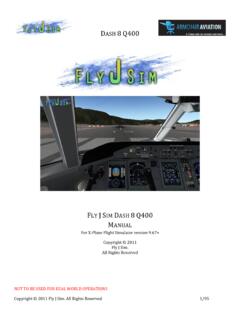
FJS-Dash 8 Q400 Manual - خط الطيران Flying Way
air.flyingway.com5. Pressing this Random button will randomly set up the seat configuration. 6. This is the Center of Gravity indicator. It is shown as a percentage of the M.A.C, which stands for mean aerodynamic chord. This will dynamically change based on the seating arrangement, cargo hold loads and

User Guide English ( 2 – 48 ) Appendix English ( 49 - 52 )
m-audio.comButton. To set the keyboard to operate in Preset Mode, press the DAW/Preset Button. The button will be lit to show that Preset Mode is selected. To change the currently selected preset: 1. Press and hold the DAW/Preset Button to open the Preset Select menu on the Display. 2.

User Manual KeyLab MkII - Arturia
downloads.arturia.com1. Read and understand all the instructions. 2. Always follow the instructions on the instrument. 3. Before cleaning the instrument, always remove the USB cable. When cleaning, use a soft and dry cloth. Do not use gasoline, alcohol, acetone, turpentine or any other organic solutions; do not use a liquid cleaner, spray or cloth that's too wet. 4.